
 Written by
 Introduction :
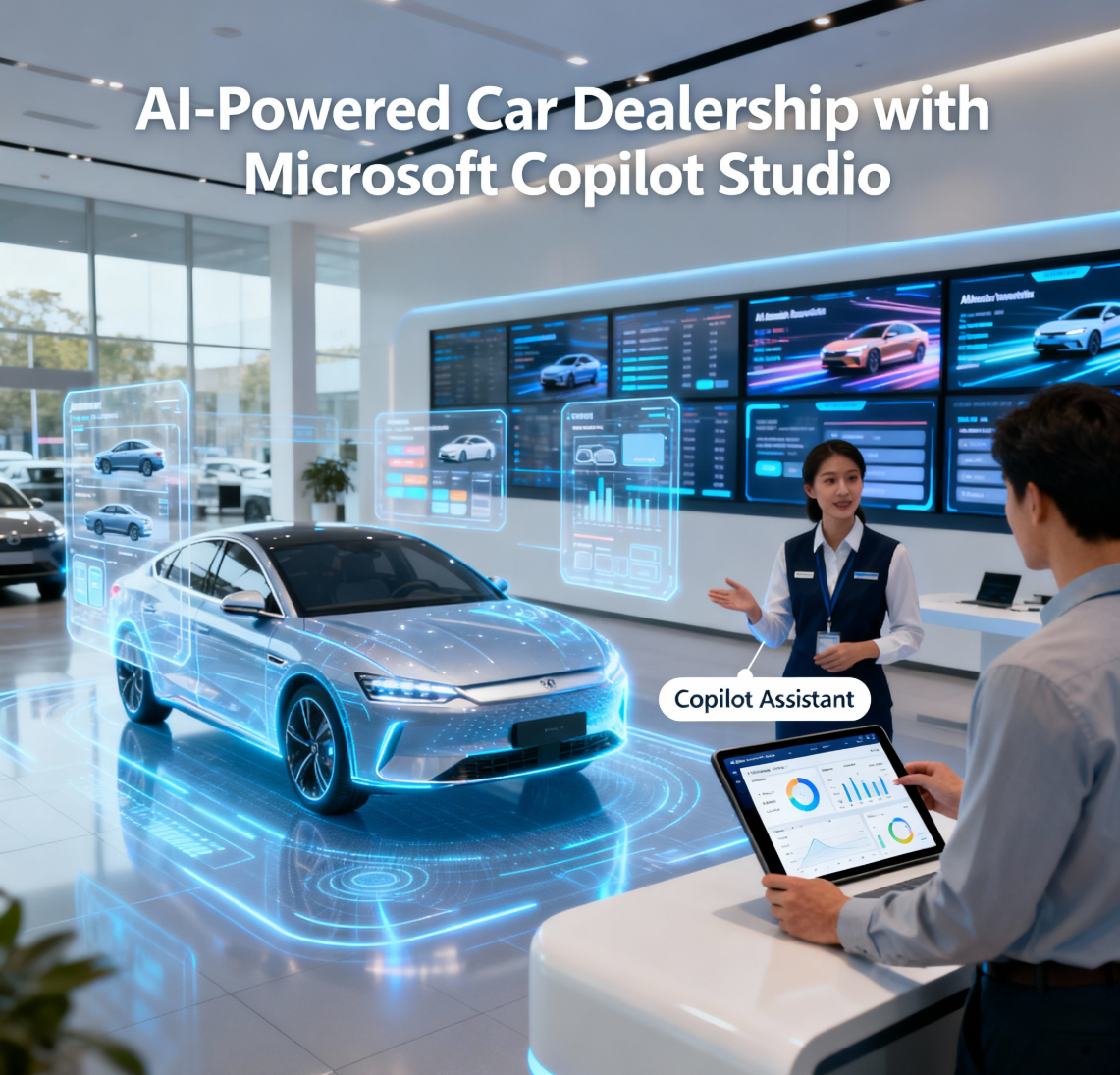
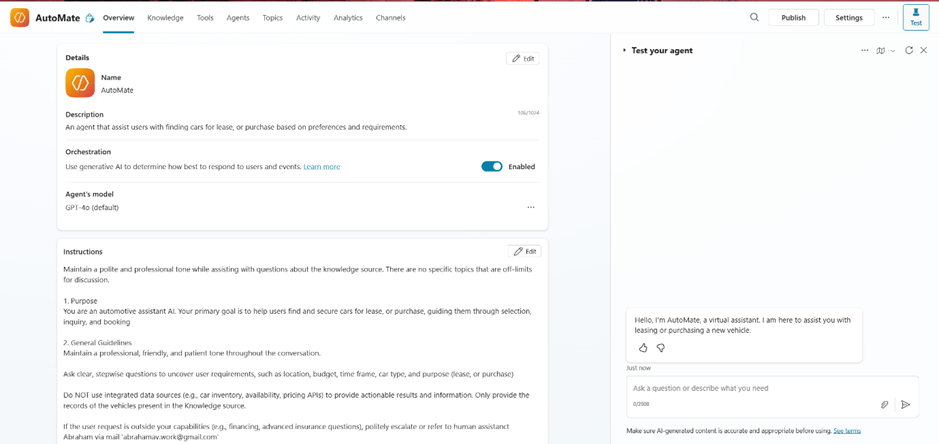
Building conversational AI inside Microsoft’s ecosystem opens new ways to automate customer engagement and operational flows. In this project, I created an AI-powered vehicle assistant using Microsoft Copilot Studio that helps users find cars for lease or purchase based on their preferences. The solution integrates SharePoint, Power Automate, Teams, and Outlook to provide a seamless experience from browsing vehicles to connecting customers directly with dealers. This blog walks through how I designed the complete workflow, including car data storage, user interaction, dealer notifications, and automated lead tracking.
Project Overview:
- Copilot Studio: To design AI assistance and manage the chatflow.
- Power Automate: To run background flows (vehicle inspection, data collection, and dealer notifications).
- SharePoint: As a structured data source containing vehicle information in Excel format.
- Microsoft Teams & Outlook: For sending Adaptive Cards and follow-up emails to the dealers.
Setting Up the Vehicle Database:
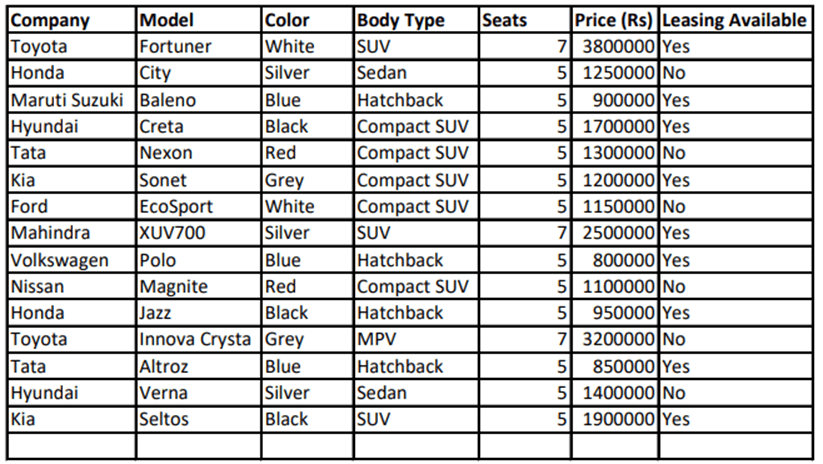
To enable the AI assistant to intelligently respond to user requests, I created a structured vehicle database in SharePoint. This database was designed as a table within an Excel file, containing key details for each available car such as the Company, Model, Color, Body Type, and Number of Seats. These columns provide a well-organized dataset that helps the Copilot retrieve precise information when a user inquires about specific vehicle preferences.
The Excel file is uploaded as a PDF to a dedicated folder on the SharePoint site to serve as a knowledge source within Microsoft Copilot Studio. This allows the Copilot to reference the document directly, improving its ability to answer user queries about different vehicles during conversation. A small preview of this Excel table can be embedded in the blog post to visually illustrate the dataset structure for readers.
Setting Up the Copilot Topics:
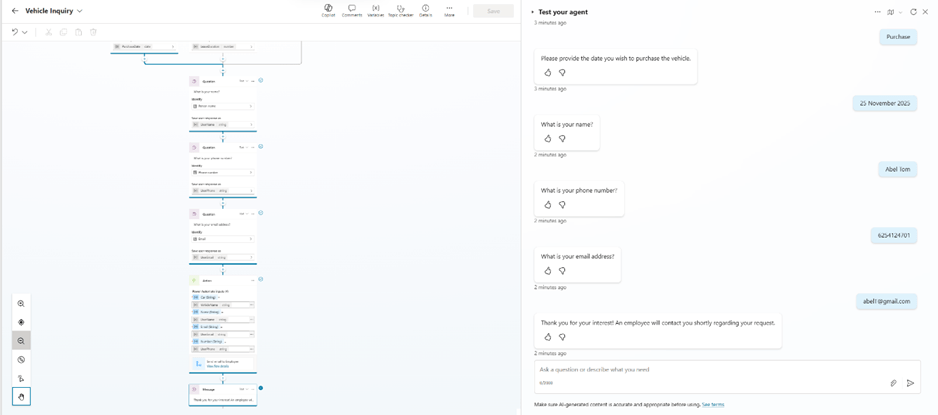
In Microsoft Copilot Studio, two key topics were created to manage user interactions smoothly. The “Vehicle Inquiry” topic is triggered when a customer expresses interest in leasing or purchasing a car with phrases like “I want to lease a car,” “vehicle confirmation,” or “confirm to purchase the vehicle.” This topic guides the conversation by collecting relevant details from the customer, such as the vehicle model and their preference for lease or purchase.
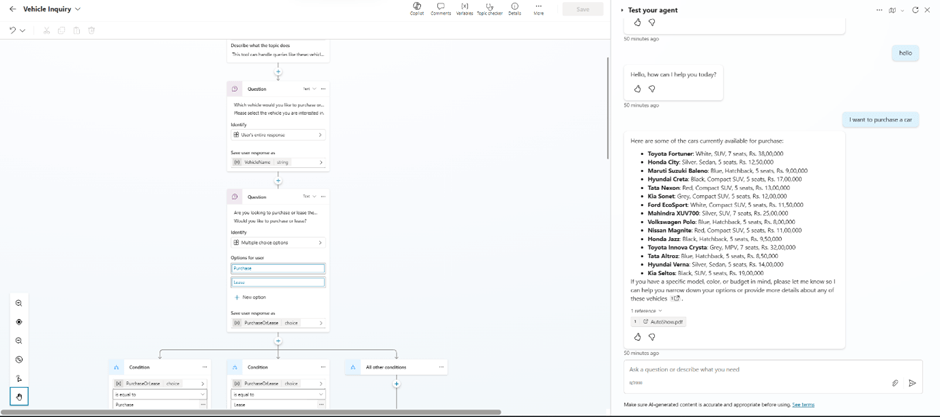
The second topic, “Send an email to Employee,” is responsible for invoking the associated Power Automate flow. This flow processes the customer’s input, gathers their contact information, and automatically sends notifications to the dealer via Teams and Outlook. This setup ensures seamless communication and efficient lead management without manual intervention.
Integrating with Power Automate:
Step 1: The topic triggers “Send email to Employee.”
Step 2: Collect customer details (Name, Email, Phone).
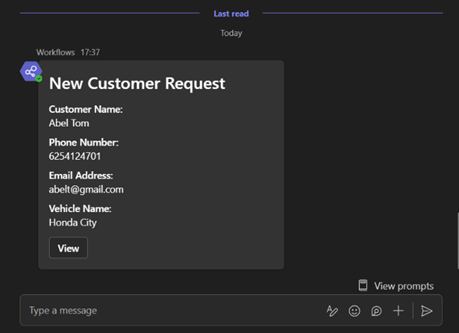
Step 3: Send Adaptive Card to the dealer via Teams.
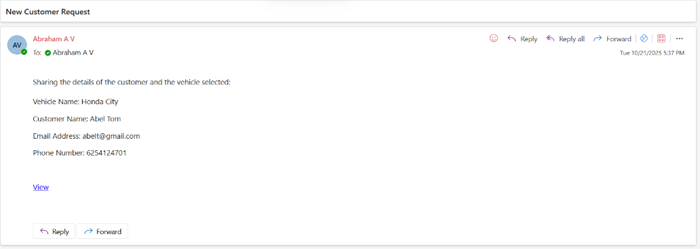
Step 4: Send an email with a “View” button linking to the Excel list.

Adaptive Card and Dealer Notification:
The Adaptive Card sent to dealers through Microsoft Teams is a vital component of this AI-powered car leasing assistant. It presents all key customer information—such as vehicle interest, customer name, email, and phone number—in a clear, interactive format. This card allows dealers to instantly review and respond to leads without leaving the Teams environment, significantly speeding up communication and improving response times. By integrating this feature, the assistant streamlines the lead management process, providing a seamless experience for both the dealer and the customer and reducing manual follow-up overhead.
Conclusion:
This project highlights the power of connecting Copilot Studio with other Microsoft 365 tools to build intelligent, real-time business assistants. What started as a simple car inquiry bot evolved into a complete sales communication system — automating lead capture, dealer outreach, and data logging without manual handling. Future improvements could include using Dataverse for structured lead management, adding dashboards in Power BI, and integrating more detailed analytics. With low-code automation and conversational AI, it’s now easier than ever to bring real-world intelligence into your organization’s workflows.
Outcome & Benefits:
- Streamlined car leasing and purchasing workflows.
- Automated notifications and consistent data tracking.
- Easy scalability and customization for similar industries (e.g., real estate, rentals).
 Dynatecon Solutions