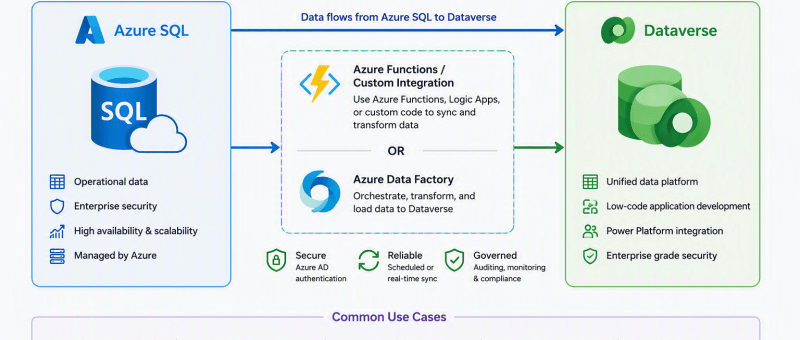
Azure SQL to Microsoft Dataverse Integration Using Azure Data Factory

Introduction Many organizations use Microsoft Dataverse to store business data for Power Apps and Dynamics 365. In some cases, this data comes from external systems such as Azure SQL Database. Azure Data Factory (ADF) provides a simple and reliable way to move data between these systems. In this blog, I will explain how I created…

Unlocking Even Greater Value: Microsoft 365 Copilot + Power Apps for Intelligent Procurement

While Microsoft 365 Copilot significantly improves productivity inside Word, Excel, Outlook, Teams, and SharePoint, organizations can unlock even greater value by combining it with the Microsoft Power Platform. Power Apps enables procurement teams to move beyond AI-assisted productivity and create end-to-end digital procurement processes tailored to their business needs. From Personal Productivity to Process Automation…

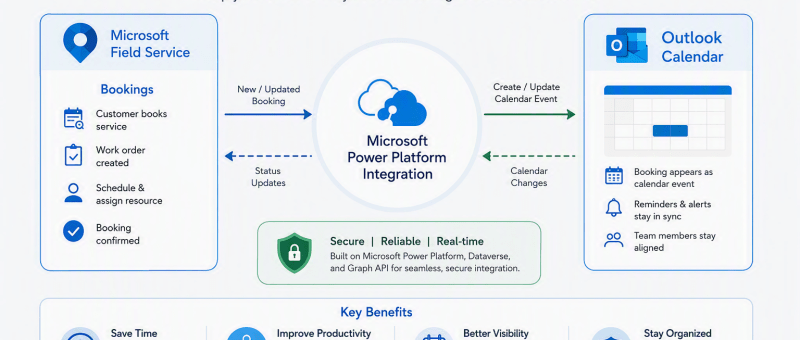
Integrate Field Service Bookings with Outlook Calendars

Dynamics 365 Field Service allows organizations to sync work order bookings with Outlook calendars. This helps technicians and dispatchers see bookings in a familiar calendar view and makes scheduling easier to manage. In this blog, we will look at how to enable Outlook integration and verify that Field Service bookings appear in the technician’s Outlook…

Transforming Procurement with Microsoft Power Apps: From Manual Processes to Intelligent Operations

Microsoft Power Apps enables organizations to build tailored procurement applications without extensive custom development. By creating a centralized procurement platform, organizations can manage purchase requests, approvals, vendor information, and procurement tracking from a single interface.

Elastic Tables in Dataverse: When to Use Them and How to Implement Them Step by Step

Elastic Tables in Dataverse: When to Use Them (And How to Implement Them Step by Step) Your Dataverse environment suddenly has 3 million log records.API calls are slowing down.Users start complaining about performance. During a design review, someone asks:Why didn’t we use Elastic tables? But what are Elastic tables really — and when should we…

Optimizing a Sales KPI Report in Power BI for Better Sales Visibility

Optimizing a Sales KPI Report in Power BI for Better Sales Visibility Introduction Sales teams work with a lot of data every day, including leads, opportunities, activities, quotes, and orders. Most of this data is stored in different modules or systems, which makes it difficult for users to get a complete picture of sales performance.…

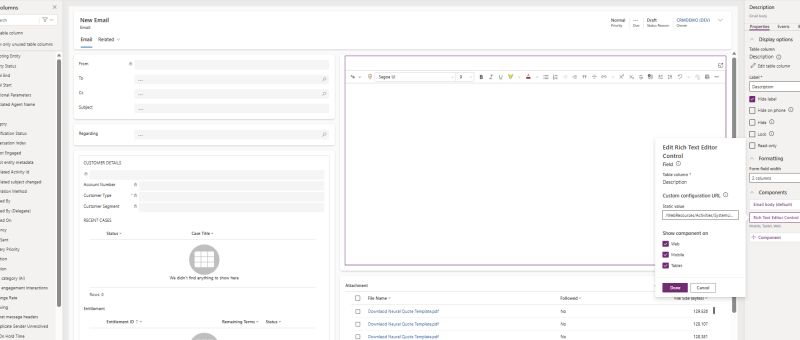
How to Fix Missing “Description/Email Body” Field in Dynamics 365 Email Form Using Rich Text Editor Control

In one of our recent Dynamics 365 support cases, a client reported that they were unable to view the Description field in the Email form — specifically the area used to compose the email body. Although the Description column was already present on the form, the email body section was not appearing as expected. After…

LS Central + Dynamics 365 Business Central for Retail Domain. Why it’s a great combo?

In today’s hyper-competitive retail landscape, the supply chain is no longer just an operational backbone — it’s a strategic differentiator. Retailers who fail to deliver the right product at the right time risk losing customers to faster, more connected competitors. Yet, achieving supply chain excellence remains a challenge for many. ⚠️ Common Retail Supply Chain…

Creating an Intelligent “Canteen Meal Booking Agent” with Microsoft Copilot Studio and Dataverse

In today’s fast-paced office environments, even something as simple as ordering lunch can become time-consuming. To make the daily meal process smoother for employees and canteen staff, I built a Copilot-powered Canteen Meal Booking Agent using Microsoft Copilot Studio and Dataverse. This intelligent assistant allows employees to view the daily menu, check item availability, place meal orders, and manage them…

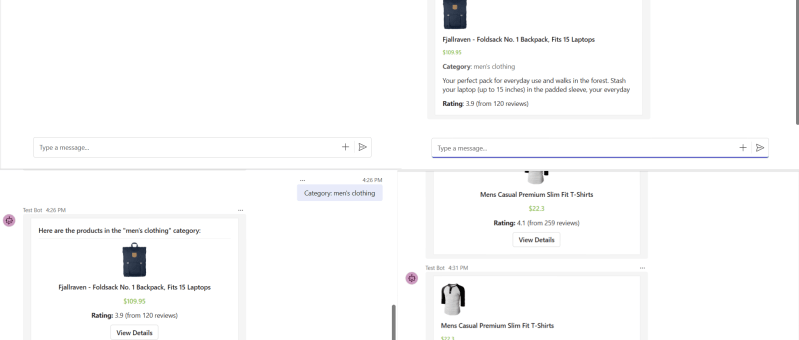
Building a Microsoft Teams Bot to Search and Display Products from an API

In this blog, we'll walk you through the steps to create a Microsoft Teams bot that allows users to display product details by product ID, category, or search query using an external API. The bot is built using the Bot Framework SDK and interacts with Fake Store API, which provides sample product data perfect for…

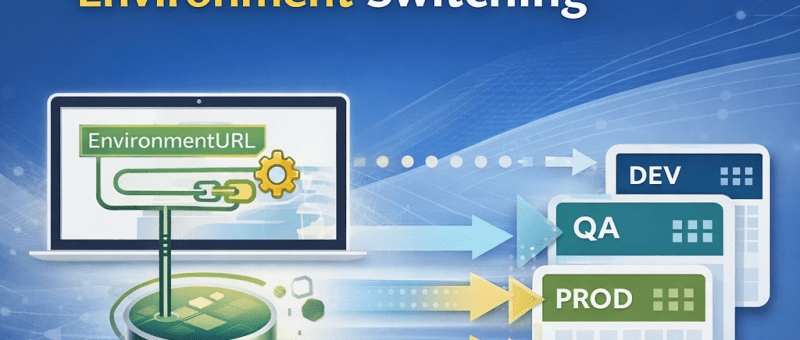
How to Build a Parameterized Environment-Switching Data Source in Power BI for Dataverse (Production-Ready Approach)

In enterprise Power BI reporting, connecting to Dynamics 365 / Dataverse using a fixed environment URL makes deployments fragile. Every time you move from Dev → QA → Production, you must manually update data sources — a process that’s error-prone and not suitable for production. When working with multiple environments (Dev, QA, Production): Challenges with…

MCP-Powered Assistant: An AI Agent Built with Copilot Studio and Dataverse

Imagine a customer telling an AI, “I need a 7‑seater SUV under 30K,” and the agent instantly picks the perfect car from your dealership’s catalog. That is exactly what this Copilot Studio agent does, powered by a PDF in SharePoint, Dataverse, and Model Context Protocol (MCP). Step 1: Feed the agent your car catalog All…

Build an Employee Management Copilot Agent in Microsoft Copilot Studio: Step-by-Step Guide

Automating internal processes and providing quick answers to employees is now easier with Microsoft Copilot Studio. In this guide, we’ll walk through creating a Copilot agent that can create employee records in Dataverse (CRM) and answer FAQs from a SharePoint library containing multiple files. This post focuses on building the agent itself, integrating it with…

Building the HR Assistant Copilot Agent – A Smart HR Solution with Microsoft Power Platform

I had the opportunity to showcase my HR Assistant Copilot — a Proof of Concept (PoC) developed using Microsoft Copilot Studio and seamlessly integrated with Power Apps. This demo illustrates how AI-powered Copilot agents can revolutionize HR operations by automating routine tasks, streamlining workflows, and enhancing the overall employee experience within an organization.  Objective The…

Building a Conversational Car Assistant with Microsoft Copilot Studio

Introduction : Building conversational AI inside Microsoft’s ecosystem opens new ways to automate customer engagement and operational flows. In this project, I created an AI-powered vehicle assistant using Microsoft Copilot Studio that helps users find cars for lease or purchase based on their preferences. The solution integrates SharePoint, Power Automate, Teams, and Outlook to provide…

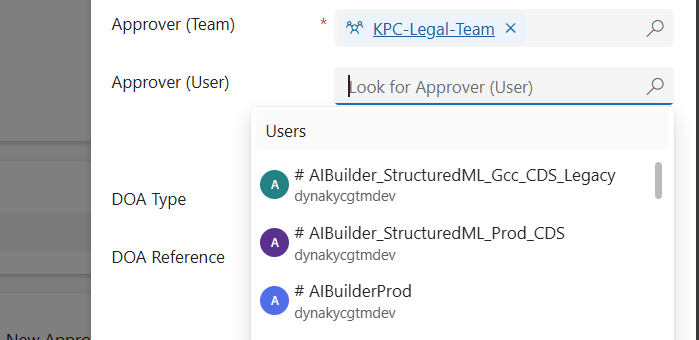
Filtering Users Based on Their Team in Dynamics 365 Using JavaScript

When working in Dynamics 365 or Power Apps model-driven apps, it’s common to have forms where you want to restrict a lookup field so it only shows relevant records. A typical scenario is filtering the “User” lookup field to only display users who belong to a specific Team. In this post, we’ll walk through how…

Building a Dynamic Chat Interface: React-based PCF Control

Creating a seamless and interactive chat interface can significantly enhance user engagement in your Power Apps solutions. In this blog post, we will walk you through the steps of building a React-based chat component using Power Apps Component Framework (PCF) with a dataset template. We'll leverage Fluent UI for styling and functionality, ensuring a polished…

Sending Adaptive Cards in Outlook via Power Automate (Test User Setup Guide)

In today’s fast-paced business world, real-time communication is essential. In this guide, I’ll show you how I built a fully automated employee onboarding notification system using Adaptive Cards and Power Automate. When a new employee is added in Dataverse, the system automatically sends an Outlook notification with their details and a direct link to view…

Migrate Configurations and Data across Power Platform Environments via CMT

Organizations using Microsoft Power Apps often need to not only share their apps and customizations across environments (such as development, test, or production) but also move related data records—like configuration settings, lookup tables, or business-specific metadata. Below, I outline the most effective ways to share such records and provide a step-by-step guide to using the…

“Automating Renewal Reminder Emails in Dynamics 365 with Power Automate (Handling UTC Date Filtering)”

Managing subscription renewals is critical for any business offering SaaS products or long-term service agreements. Missing renewal alerts can mean lost revenue, churned customers, or costly last-minute scrambles. One of the biggest challenges in building reliable renewal reminder automations in Dynamics 365 (Dataverse) is date filtering. ✅ Dataverse stores all DateTime fields in UTC, while…