

 Written by
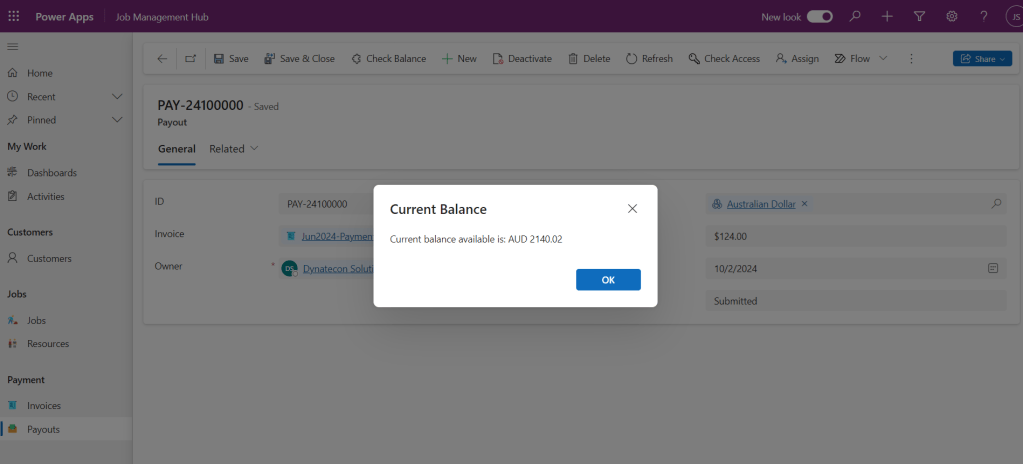
 Requirement : To obtain data and display it in the Model Driven App, add a button to access an external API. For this blog, we use Airwallex API (a global financial platform that offers digital payment solutions for organizations and individuals). and getting the current balance of a specific currency from the user’s Airwallex account and showing it as a popup.
Components Used :
- Model-Driven App.
- Power Automate Flow: We use Power Automate Flow to obtain the access token for the API and then use the API to retrieve the data.
- Ribbon Workbench: Use this tool to add buttons to forms and bind web resources to them.
- Web resource: To initiate the flow that calls the API and retrieves data for display.
Solution : First we need to create a Power automate flow to get access token for the API and also call the API to retrieve the desired data.
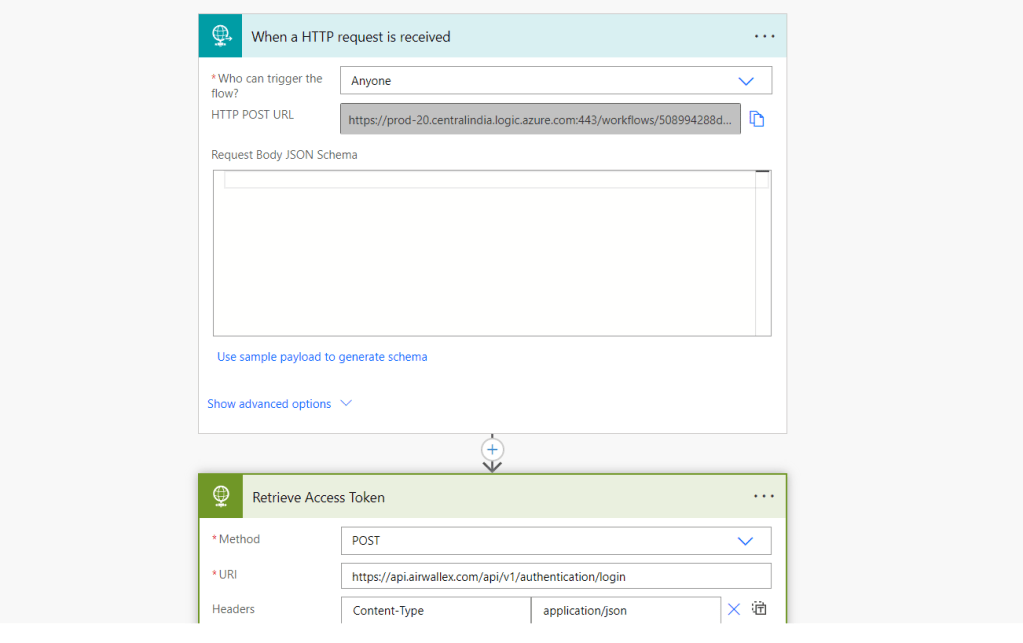
Fig.1
Here we are using the “When an HTTP request is received” so we can trigger this flow using the HTTP Post URL in the trigger, followed by an “HTTP” action to retrieve the access token.
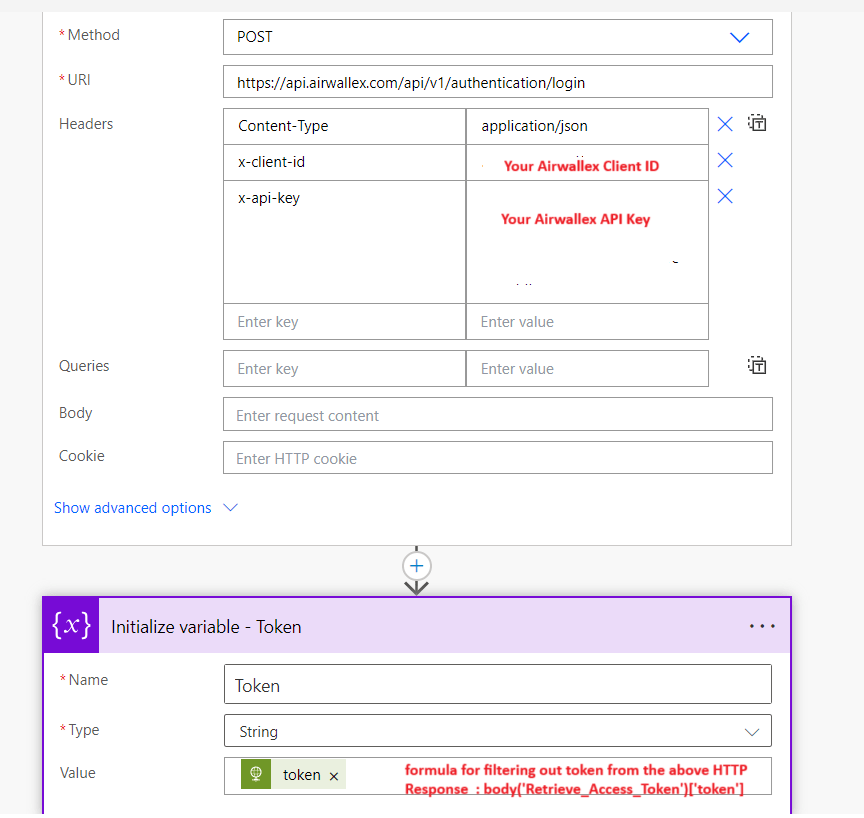
Fig.2
Now in the “HTTP” action we pass the AIrwallex client Id and API key to get the access token and from the action response we are filtering the token and pass the token to the “HTTP” action were we make the call to retrieve the data. After retrieving the data we can pass the response of the HTTP API call to a “Response” action to pass the data to the Web resource where we trigger the flow.
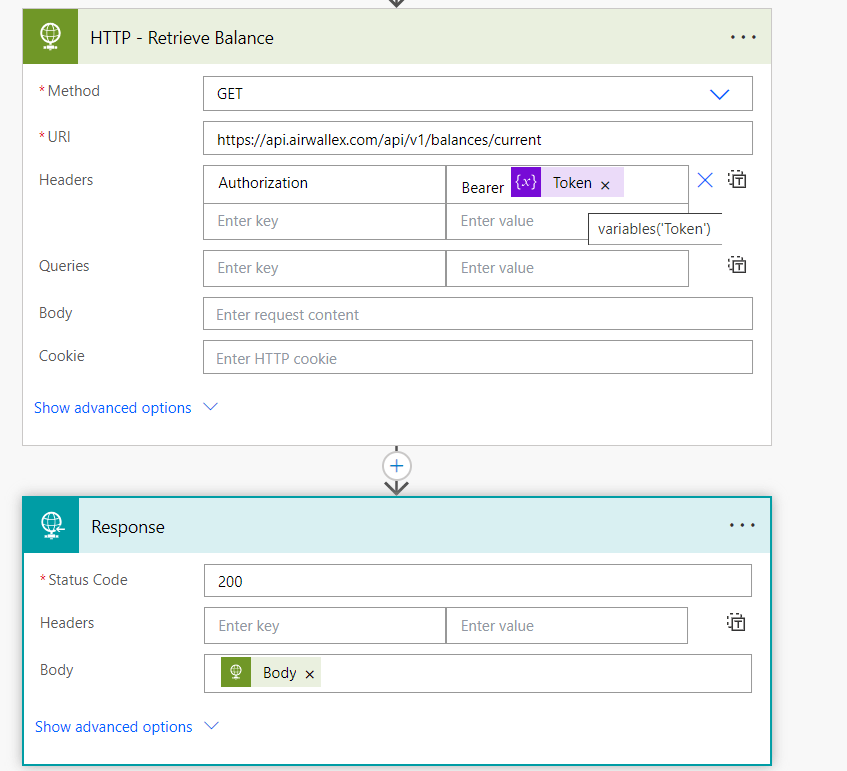
Fig.3
Now create a Java-Script web resource to trigger the flow.
async function checkBalance() {
    const apiUrl = 'your HTTP Post URL from the Flow Trigger';

    try {
        // Make the API call
        const response = await fetch(apiUrl, {
            method: 'POST', // Assuming you need to use POST; change it if needed
            headers: {
                'Content-Type': 'application/json', // Adjust headers if necessary
            }
        });

        // Check if the response is okay (status 200-299)
        if (!response.ok) {
            throw new Error(`Error: ${response.status} ${response.statusText}`);
        }

        // Parse the response JSON
        const data = await response.json();

        // Filter the available amount for currency "AUD"
        const audData = data.find(item => item.currency === 'AUD');

        if (audData) {
            const availableAmount = audData.available_amount;
            console.log(`Current balance available is: ${availableAmount}`);
            Xrm.Navigation.openAlertDialog({ text: `Current balance available is: AUD ${availableAmount}`, title: "Current Balance" });
        } else {
            console.log('Currency AUD not found in the response.');
            alert('Currency AUD not found in the response.');
        }
    } catch (error) {
        console.error("Error fetching data:", error);
        alert("Error fetching data: " + error.message);
    }
}
In the code we are triggering the Flow and In the API response we are checking for the Current Available balance of the currency “AUD” and displaying the Current available balance as an alert. Now we need to add the button in the model driven app and bind the web resource to the button.
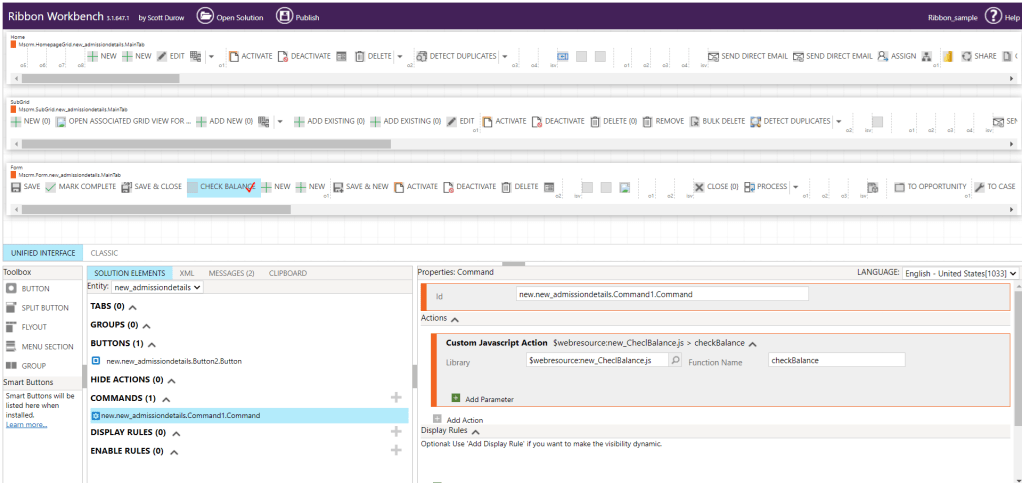
we added the button in the form using the Ribbon Workbench and added the Java-Script action, Now when we click the button the Java-Script action triggers the flow and when the flow is successfully run, the response from the flow is passed to the Java-script and alert is shown with the current balance.
Hope this helps!!!
 Dynatecon Solutions