
 Written by
 In this article, we’ll look at how to integrate Asana (a project management tool) with Dynamics 365. We have three scenarios:
Scenario 1: Tasks made in Dynamics 365 will also be created in Asana.
Scenario 2: Once a task is marked as complete in Asana, it is likewise marked as complete in Dynamics 365. Scenario 3: Open Asana Task from Dynamics 365 – custom Button.
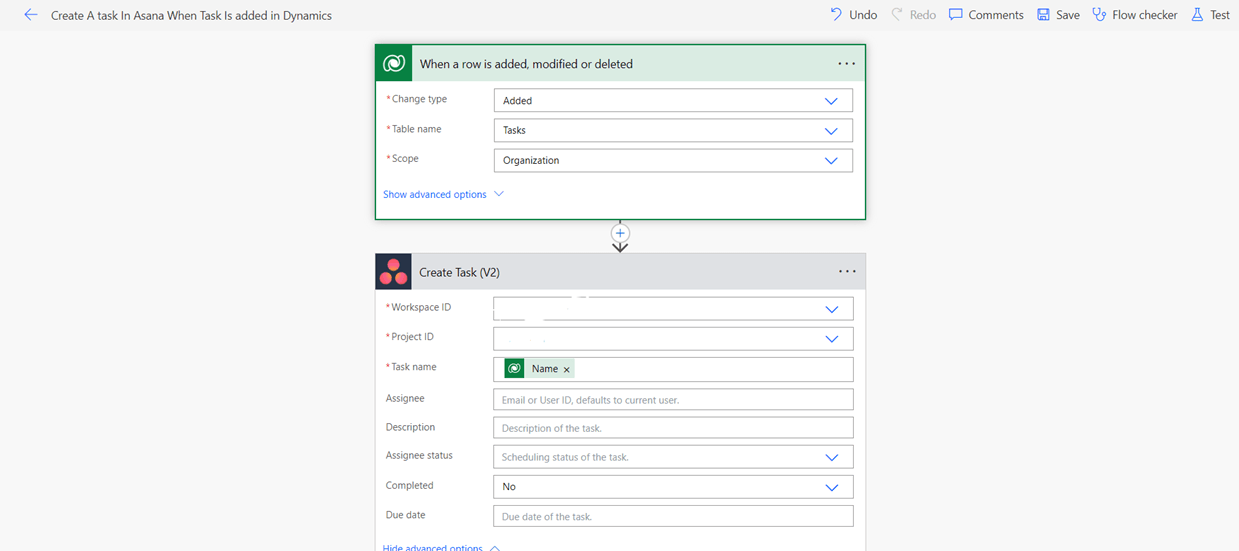
Solution: For these two cases, we will use the Power Automate flow; there are actions available for Asana in Power Automate for Asana task creation and task completion. Now we can see how to solve Scenario 1 using Power Automate. When a task is created in Dynamics 365, we must create a task in Asana.

We are using “When a row is added, modified or deleted – Microsoft dataverse” as trigger and selected Task table. Following the trigger we can use “Create Task – Asana “ Action to create task in asana. Also create 2 fields in Task table for storing Asana Task Id and Asana Project Id. After the “Create Task “ action we will update the Task Id and Project Id in in dataverse.

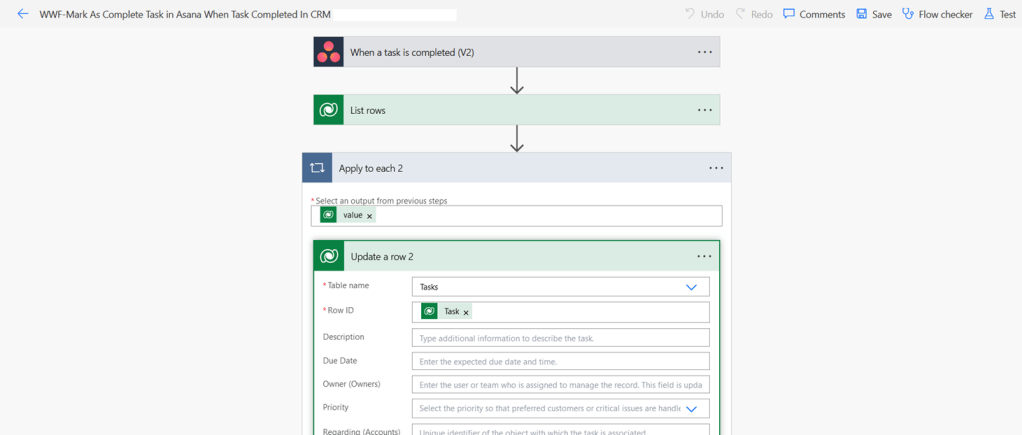
So with this flow our first scenario is covered. Now we will check how to solve second scenario, when a task is completed In Asana we need to mark the task completed in dynamics 365. For this Power automate also provide a Asana trigger “ When a task is completed – Asana”, select the trigger and provide the workspace and project.

After the trigger we are using “List rows” action and filtering the specific task using the Asana task Id Field we previously created for storing the Asana Task ID. Then We will use an “Update Row ” action to update the Task status as complete in dataverse.

So with this flow second scenario is also covered. Now we will check the third scenario Open task In asana from Model driven app. For that we should use Ribbon Workbench to create and customize the button.

For the button Command we will use a JavaScript action with parameter as “FirstPrimaryItemId”. Create a JavaScript web resource which contains the code and add it to the custom JavaScript action.
Code :-
function OpenTaskInASANA(taskid){
    var baseURL = "https://app.asana.com/0/"
    if (taskid != null) {
        taskid = taskid.replace("{", "").replace("}", "");
    }
    console.log(`taskid is ${taskid}`);

    var input = JSON.stringify({
        "taskid": taskid
    });
    console.log(input);
    Xrm.WebApi.retrieveRecord("task", taskid).then(
        function success(result) {
            var projectName = result.{projectId field logical name}|| '';
	    var TaskId = result.{Asana field logical name} || '';
            if (projectName) {
                var adoLink = baseURL + projectName+ ""TaskId;
                window.open(adoLink, "_blank");
            } else {
                alert("Project  is not available.");
            }


        },
        function error(error) {
            console.error(`Error retrieving project record: ${error.message}`);
        }
    );
}

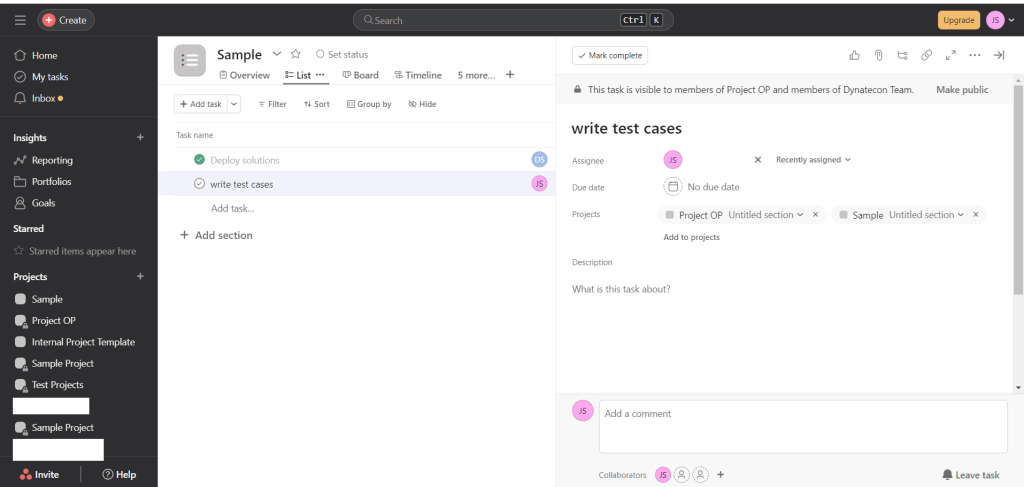
With this scenario 3 is also finished (button on the form ‘Open Task in Asana’ is available and clicking on it would open the task in Asana.

Task in Asana
Hope this helps!
 Dynatecon Solutions