Filtering Users Based on Their Team in Dynamics 365 Using JavaScript
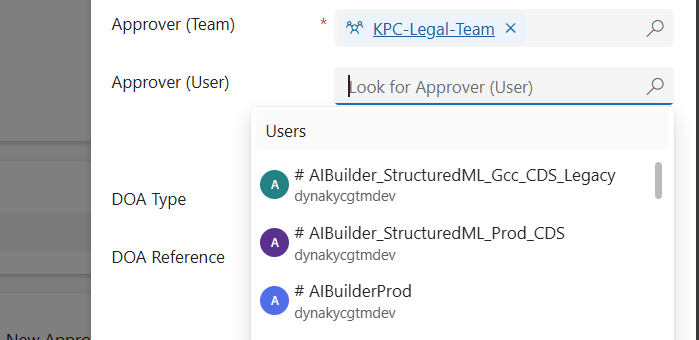
When working in Dynamics 365 or Power Apps model-driven apps, it’s common to have forms where you want to restrict a lookup field so it only shows relevant records. A typical scenario is filtering the “User” lookup field to only display users who belong to a specific Team. In this post, we’ll walk through how…

🚫 Fixing “Future Date” Validation Errors in Power Apps (Even for Today’s Date!) 

📌 Problem We Faced:  We had a custom JavaScript validation in our Power Apps Model-Driven form. The goal was simple: 👉 Show an error if the user enters a future date.  We used this script:  if(fieldValue && fieldValue > today) { showerror } At first, it worked fine. But then… 💥 in some systems, even when…

Variables vs Compose in Power Automate: What’s the Difference and When to Use?

When building Power Automate flows, two commonly used actions for storing data are: Initialize/Set Variable Compose 🧠 What is a Variable? A variable is a mutable container — which means you can change or update its value after it's created. You must initialize a variable with a specific datatype like String, Boolean, Integer, Array, or…

Manage Field visits and Incidents from mobile device using Power App (Canvas App): Incidents Hub

Welcome to this step-by-step guide on building a simple Canvas App called "INCIDENTS HUB" using Microsoft PowerApps. The INCIDENTS HUB app will help users track and manage incidents efficiently, offering an easy-to-use interface for viewing, adding, and updating incident records. Prerequisites An active Microsoft PowerApps account. Basic understanding of PowerApps interface and functions. A data…