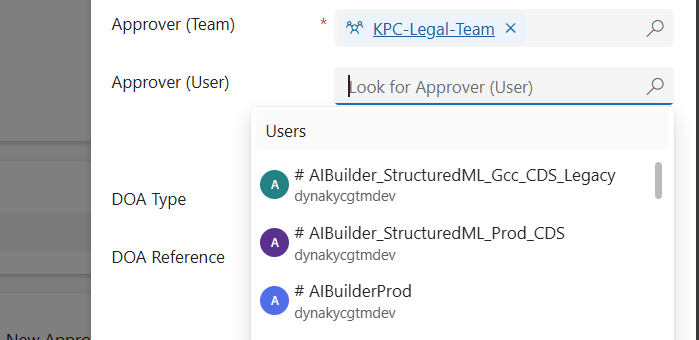
When working in Dynamics 365 or Power Apps model-driven apps, it’s common to have forms where you want to restrict a lookup field so it only shows relevant records. A typical scenario is filtering the “User” lookup field to only display users who belong to a specific Team. In this post, we’ll walk through how…
Tag: Javascript
Building a Dynamic Chat Interface: React-based PCF Control
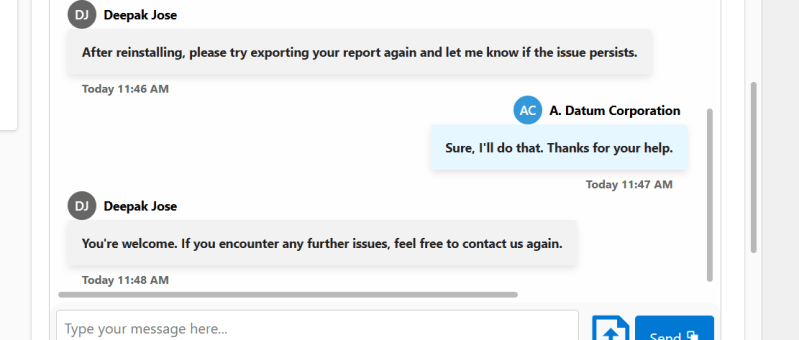
Creating a seamless and interactive chat interface can significantly enhance user engagement in your Power Apps solutions. In this blog post, we will walk you through the steps of building a React-based chat component using Power Apps Component Framework (PCF) with a dataset template. We'll leverage Fluent UI for styling and functionality, ensuring a polished…
Variables vs Compose in Power Automate: What’s the Difference and When to Use?
When building Power Automate flows, two commonly used actions for storing data are: Initialize/Set Variable Compose 🧠 What is a Variable? A variable is a mutable container — which means you can change or update its value after it's created. You must initialize a variable with a specific datatype like String, Boolean, Integer, Array, or…
Retrieving data from Microsoft Dataverse in React pages via Node.js backend
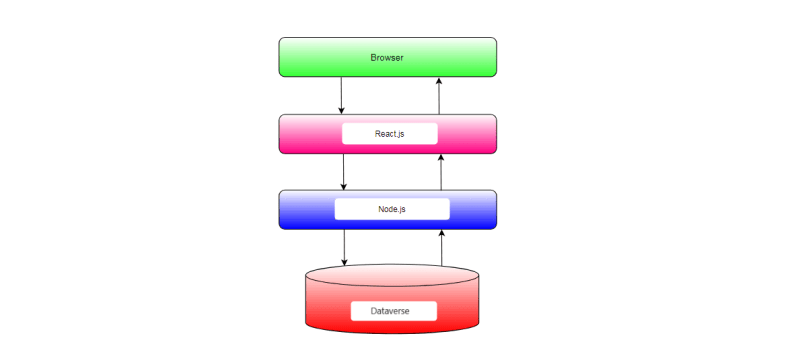
In this blog post, we'll explore how to integrate Microsoft Dataverse, formerly known as the Common Data Service (CDS), with a Node.js backend and a React.js frontend. Microsoft Dataverse is a cloud-based data storage service provided by Microsoft as part of the Power Platform suite. By integrating Dataverse with Node.js and React.js, we can build powerful applications that leverage the capabilities of Dataverse for data storage and management.
Generating Invoice Lines based on the Project Members in Dyna Pro application with JavaScript
In Dynamics 365 environments where project resources are pivotal to billing processes, automating the generation of invoice lines can enhance efficiency and accuracy. Today, we'll explore how to implement custom JavaScript automation to create invoice lines based on project resources with the click of a button. Understanding the Scenario Imagine you are working within a…
Building a Modern Web Application with React, Node.js, and SharePoint Integration
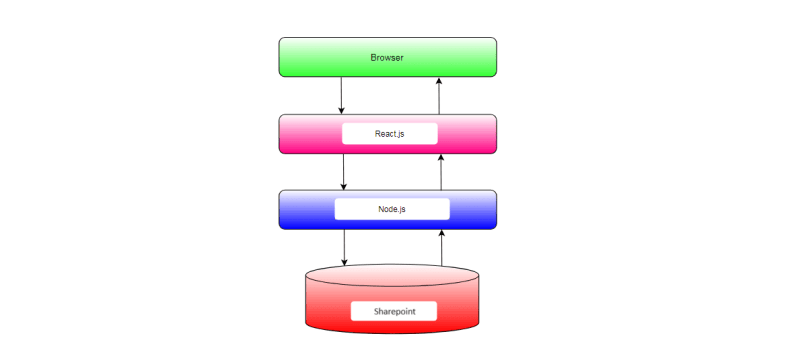
In today's digital landscape, effective data management is essential for organizations to operate efficiently and make informed decisions. However, managing data across different platforms and systems can often be a daunting task. In this blog post, we'll explore how to build a modern web application that seamlessly integrates a React frontend with a Node.js backend…
Populate Lookup fields and Text fields from an Entity to Another Entity using JavaScript – Dynamics 365 CRM
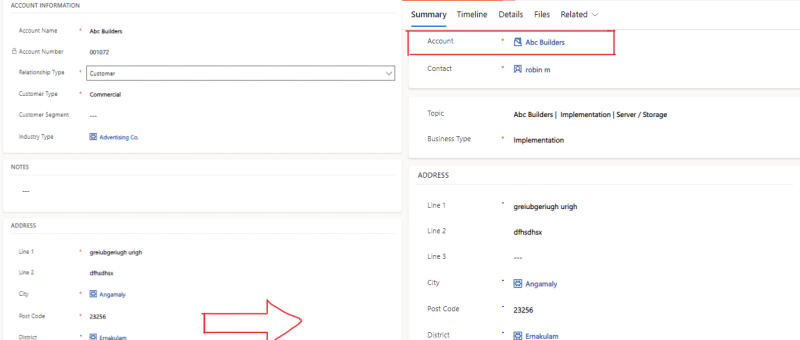
There are cases where we need to set a lookup field on a Dynamics 365 or Power Apps, where we want to retrieve value of lookup fields or Text fields on the form using JavaScript and set to other entities form fields. SCENARIO: In our case we are having entities like 'Account' and 'Lead', where…
How to trigger Close function using JavaScript?
// How to trigger Close function using JavaScript? Xrm.Page.ui.close(); **For CRM 2011 Training, please check out our CRM Training page. Please share |Like in Facebook if you feel like this page is useful.