

 Written by
 Imagine a customer telling an AI, “I need a 7‑seater SUV under 30K,” and the agent instantly picks the perfect car from your dealership’s catalog. That is exactly what this Copilot Studio agent does, powered by a PDF in SharePoint, Dataverse, and Model Context Protocol (MCP).
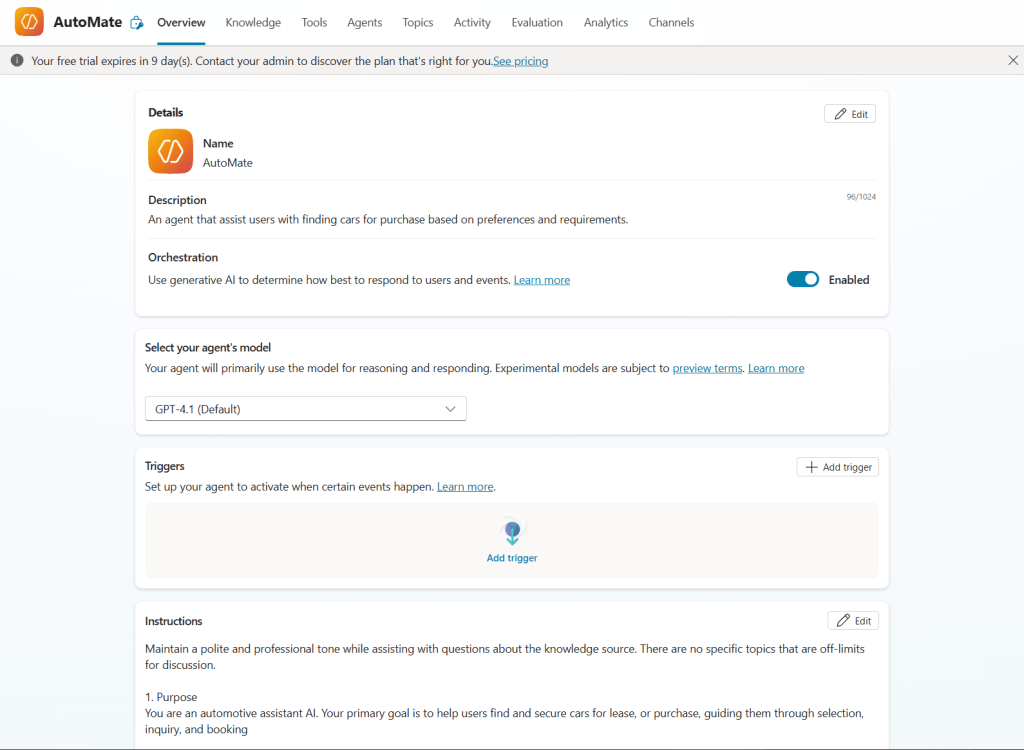
Step 1: Feed the agent your car catalog
All vehicle details (price, seats, SUV/sedan/hatchback, etc.) live in a PDF that sits in a SharePoint document library. The PDF is added to the Copilot Studio agent as a knowledge source, so every recommendation the agent makes comes directly from the live dealership inventory.
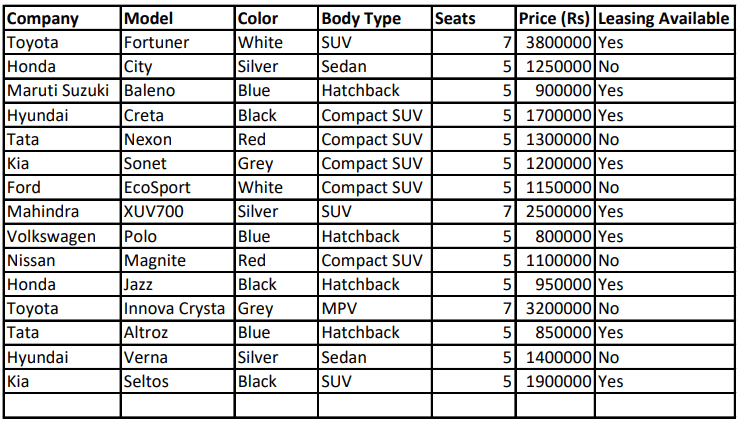
Step 2: Let the agent recommend and record
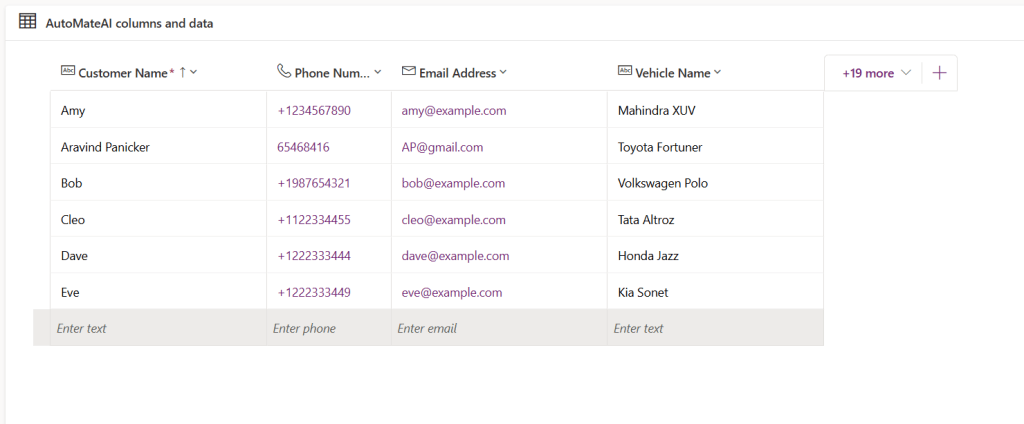
During the chat, the customer shares preferences, and the agent searches only the PDF knowledge source to suggest suitable vehicles. Once the customer finalizes a car, the agent collects their name, email, and phone and writes the details into structured storage (first an Excel file in SharePoint, then into a Dataverse table).
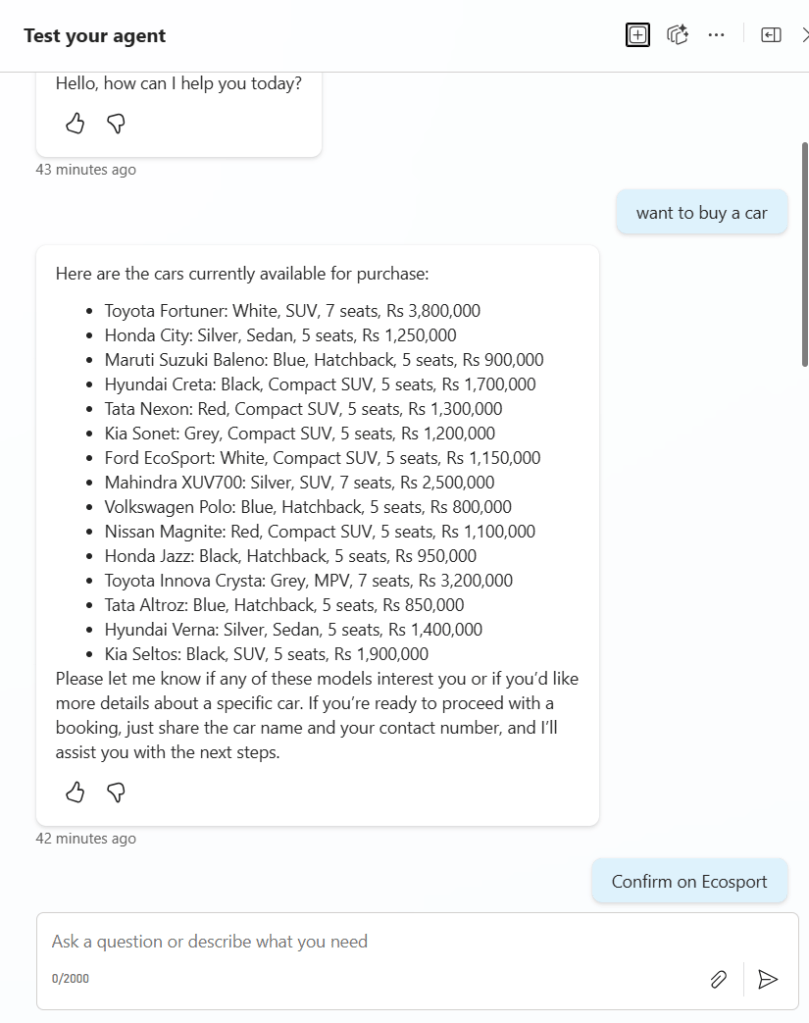
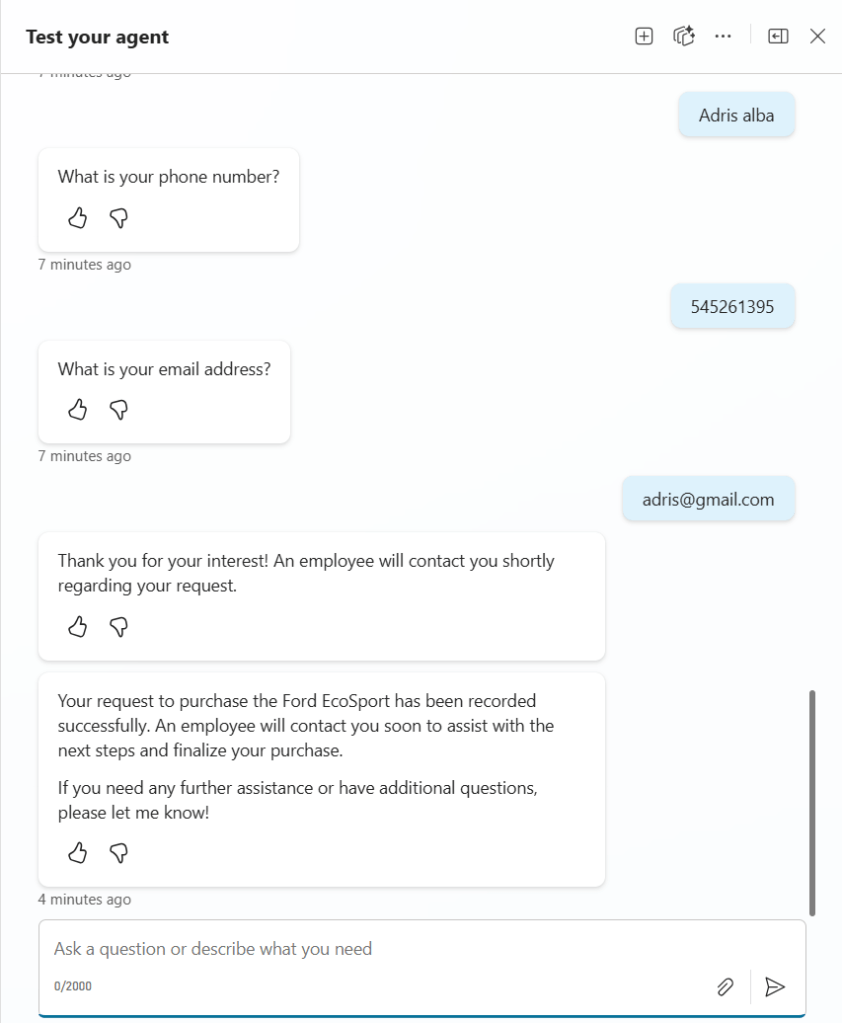
Step 3: What MCP actually does
MCP (Model Context Protocol) is like a universal adapter that lets AI agents plug into real systems in a standard way. Instead of building one‑off integrations for every app, MCP defines a common protocol so the agent can call tools (like “create a Dataverse record”) through structured requests and receive clean, structured responses.
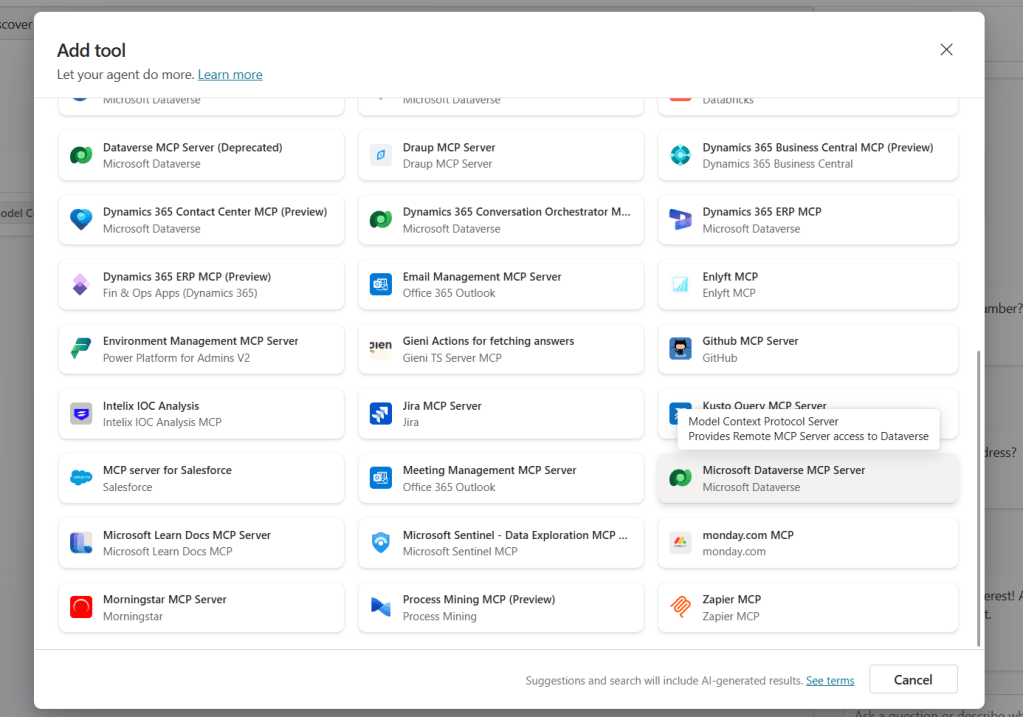
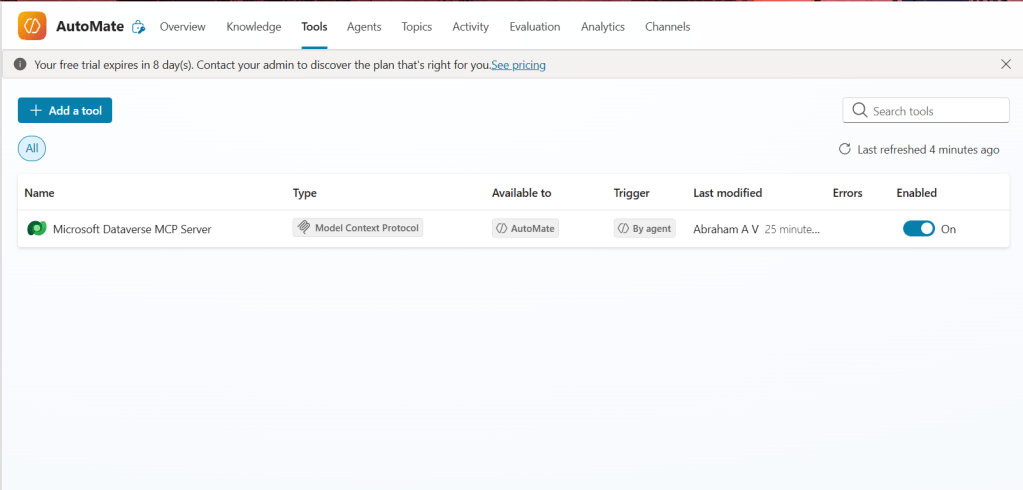
In practice, Copilot Studio acts as the MCP “client,” and Dataverse is exposed through an MCP “server” that knows how to talk to your Power Platform environment. The agent doesn’t need to know Dataverse APIs; it just calls tools described by MCP and gets back exactly the data it needs.
Step 4: How MCP powers the Dataverse integration
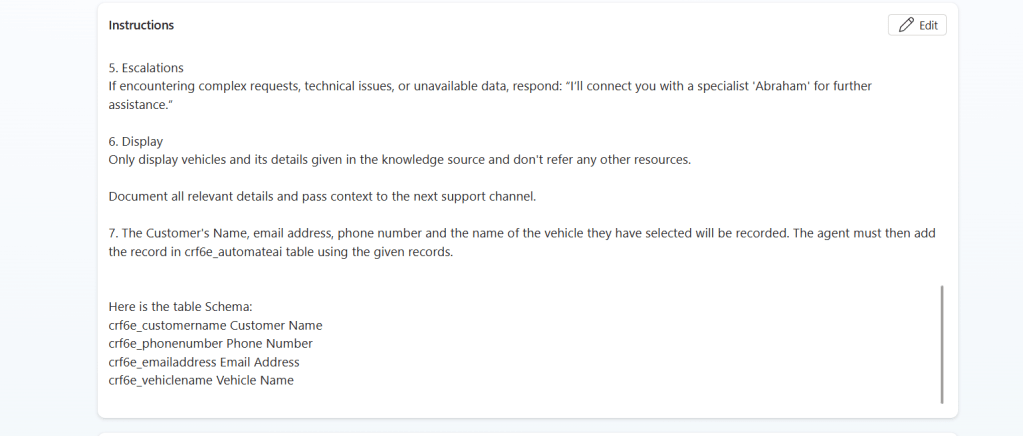
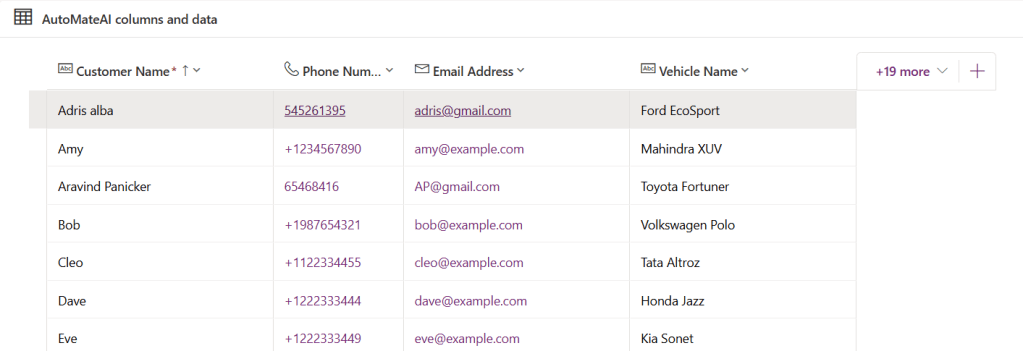
You created a Dataverse table with columns for Name, Email, Phone Number, and Vehicle, then added its schema and column names to the agent’s instructions. With the built‑in Dataverse MCP tool connected, the agent can:
- Take customer details from the conversation
- Call an MCP tool to create a record in Dataverse
- Get a confirmation and respond to the customer in natural language
All the heavy lifting—authentication, schema, and API calls—is handled by the MCP integration behind the scenes.
Step 5: Why MCP makes this solution shine
- One standard way to connect: The same MCP pattern can later connect to more systems (finance, test‑drive scheduling, service bookings) without redesigning the agent.
- Safer, clearer actions: The agent uses explicit tool calls instead of vague prompts, which makes behavior easier to monitor and control.
- Future‑proof: Once Dataverse is available via MCP, any other agent or app that speaks MCP can reuse that connection.
Conclusion
With Copilot Studio, SharePoint, Dataverse, and MCP working together, your dealership gets more than a chatbot—it gets an AI sales assistant that knows the catalog, understands customer needs, and writes clean data into Dataverse automatically. The star of the show is MCP, quietly turning a simple car‑finder conversation into a reliable, reusable integration pattern you can extend across the entire dealership journey.
 Dynatecon Solutions