GitHub Copilot harness vs Standard Harness in Copilot Studio. Key differences and when to choose the right option
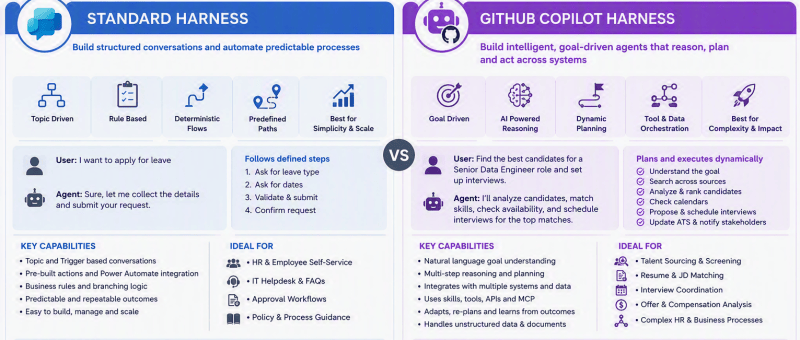

Based on Microsoft’s current Copilot Studio architecture, the GitHub Copilot Harness is not just a newer UI. It is a fundamentally different orchestration runtime designed for agentic, reasoning-heavy workloads, whereas the Standard Harness remains the best choice for deterministic, process-driven conversational agents Executive Summary AreaStandard HarnessGitHub Copilot HarnessPrimary DesignRule-based conversational agentGoal-based AI agentAgent BehaviorFollows predefined…

Creating an Intelligent “Canteen Meal Booking Agent” with Microsoft Copilot Studio and Dataverse

In today’s fast-paced office environments, even something as simple as ordering lunch can become time-consuming. To make the daily meal process smoother for employees and canteen staff, I built a Copilot-powered Canteen Meal Booking Agent using Microsoft Copilot Studio and Dataverse. This intelligent assistant allows employees to view the daily menu, check item availability, place meal orders, and manage them…

Building a Microsoft Teams Bot to Search and Display Products from an API

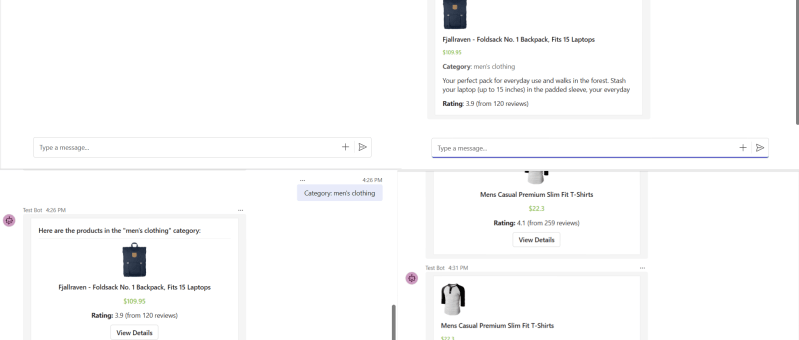
In this blog, we'll walk you through the steps to create a Microsoft Teams bot that allows users to display product details by product ID, category, or search query using an external API. The bot is built using the Bot Framework SDK and interacts with Fake Store API, which provides sample product data perfect for…

MCP-Powered Assistant: An AI Agent Built with Copilot Studio and Dataverse

Imagine a customer telling an AI, “I need a 7‑seater SUV under 30K,” and the agent instantly picks the perfect car from your dealership’s catalog. That is exactly what this Copilot Studio agent does, powered by a PDF in SharePoint, Dataverse, and Model Context Protocol (MCP). Step 1: Feed the agent your car catalog All…