Airwallex API Integration In Dynamics 365 Web Resources via Power Automate

Requirement : To obtain data and display it in the Model Driven App, add a button to access an external API. For this blog, we use Airwallex API (a global financial platform that offers digital payment solutions for organizations and individuals). and getting the current balance of a specific currency from the user's Airwallex account…

Integrating Power BI Reports In Power Pages

Power Pages allows you to integrate Power BI Reports & Dashboards directly into your web portals. Embedding Power BI reports in Power Pages can provide your users with rich, interactive visualizations and insights without leaving the portal. In this blog, we'll walk you through the steps to embed a Power BI report into your Power…

Custom Lookup Filtering In Basic Forms – Power Pages

In this blog we will see how to use custom lookup filtering in basic forms. Basic forms in power pages with lookup fields often face issue with related records filtering. So we can explore how to use custom filtering in the lookup fields. Solution :- First of all consider we have two Lookup fields Field…

Integrating Dynamics 365 With Asana

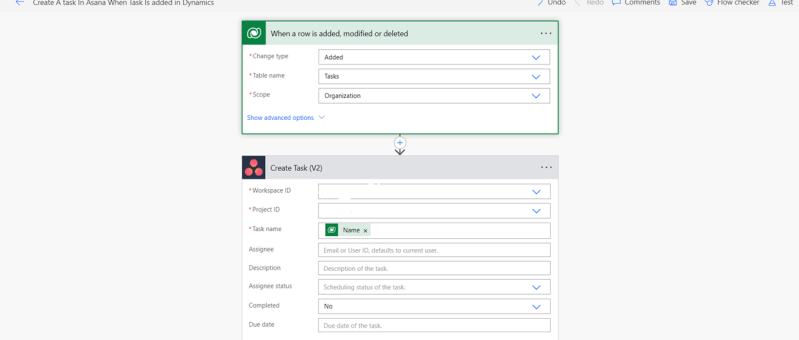
In this article, we'll look at how to integrate Asana (a project management tool) with Dynamics 365. We have three scenarios: Scenario 1: Tasks made in Dynamics 365 will also be created in Asana.Scenario 2: Once a task is marked as complete in Asana, it is likewise marked as complete in Dynamics 365. Scenario 3:…

Format Date Using Date Filter for Tables in Power Apps Portal

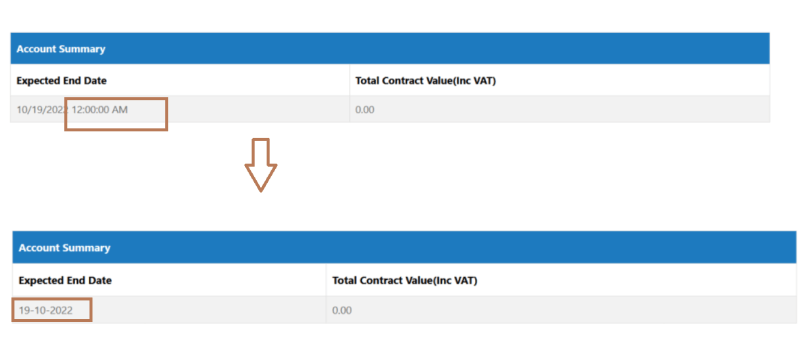
When showing the datetime field values on Portal, it's a common requirement to show only the Date part on the portal and not to show the Time part. This post explains how to achieve that when fetching data from Dataverse 'Datetime' field and show only the Date part. Requirement: Its always an issue with the…

How to direct un-authenticated Users to the Sign in Page by default in Power Apps Portal Website

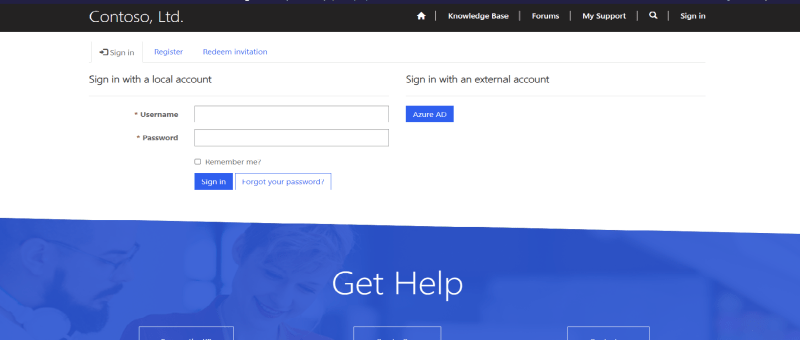
Power Apps Portal Power Apps portals to create external-facing websites that allow users outside their organizations to sign in with a wide variety of identities, create and view data in Dataverse. Requirement: Power apps portal website default Landing Page is the home page which is accessible to everyone. Only signed in users should see the…