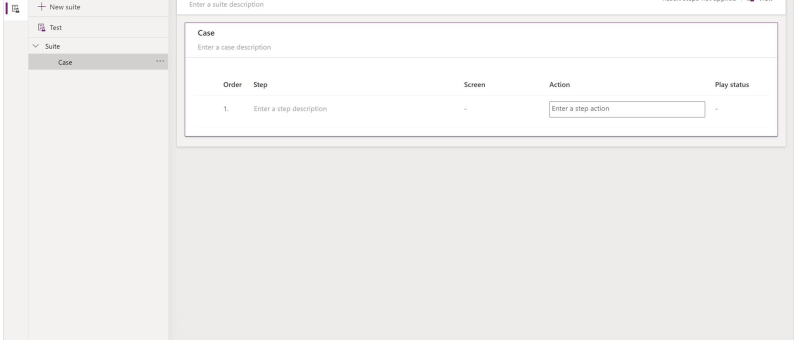
What is Test Studio You can test inside of canvas apps with the built-in tool called Power App Test Studio. This tool can help you write, organize, and automate your tests for canvas apps. How to Work with Test Studio Open Test Studio Sign into Power Apps Create a new app or edit an existing app…
BLOG
Airwallex API Integration In Dynamics 365 Web Resources via Power Automate
Requirement : To obtain data and display it in the Model Driven App, add a button to access an external API. For this blog, we use Airwallex API (a global financial platform that offers digital payment solutions for organizations and individuals). and getting the current balance of a specific currency from the user's Airwallex account…
Automate Your Alerts: Sending Work Permit Expiration Reminders with Power Automate
In today’s fast-paced work environment, keeping track of important deadlines like work permit expirations can be challenging. Fortunately, Microsoft Power Automate makes it easy to create flows that automate this process. In this blog post, we'll walk through how to set up a Power Automate flow that sends alerts to employees 30 days before their…
Integrating Dynamics 365 with External APIs: Sending Data via Custom Actions and Plugins
In the fast-paced world of business applications, integration between different systems is crucial for achieving streamlined operations and delivering comprehensive solutions. Dynamics 365, a powerful suite for managing customer relationships, often needs to interact with external APIs to exchange data, automate workflows, and extend functionality. In this blog post, we’ll walk through the process of…
Use Environment variables in Power Automate to Create Folder in SharePoint
Environment variables in Power Apps are essentially key-value pairs that store configuration settings, which can be used across different components within your Power Platform solutions. They offer a flexible and efficient way to manage parameters that might change between environments (like development, testing, and production) or need to be updated without modifying the actual app…
eSign Document using Power Automate with Adobe Acrobat Sign
E-sign is the electronic equivalent of a handwritten signature. It's a digital way of signing documents electronically rather than using pen and paper. This process involves applying an electronic signature to a document. Documents can be signed and processed much faster compared to traditional ways. They can also be signed from anywhere with an internet…
Integrating Power BI Reports In Power Pages
Power Pages allows you to integrate Power BI Reports & Dashboards directly into your web portals. Embedding Power BI reports in Power Pages can provide your users with rich, interactive visualizations and insights without leaving the portal. In this blog, we'll walk you through the steps to embed a Power BI report into your Power…
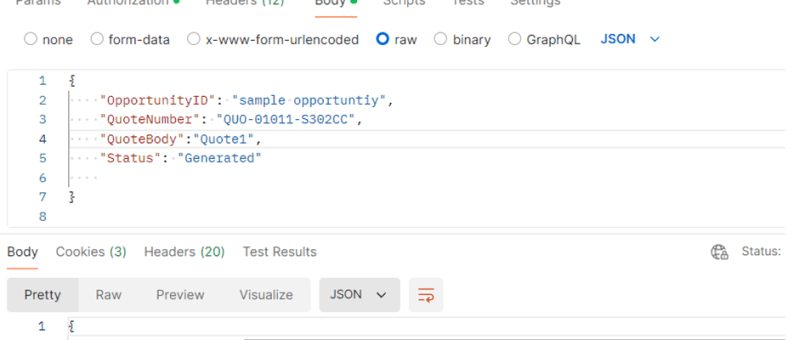
How to call a ‘Custom API developed in Dynamics 365’ via Postman
This blog post will guide you through the steps to call a custom API in Dynamics 365 using Postman, a widely used tool for API testing and development. By the end of this tutorial, you will have a solid grasp of setting up Postman, authenticating your requests, and interacting with custom API endpoints in D365.…
Manage Field visits and Incidents from mobile device using Power App (Canvas App): Incidents Hub
Welcome to this step-by-step guide on building a simple Canvas App called "INCIDENTS HUB" using Microsoft PowerApps. The INCIDENTS HUB app will help users track and manage incidents efficiently, offering an easy-to-use interface for viewing, adding, and updating incident records. Prerequisites An active Microsoft PowerApps account. Basic understanding of PowerApps interface and functions. A data…
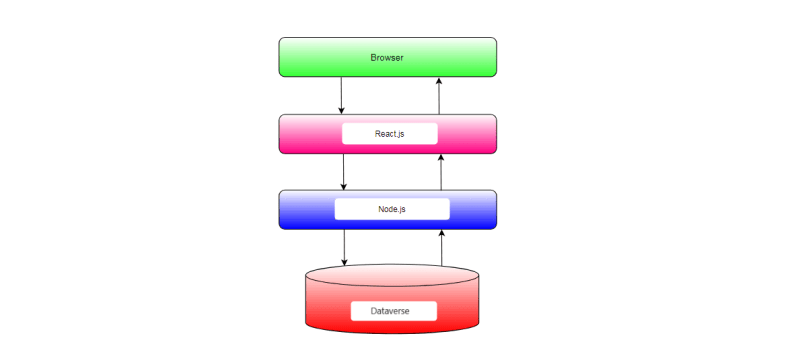
Retrieving data from Microsoft Dataverse in React pages via Node.js backend
In this blog post, we'll explore how to integrate Microsoft Dataverse, formerly known as the Common Data Service (CDS), with a Node.js backend and a React.js frontend. Microsoft Dataverse is a cloud-based data storage service provided by Microsoft as part of the Power Platform suite. By integrating Dataverse with Node.js and React.js, we can build powerful applications that leverage the capabilities of Dataverse for data storage and management.
Generating Invoice Lines based on the Project Members in Dyna Pro application with JavaScript
In Dynamics 365 environments where project resources are pivotal to billing processes, automating the generation of invoice lines can enhance efficiency and accuracy. Today, we'll explore how to implement custom JavaScript automation to create invoice lines based on project resources with the click of a button. Understanding the Scenario Imagine you are working within a…
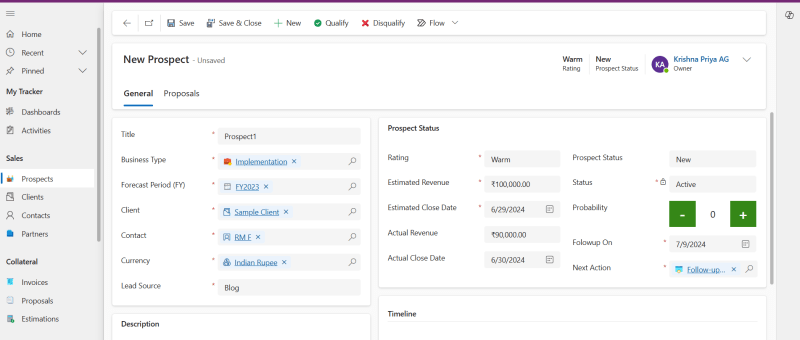
How to create a new Prospect in Power Apps based Project tracking tool?
Here are the steps to perform to create a new Prospect in Power Apps based Project Tracking system. Read more about the Prospect and Project Management Solution in Microsoft Power Platform: https://dynatecon.com/business-solutions/dynapro-prospect-and-project-management-solution-in-power-platform/ Steps: 1. Access the 'Dyna Project -Admin' main page 2. Click on Prospects under Sales from the left navigation bar Active Prospects view…
How to create a new Project in Power Apps based Project tracking tool?
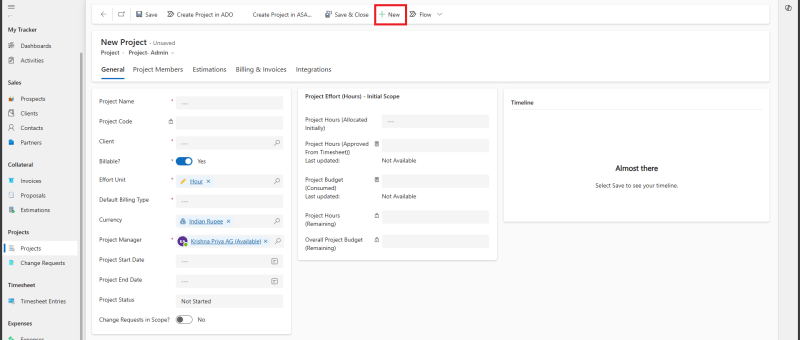
Here are the steps to perform to create a new Project in Power Apps based Project Tracking system. Read more about the Prospect and Project Management Solution in Microsoft Power Platform: https://dynatecon.com/business-solutions/dynapro-prospect-and-project-management-solution-in-power-platform/ Steps: 1. Access the 'Dyna Project -Admin' main page 2. Click on Projects from Projects Operations in the left navigation bar. All Projects…
How to add new Client to in Power Apps based Project tracking tool?
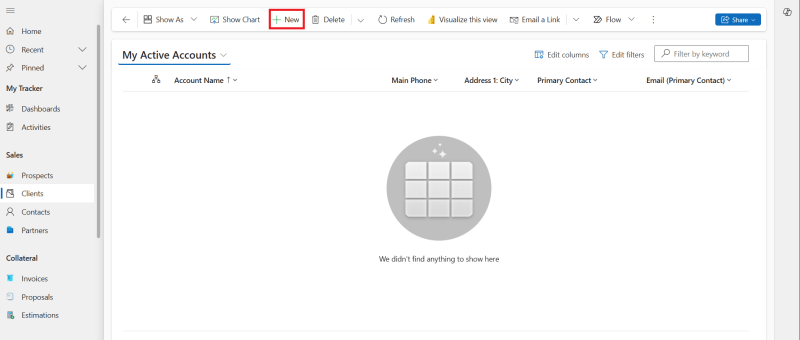
Here are the steps to perform to add a new Client in Power Apps based Project Tracking system. Read more about the Prospect and Project Management Solution in Microsoft Power Platform: https://dynatecon.com/business-solutions/dynapro-prospect-and-project-management-solution-in-power-platform/ Steps: 1. Access the 'Dyna Project -Admin' main page 2. Click on Clients under Sales in Project Operations from the left navigation bar…
How to create a new Timesheet Entry in Power Apps based Project tracking tool?
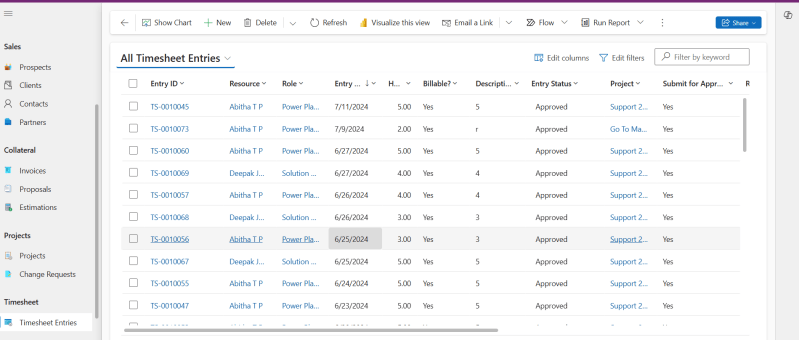
Here are the steps to perform to create a new Timesheet Entry in Power Apps based Project Tracking system. Read more about the Prospect and Project Management Solution in Microsoft Power Platform: https://dynatecon.com/business-solutions/dynapro-prospect-and-project-management-solution-in-power-platform/ Steps: 1. Access the 'Dyna Project -Admin' main page 2. Click on Timesheet Entries in Project Operations from the left navigation bar.…
How to add new Project Members to a Project in Power Apps based Project tracking tool?
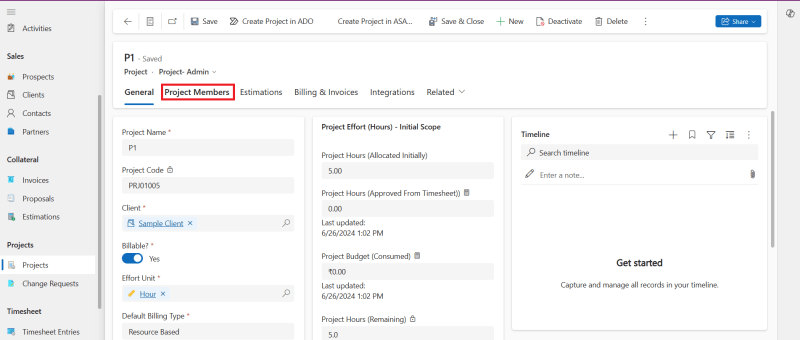
Here are the steps to perform to add Project Members to a project in Power Apps based Project Tracking system. Read more about the Prospect and Project Management Solution in Microsoft Power Platform: https://dynatecon.com/business-solutions/dynapro-prospect-and-project-management-solution-in-power-platform/ Steps: 1. Access the 'Dyna Project -Admin' main page 2. Click on Projects from Projects Operations in the left navigation bar.…
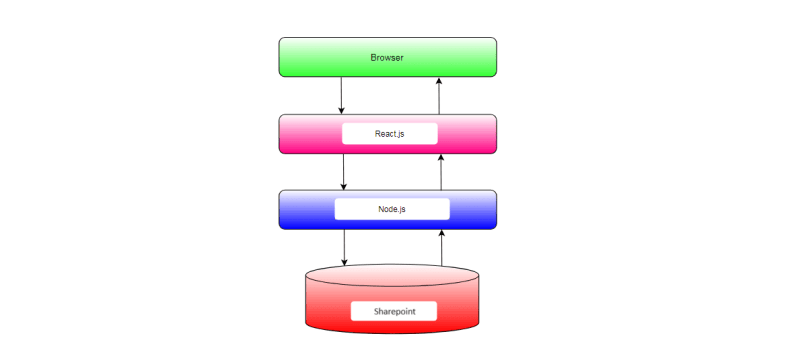
Building a Modern Web Application with React, Node.js, and SharePoint Integration
In today's digital landscape, effective data management is essential for organizations to operate efficiently and make informed decisions. However, managing data across different platforms and systems can often be a daunting task. In this blog post, we'll explore how to build a modern web application that seamlessly integrates a React frontend with a Node.js backend…
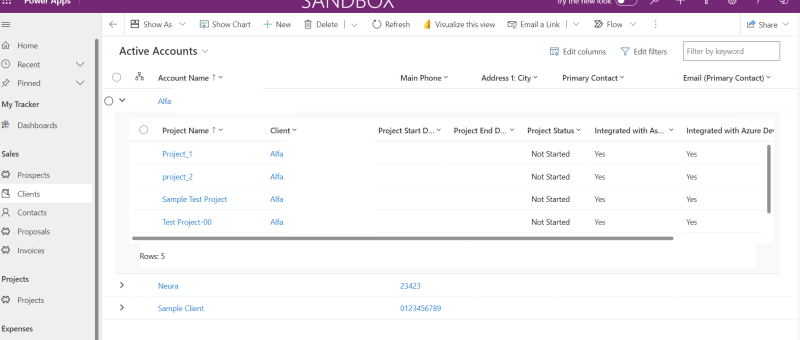
Configure Nested Grid Controls in Power Apps for Entity Views
The Power Apps grid control is an advanced version of the read-only grid, offering users the ability to easily view, open, and edit records within views and subgrids. Alongside inline editing, it boasts features like infinite scrolling, nested grids, grouping, and customization options. In this blog post, we'll guide you through the process of adding…
Dynamics 365 – Populate Rich text control within a document template using Power Automate
Power Automate is a powerful tool that allows users to automate tasks and processes within Microsoft applications. One of its many useful features is the ability to populate rich text controls within a document template. Rich text control also known as content control are placeholders within a document that allow users to input and format…
Power Apps Grid Control for Dynamics 365
The Power Apps grid control represents the next evolution of the Power Apps read-only grid control, allowing users to view, open, and edit records from views and subgrids. In addition to inline editing, the control provides a number of other powerful capabilities including infinite scrolling, nested grids, grouping, aggregation, and is customizable. Like the read-only…