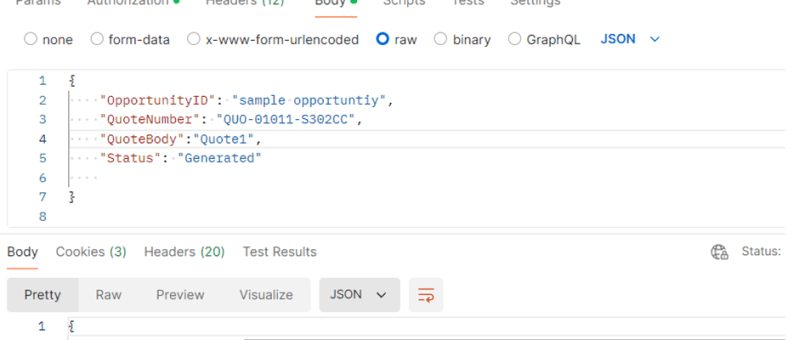
This blog post will guide you through the steps to call a custom API in Dynamics 365 using Postman, a widely used tool for API testing and development. By the end of this tutorial, you will have a solid grasp of setting up Postman, authenticating your requests, and interacting with custom API endpoints in D365.…
BLOG
Manage Field visits and Incidents from mobile device using Power App (Canvas App): Incidents Hub
Welcome to this step-by-step guide on building a simple Canvas App called "INCIDENTS HUB" using Microsoft PowerApps. The INCIDENTS HUB app will help users track and manage incidents efficiently, offering an easy-to-use interface for viewing, adding, and updating incident records. Prerequisites An active Microsoft PowerApps account. Basic understanding of PowerApps interface and functions. A data…
Retrieving data from Microsoft Dataverse in React pages via Node.js backend
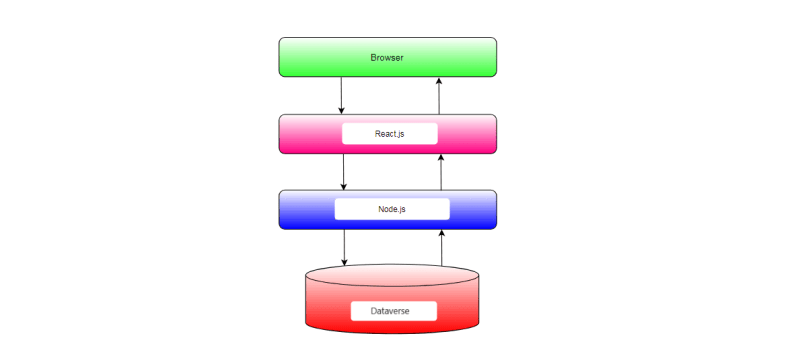
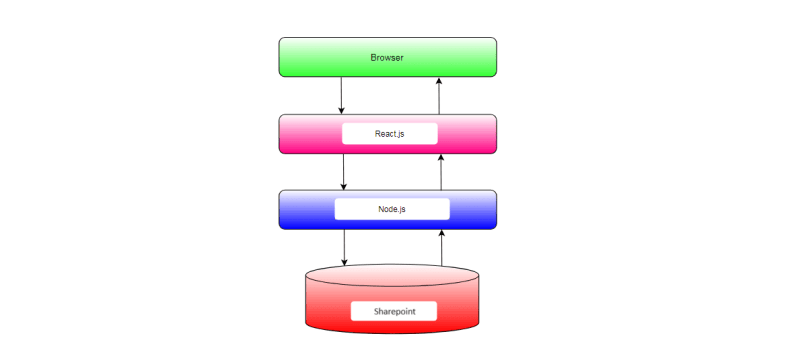
In this blog post, we'll explore how to integrate Microsoft Dataverse, formerly known as the Common Data Service (CDS), with a Node.js backend and a React.js frontend. Microsoft Dataverse is a cloud-based data storage service provided by Microsoft as part of the Power Platform suite. By integrating Dataverse with Node.js and React.js, we can build powerful applications that leverage the capabilities of Dataverse for data storage and management.
Generating Invoice Lines based on the Project Members in Dyna Pro application with JavaScript
In Dynamics 365 environments where project resources are pivotal to billing processes, automating the generation of invoice lines can enhance efficiency and accuracy. Today, we'll explore how to implement custom JavaScript automation to create invoice lines based on project resources with the click of a button. Understanding the Scenario Imagine you are working within a…
How to create a new Prospect in Power Apps based Project tracking tool?
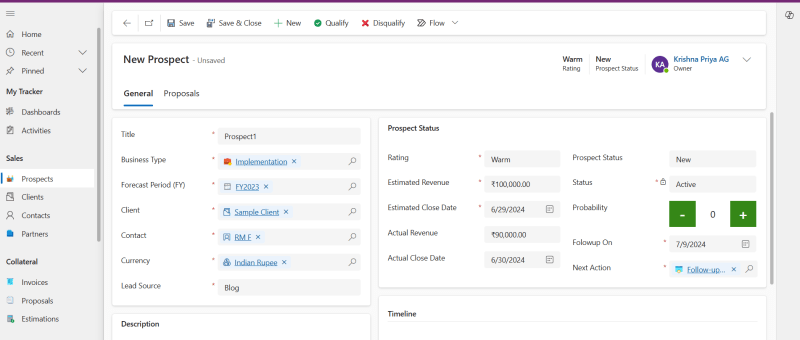
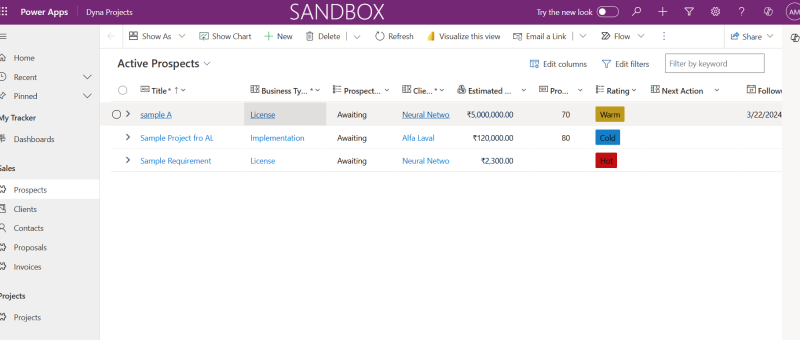
Here are the steps to perform to create a new Prospect in Power Apps based Project Tracking system. Read more about the Prospect and Project Management Solution in Microsoft Power Platform: https://dynatecon.com/business-solutions/dynapro-prospect-and-project-management-solution-in-power-platform/ Steps: 1. Access the 'Dyna Project -Admin' main page 2. Click on Prospects under Sales from the left navigation bar Active Prospects view…
How to create a new Project in Power Apps based Project tracking tool?
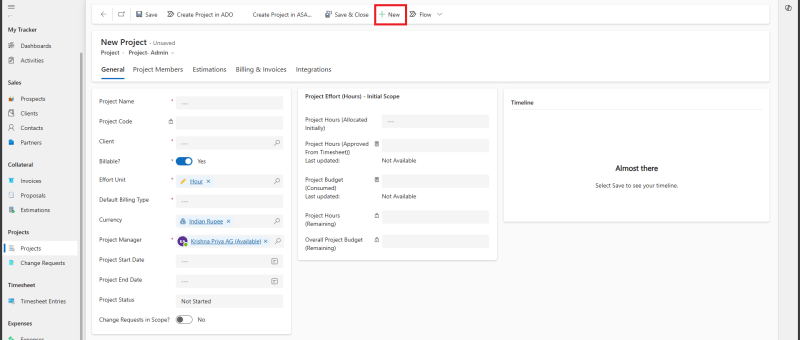
Here are the steps to perform to create a new Project in Power Apps based Project Tracking system. Read more about the Prospect and Project Management Solution in Microsoft Power Platform: https://dynatecon.com/business-solutions/dynapro-prospect-and-project-management-solution-in-power-platform/ Steps: 1. Access the 'Dyna Project -Admin' main page 2. Click on Projects from Projects Operations in the left navigation bar. All Projects…
How to add new Client to in Power Apps based Project tracking tool?
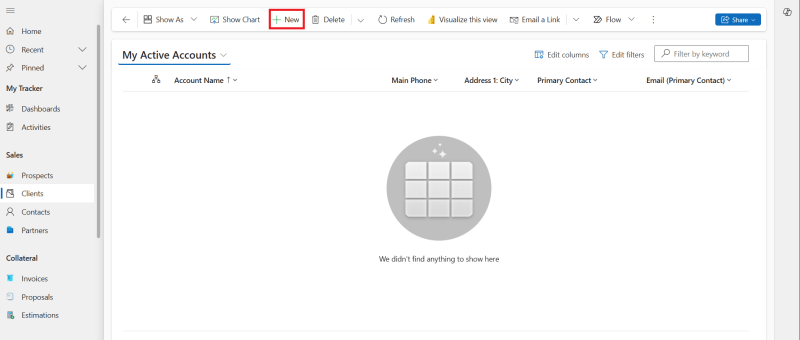
Here are the steps to perform to add a new Client in Power Apps based Project Tracking system. Read more about the Prospect and Project Management Solution in Microsoft Power Platform: https://dynatecon.com/business-solutions/dynapro-prospect-and-project-management-solution-in-power-platform/ Steps: 1. Access the 'Dyna Project -Admin' main page 2. Click on Clients under Sales in Project Operations from the left navigation bar…
How to create a new Timesheet Entry in Power Apps based Project tracking tool?
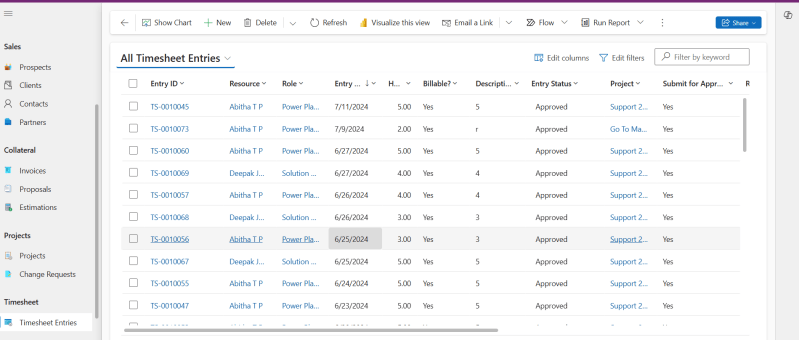
Here are the steps to perform to create a new Timesheet Entry in Power Apps based Project Tracking system. Read more about the Prospect and Project Management Solution in Microsoft Power Platform: https://dynatecon.com/business-solutions/dynapro-prospect-and-project-management-solution-in-power-platform/ Steps: 1. Access the 'Dyna Project -Admin' main page 2. Click on Timesheet Entries in Project Operations from the left navigation bar.…
How to add new Project Members to a Project in Power Apps based Project tracking tool?
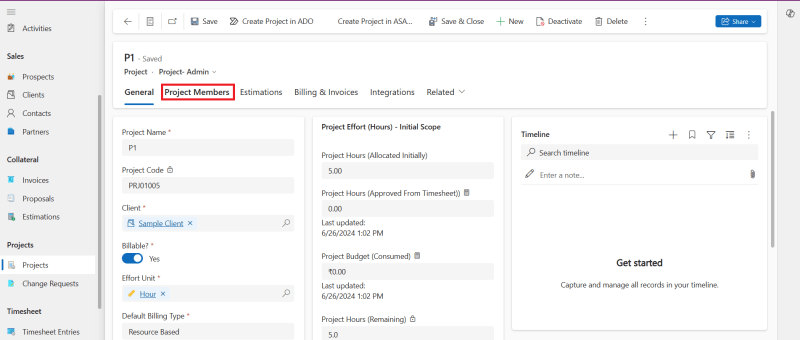
Here are the steps to perform to add Project Members to a project in Power Apps based Project Tracking system. Read more about the Prospect and Project Management Solution in Microsoft Power Platform: https://dynatecon.com/business-solutions/dynapro-prospect-and-project-management-solution-in-power-platform/ Steps: 1. Access the 'Dyna Project -Admin' main page 2. Click on Projects from Projects Operations in the left navigation bar.…
Building a Modern Web Application with React, Node.js, and SharePoint Integration
In today's digital landscape, effective data management is essential for organizations to operate efficiently and make informed decisions. However, managing data across different platforms and systems can often be a daunting task. In this blog post, we'll explore how to build a modern web application that seamlessly integrates a React frontend with a Node.js backend…
Configure Nested Grid Controls in Power Apps for Entity Views
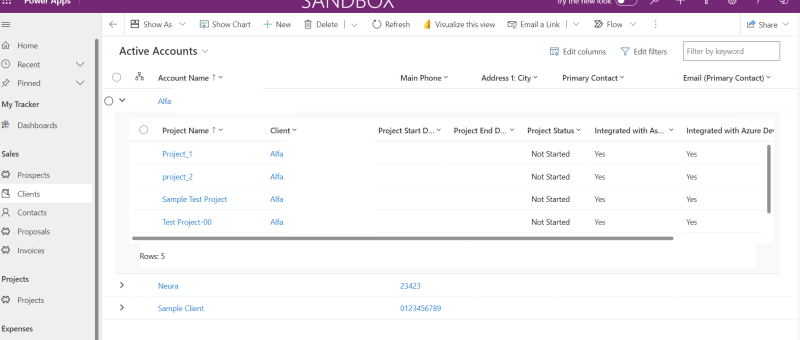
The Power Apps grid control is an advanced version of the read-only grid, offering users the ability to easily view, open, and edit records within views and subgrids. Alongside inline editing, it boasts features like infinite scrolling, nested grids, grouping, and customization options. In this blog post, we'll guide you through the process of adding…
Dynamics 365 – Populate Rich text control within a document template using Power Automate
Power Automate is a powerful tool that allows users to automate tasks and processes within Microsoft applications. One of its many useful features is the ability to populate rich text controls within a document template. Rich text control also known as content control are placeholders within a document that allow users to input and format…
Power Apps Grid Control for Dynamics 365
The Power Apps grid control represents the next evolution of the Power Apps read-only grid control, allowing users to view, open, and edit records from views and subgrids. In addition to inline editing, the control provides a number of other powerful capabilities including infinite scrolling, nested grids, grouping, aggregation, and is customizable. Like the read-only…
Dynamics 365 Sales Overview – Introductory Session [Video]
Open Power Apps Custom Page from Dataverse Subgrid
In the dynamic world of PowerApps, the ability to easily navigate between components is most important. One powerful feature that elevates user experience is the capability to open custom pages directly from a Dataverse subgrid. This functionality not only streamlines processes but also empowers users with a more personalized interface. REQUIREMENT In this situation, there's…
Send Appointment Invites from Power-Apps to Users as well as Non-Users and to reflect in the Calendar
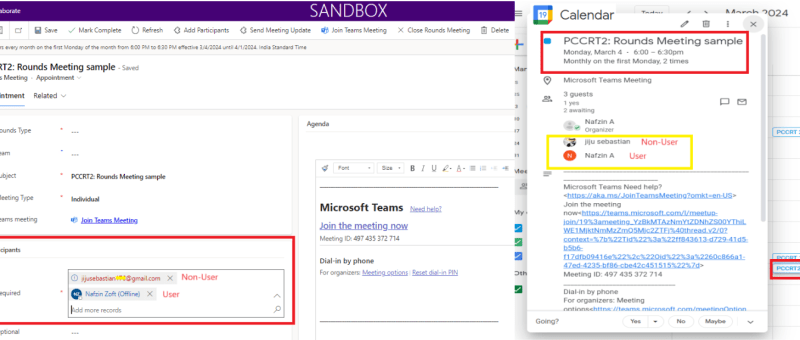
This blog shares an idea about a standard feature in power apps, which can be used for setting up appointment invites from power apps. These appointments created will also be reflected in your event calendars which makes it easier for you to join the meetings directly from there. This interesting feature was recently implemented for…
Zoho Integration with Dynamics 365 – Sync Customers
In the ever-evolving landscape of business automation, integrating different software systems has become crucial for streamlining processes and enhancing productivity. One powerful integration that can significantly benefit businesses is the seamless connection between Dynamics 365 and Zoho Books. In this blog post, we'll delve into the process of adding a custom button in Dynamics 365…
Custom Lookup Filtering In Basic Forms – Power Pages
In this blog we will see how to use custom lookup filtering in basic forms. Basic forms in power pages with lookup fields often face issue with related records filtering. So we can explore how to use custom filtering in the lookup fields. Solution :- First of all consider we have two Lookup fields Field…
Azure DevOps Integration with Dynamics 365
The integration of Azure DevOps with Dynamics 365 offers numerous benefits for organization. First and foremost, it enables organization to have a unified view of all their work items, including user stories, bugs, and tasks, within one platform. Another advantage of this integration is the ability to link work items to specific Dynamics 365 records…
Integrating Dynamics 365 With Asana
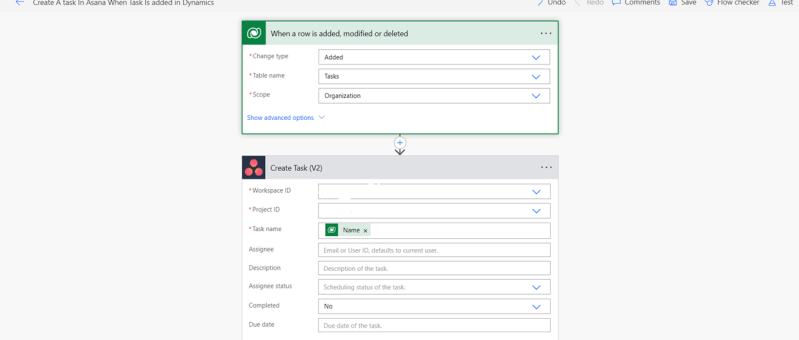
In this article, we'll look at how to integrate Asana (a project management tool) with Dynamics 365. We have three scenarios: Scenario 1: Tasks made in Dynamics 365 will also be created in Asana.Scenario 2: Once a task is marked as complete in Asana, it is likewise marked as complete in Dynamics 365. Scenario 3:…