

 Written by
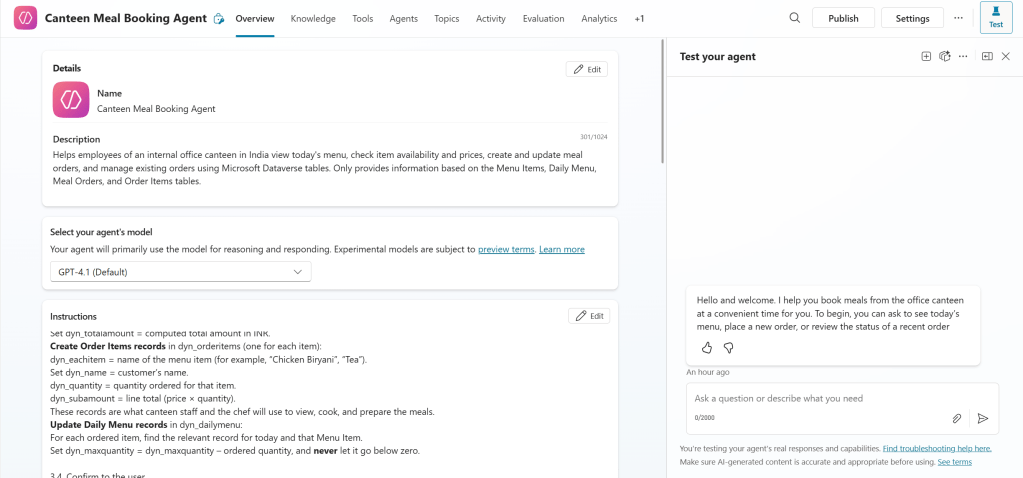
 In today’s fast-paced office environments, even something as simple as ordering lunch can become time-consuming. To make the daily meal process smoother for employees and canteen staff, I built a Copilot-powered Canteen Meal Booking Agent using Microsoft Copilot Studio and Dataverse. This intelligent assistant allows employees to view the daily menu, check item availability, place meal orders, and manage them — all through a conversational interface.
Step 1: Project Overview
The goal of the Canteen Meal Booking Agent is to digitize and automate the canteen’s meal ordering process inside an office premises.
Key objectives:
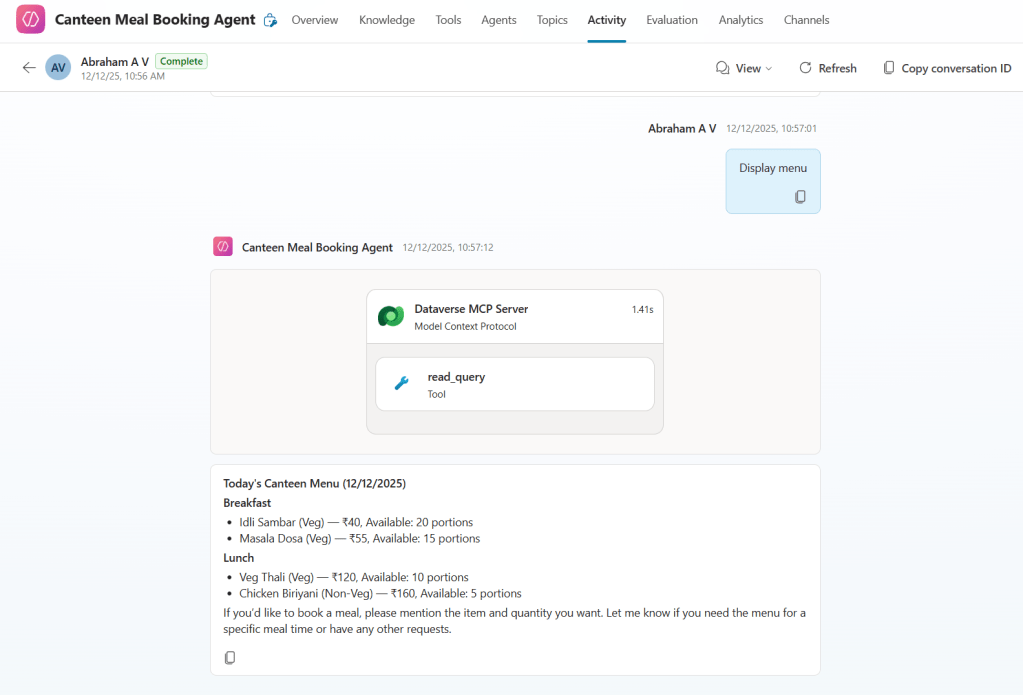
- Display daily menu with item names, prices, and availability.
- Allow employees to order meals and view past orders.
- Automatically update inventory quantities in Dataverse.
- Provide canteen admins with dashboards and management tools in a Model-Driven App.
Step 2: Dataverse Table Design
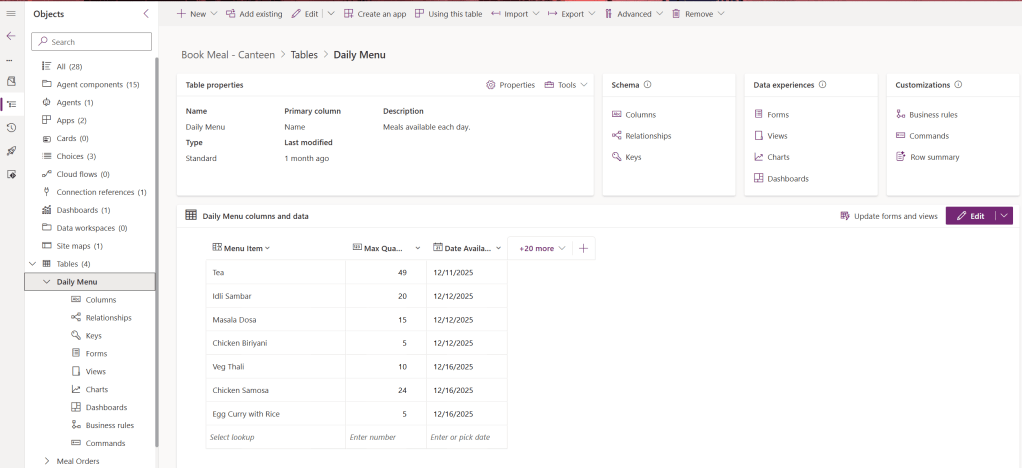
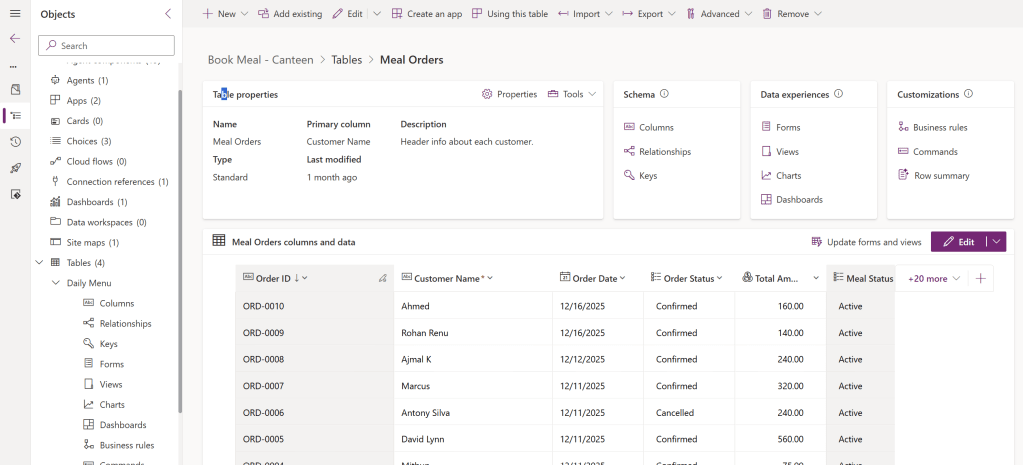
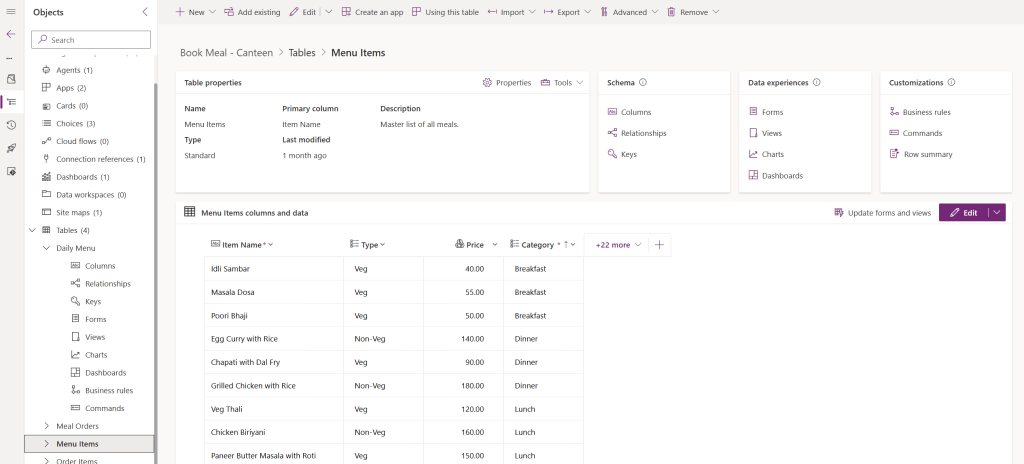
The solution is powered by Microsoft Dataverse, which stores and manages all the canteen data.
Tables used:
- Menu Items (dyn_menuitems) – Stores master list of food and beverage items, their names, and prices.
- Daily Menu (dyn_dailymenu) – Stores available meals for each day along with maximum available quantity.
- Meal Orders (dyn_mealorders) – Captures each customer order with details like Order ID, date, status, and total amount.
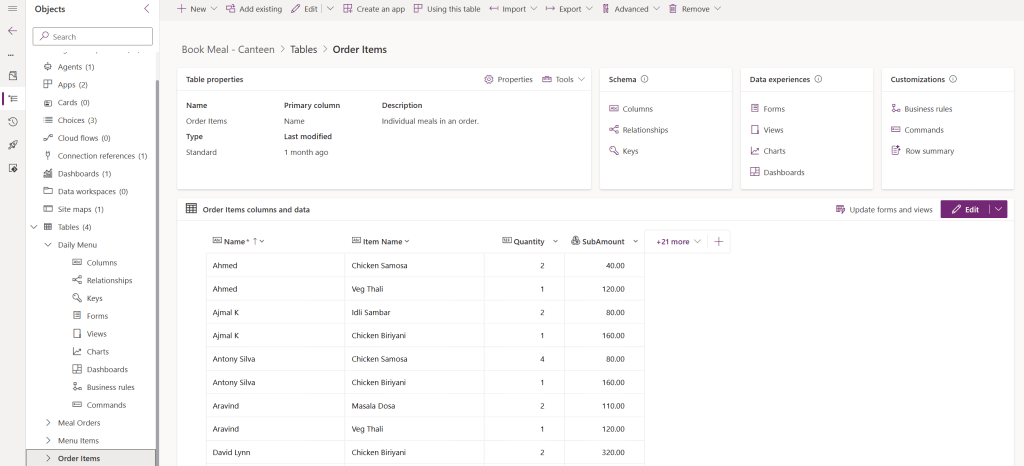
- Order Items (dyn_orderitems) – Contains individual items within each order, their price, quantities, and sub-totals.
Step 3: Designing the Copilot Agent
Using Microsoft Copilot Studio, I created an agent named “Canteen Meal Booking Agent.”
Core capabilities include:
- Understanding natural language requests such as “What’s for lunch today?” or “Order two plates of biryani.”
- Validating stock before confirming an order.
- Generating unique sequential Order IDs (e.g., ORD‑0003).
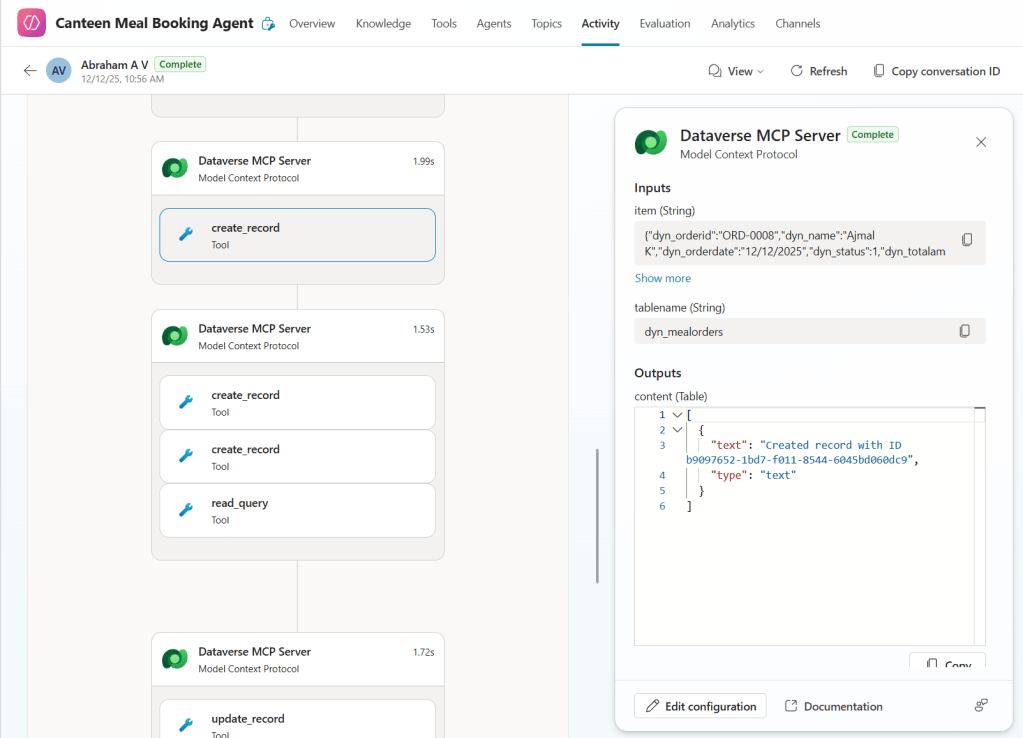
- Reading and writing to Dataverse tables using read_query and create_record/update_record actions.
Step 4: Implementing Order Logic
The conversational flow follows a structured and safe workflow aligned with business rules.
4.1 Extract and Validate Request
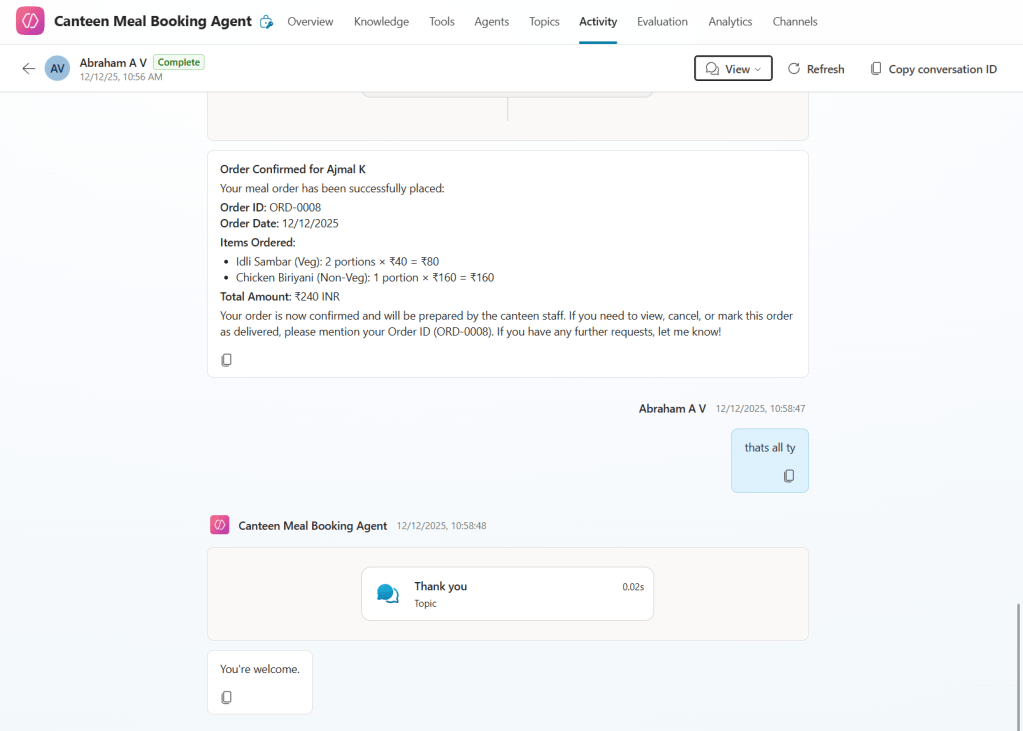
- Extract customer name and requested meal items.
- Match each item to Menu Items table (
dyn_menuitems.dyn_name), accepting minor spelling variations. - Check Daily Menu for date availability and stock (
dyn_maxquantity≥ requested quantity). - If any item is short, inform the user and request adjustment.
4.2 Compute Amounts
- Fetch
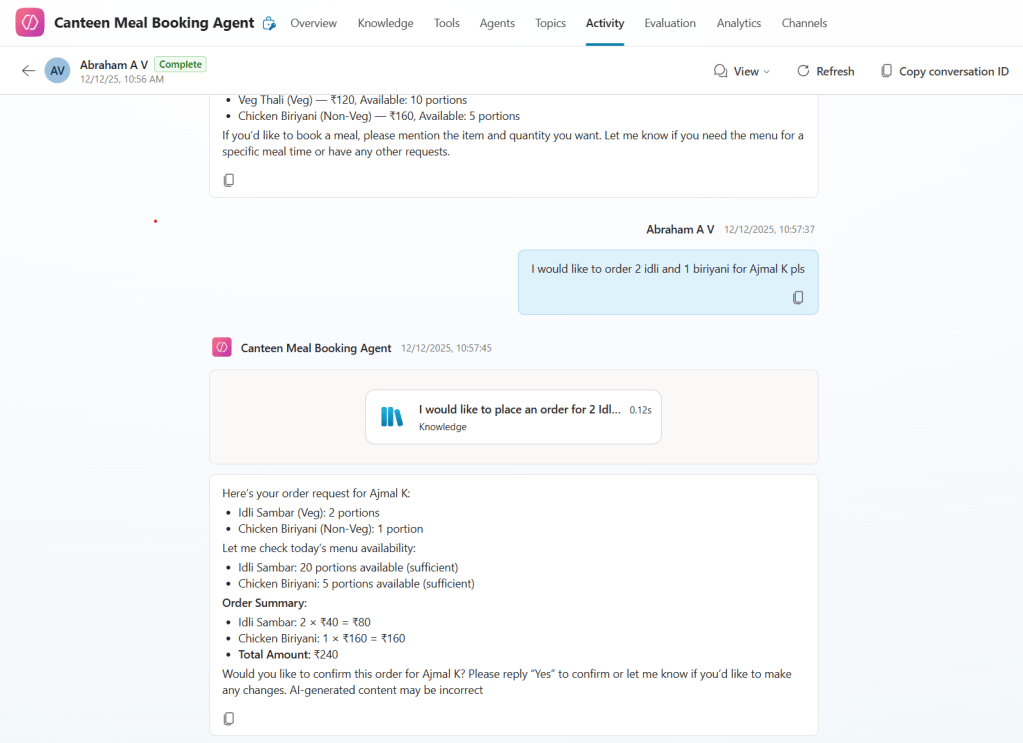
dyn_pricefrom Menu Items. - Calculate SubAmount = price × quantity.
- Compute total amount and confirm the order with the user before saving.
Step 5: Writing to Dataverse
Once the customer confirms, the agent updates the following:
- Meal Orders Table – Creates a new record with customer name, order date, total amount, and status = “Confirmed”.
- Order Items Table – Adds one record per item with quantity, sub‑total, and link to the main order.
- Daily Menu Table – Deducts ordered quantities from available stock, ensuring it doesn’t fall below zero.
Step 6: Managing Existing Orders
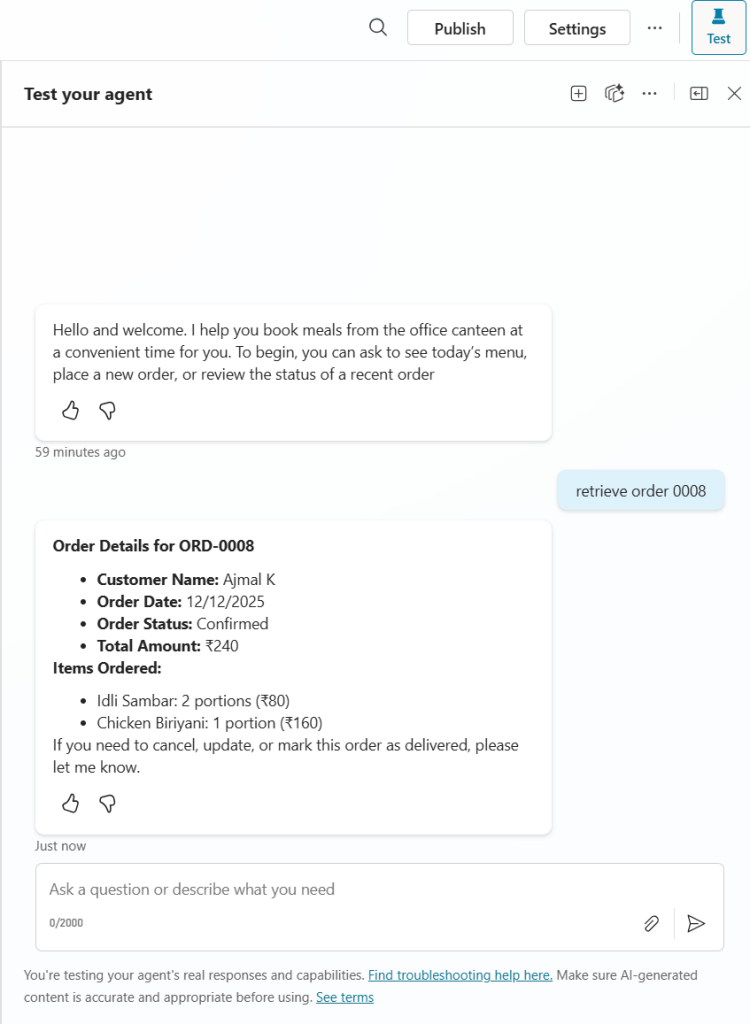
The Copilot Agent can also show, update, or cancel orders.
- View Orders: Retrieve by Order ID (e.g., ORD‑0002) or customer name. Displays date, items, prices, and total amount.
- Cancel Orders: If not yet delivered, updates order status to “Cancelled” and optionally restores item stock.
- Mark Delivered: Updates order status to “Delivered” for reporting.
Step 7: Building the Canteen Admin Model‑Driven App
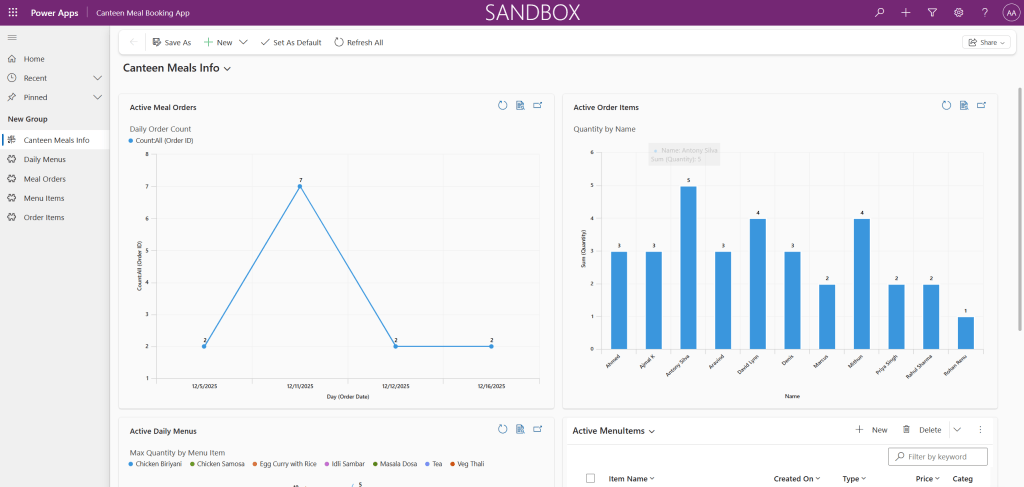
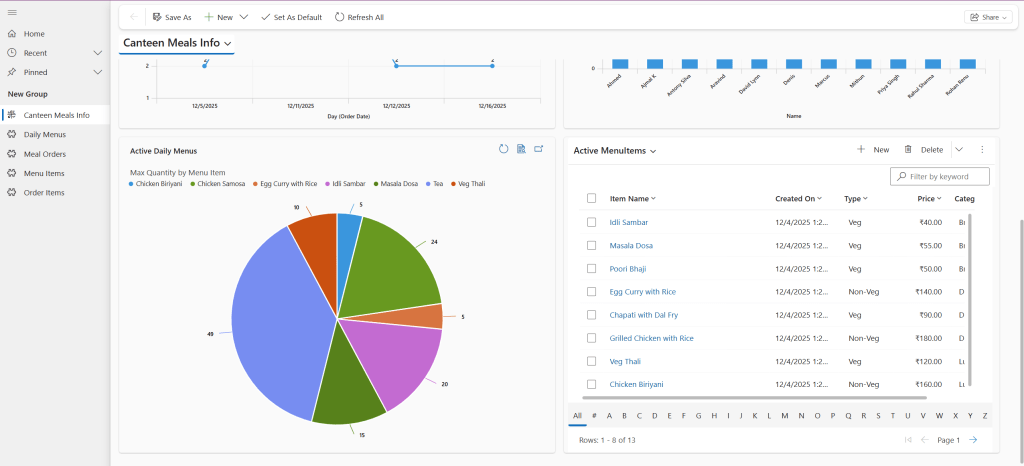
Besides the AI agent, a Model‑Driven App lets canteen managers update menu items, track orders, and monitor performance visually.
App Features:
- Menu Management: Add, modify, or delete items.
- Order Dashboard: View order counts per customer, most popular meals, and quantity available per item.
- Analytics: Use charts and dashboards for quick insights.
Step 8: Final User Experience
Employees can now talk naturally to the Canteen Meal Booking Agent:
- “Show me today’s lunch menu.”
- “Order one veg thali and one tea under the name Rahul.”
- “What is my order status for ORD‑0003?”
The agent fetches live Dataverse data, confirms details, and ensures order tracking and stock updates happen seamlessly — all in one conversational interface.
Step 9: Benefits & Future Enhancements
Current Achievements:
- Reduced manual tracking for canteen staff.
- Improved accuracy in stock and order management.
- Easy access to analytics through Dataverse dashboards.
Future Enhancements:
- Add integration with Power Automate for instant notifications.
- Enable payment tracking and invoice generation.
- Extend chat interface into Microsoft Teams for quicker access.
Conclusion
The Canteen Meal Booking Agent showcases how conversational AI and the Power Platform can together simplify everyday tasks. With clean integration between Copilot Studio, Dataverse, and Model‑Driven Apps, this solution transforms the traditional canteen ordering process into a smart, automated workflow — improving both employee satisfaction and canteen efficiency.

