Introduction : Building conversational AI inside Microsoft’s ecosystem opens new ways to automate customer engagement and operational flows. In this project, I created an AI-powered vehicle assistant using Microsoft Copilot Studio that helps users find cars for lease or purchase based on their preferences. The solution integrates SharePoint, Power Automate, Teams, and Outlook to provide…
Category: Uncategorized
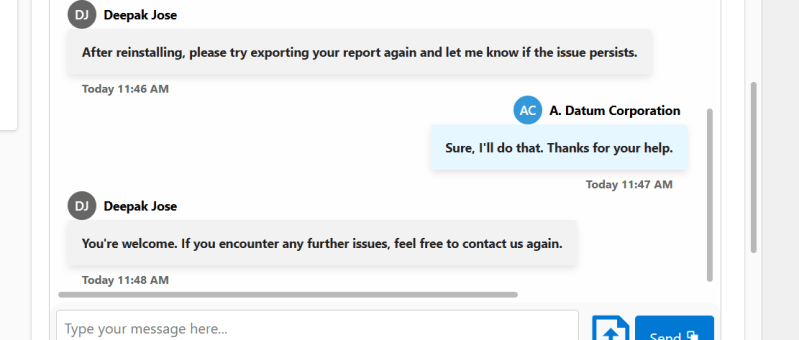
Building a Dynamic Chat Interface: React-based PCF Control
Creating a seamless and interactive chat interface can significantly enhance user engagement in your Power Apps solutions. In this blog post, we will walk you through the steps of building a React-based chat component using Power Apps Component Framework (PCF) with a dataset template. We'll leverage Fluent UI for styling and functionality, ensuring a polished…
Sending Adaptive Cards in Outlook via Power Automate (Test User Setup Guide)
In today’s fast-paced business world, real-time communication is essential. In this guide, I’ll show you how I built a fully automated employee onboarding notification system using Adaptive Cards and Power Automate. When a new employee is added in Dataverse, the system automatically sends an Outlook notification with their details and a direct link to view…
“Automating Renewal Reminder Emails in Dynamics 365 with Power Automate (Handling UTC Date Filtering)”
Managing subscription renewals is critical for any business offering SaaS products or long-term service agreements. Missing renewal alerts can mean lost revenue, churned customers, or costly last-minute scrambles. One of the biggest challenges in building reliable renewal reminder automations in Dynamics 365 (Dataverse) is date filtering. ✅ Dataverse stores all DateTime fields in UTC, while…
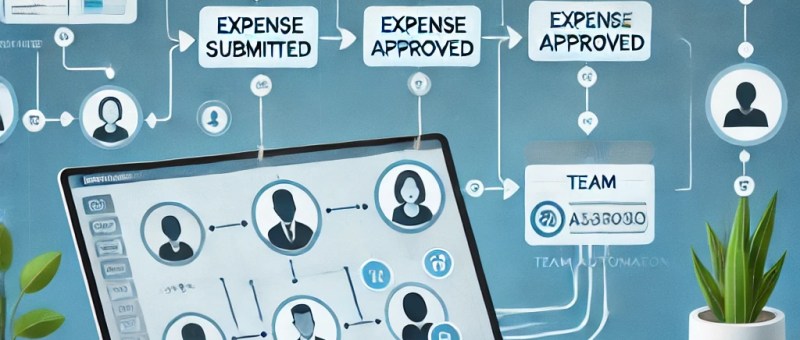
Leveraging TeamMembership_Association for Dynamic Team Filtering in Power Automate Cloud Flows
In this blog post, we’ll explore how you can dynamically retrieve team members using the teammembership_association/any(t:t/teamid eq teamid) query in Power Automate. This query is particularly important when working with Teams in Dataverse, as it enables you to efficiently filter and target specific team members for scenarios like notifications, approvals, or other automated workflows. We’ll…
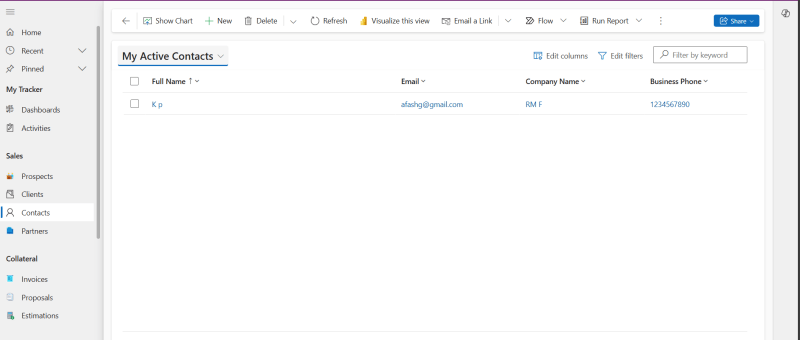
How to create a new Contact in Power Apps based Project tracking tool?
Here are the steps to perform to create a new Contact in Power Apps based Project Tracking system. Read more about the Prospect and Project Management Solution in Microsoft Power Platform: https://dynatecon.com/business-solutions/dynapro-prospect-and-project-management-solution-in-power-platform/ Steps: 1. Access the 'Dyna Project -Admin' main page 2. Click on Contacts under Sales from Project Operations in the left navigation bar.…
How to add new Partner in Power Apps based Project tracking tool?
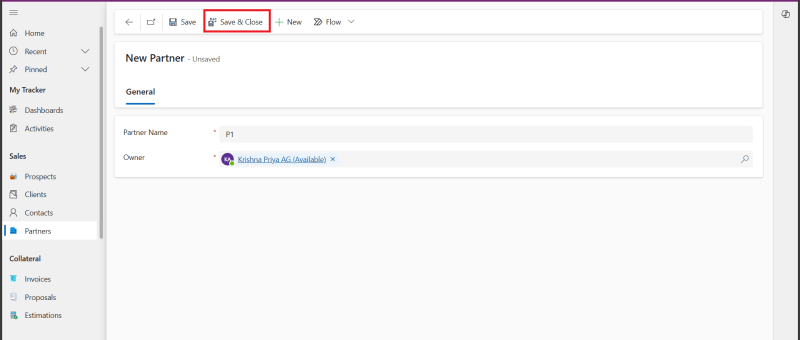
Here are the steps to perform to add a new Partner in Power Apps based Project Tracking system. Read more about the Prospect and Project Management Solution in Microsoft Power Platform: https://dynatecon.com/business-solutions/dynapro-prospect-and-project-management-solution-in-power-platform/ Steps: 1. Access the 'Dyna Project -Admin' main page 2. Click on ' Partners' under sales in Project Operations from the left navigation…
How to add new Estimation to a Project in Power Apps based Project tracking tool?
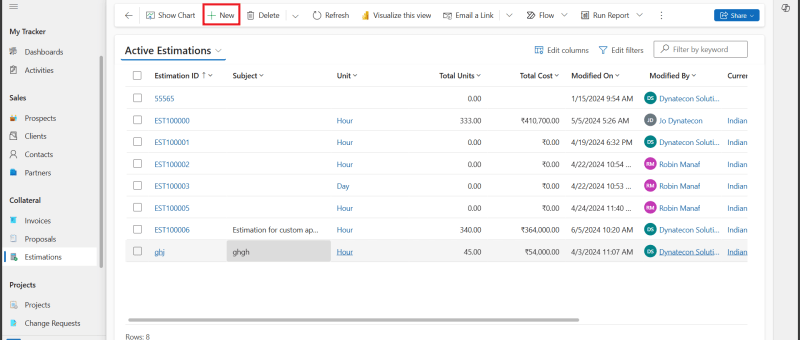
Here are the steps to perform to create a new Estimation in Power Apps based Project Tracking system. Read more about the Prospect and Project Management Solution in Microsoft Power Platform: https://dynatecon.com/business-solutions/dynapro-prospect-and-project-management-solution-in-power-platform/ Steps: 1. Access the 'Dyna Project -Admin' main page 2. Click on 'Estimations' under Collateral from Project Operations in the left navigation bar.…
How to add new Expense to a Project in Power Apps based Project tracking tool?
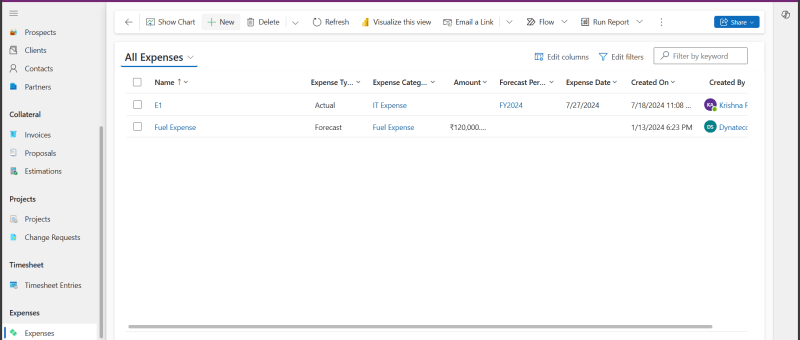
Here are the steps to perform to create a new Expense in Power Apps based Project Tracking system. Read more about the Prospect and Project Management Solution in Microsoft Power Platform: https://dynatecon.com/business-solutions/dynapro-prospect-and-project-management-solution-in-power-platform/ Steps: 1. In the 'Dyna Project -Admin' main page 2. Click on 'Expenses' in Project Operations from left navigation bar. All Expenses list…
Features of Project Operations App(in Power Apps)
How to create a Prospect in Dyna Projects(Project Operations app in Power Apps) Steps: Click on the Prospects in the left navigation bar Click '+New' button 3. Fill in the fields 4. Click Save & Close button 5.You can view the created Prospect from the Prospects view. How to create a Timesheet Entry in Dyna…
How to add new Proposals to a Project in Power Apps based Project tracking tool?
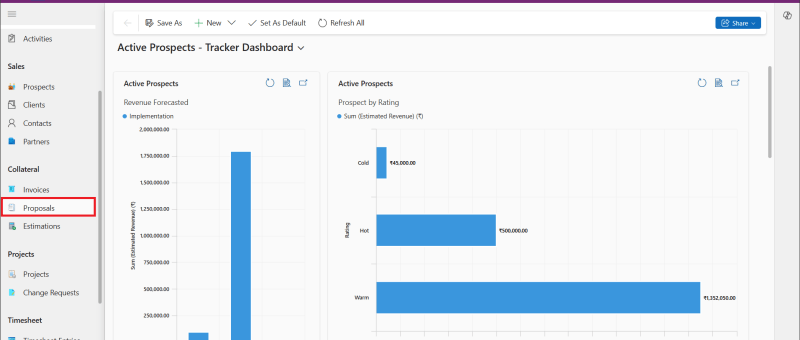
Here are the steps to perform to create a new Proposal in Power Apps based Project Tracking system. Read more about the Prospect and Project Management Solution in Microsoft Power Platform: https://dynatecon.com/business-solutions/dynapro-prospect-and-project-management-solution-in-power-platform/ Steps: 1. Access the 'Dyna Project -Admin' main page 2. Click on 'Proposals' under Collateral in Project Operations from the left navigation bar.…
How to add new Invoice to a Project in Power Apps based Project tracking tool?
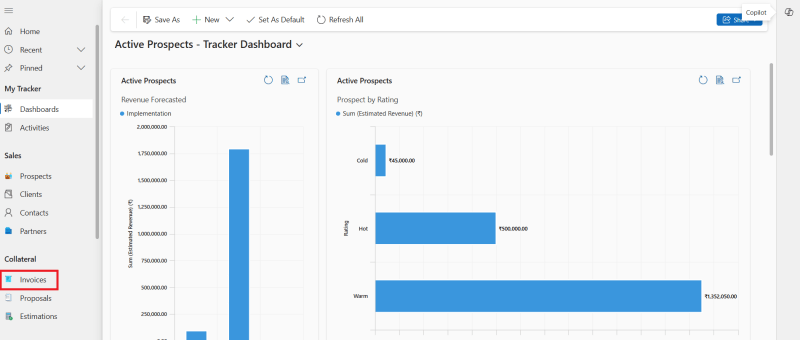
Here are the steps to perform to create a new Invoice in Power Apps based Project Tracking system. Read more about the Prospect and Project Management Solution in Microsoft Power Platform: https://dynatecon.com/business-solutions/dynapro-prospect-and-project-management-solution-in-power-platform/ Steps: 1.Access In the 'Dyna Project -Admin' main page 2. Click 'Invoices' under Collateral from Project Operations in the left navigation bar. Active…
How to create a new Change Request in Power Apps based Project tracking tool?
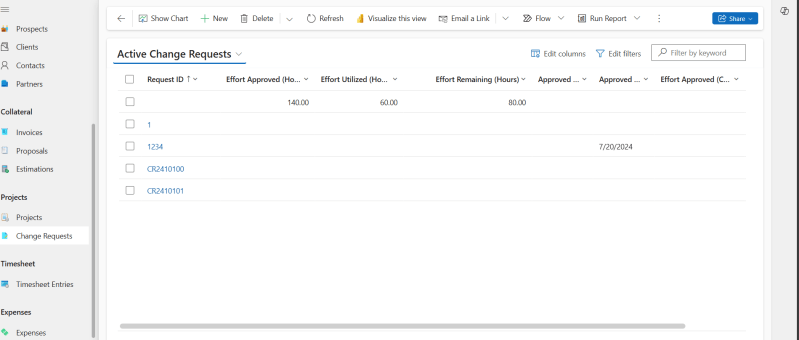
Here are the steps to perform to create a new Change Request in Power Apps based Project Tracking system. Read more about the Prospect and Project Management Solution in Microsoft Power Platform: https://dynatecon.com/business-solutions/dynapro-prospect-and-project-management-solution-in-power-platform/ Steps: 1. Access the 'Dyna Project -Admin' main page 2. Click on 'Change Requests' under Projects in Project operations from the left…
Airwallex API Integration In Dynamics 365 Web Resources via Power Automate
Requirement : To obtain data and display it in the Model Driven App, add a button to access an external API. For this blog, we use Airwallex API (a global financial platform that offers digital payment solutions for organizations and individuals). and getting the current balance of a specific currency from the user's Airwallex account…
Integrating Dynamics 365 with External APIs: Sending Data via Custom Actions and Plugins
In the fast-paced world of business applications, integration between different systems is crucial for achieving streamlined operations and delivering comprehensive solutions. Dynamics 365, a powerful suite for managing customer relationships, often needs to interact with external APIs to exchange data, automate workflows, and extend functionality. In this blog post, we’ll walk through the process of…
Integrating Power BI Reports In Power Pages
Power Pages allows you to integrate Power BI Reports & Dashboards directly into your web portals. Embedding Power BI reports in Power Pages can provide your users with rich, interactive visualizations and insights without leaving the portal. In this blog, we'll walk you through the steps to embed a Power BI report into your Power…
How to call a ‘Custom API developed in Dynamics 365’ via Postman
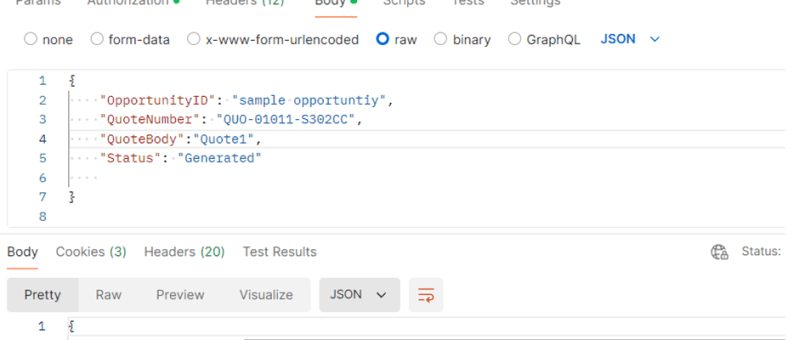
This blog post will guide you through the steps to call a custom API in Dynamics 365 using Postman, a widely used tool for API testing and development. By the end of this tutorial, you will have a solid grasp of setting up Postman, authenticating your requests, and interacting with custom API endpoints in D365.…
Generating Invoice Lines based on the Project Members in Dyna Pro application with JavaScript
In Dynamics 365 environments where project resources are pivotal to billing processes, automating the generation of invoice lines can enhance efficiency and accuracy. Today, we'll explore how to implement custom JavaScript automation to create invoice lines based on project resources with the click of a button. Understanding the Scenario Imagine you are working within a…
How to create a new Prospect in Power Apps based Project tracking tool?
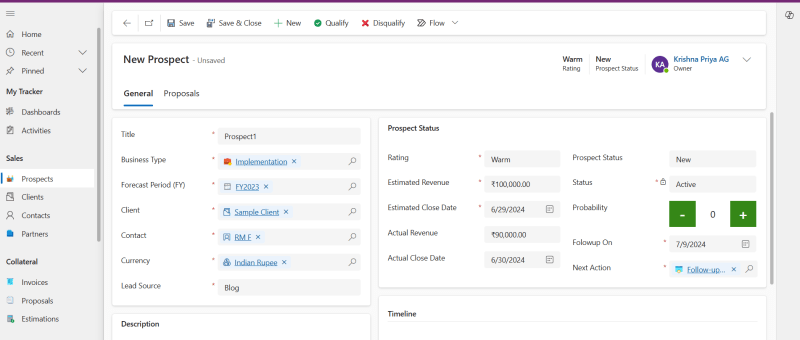
Here are the steps to perform to create a new Prospect in Power Apps based Project Tracking system. Read more about the Prospect and Project Management Solution in Microsoft Power Platform: https://dynatecon.com/business-solutions/dynapro-prospect-and-project-management-solution-in-power-platform/ Steps: 1. Access the 'Dyna Project -Admin' main page 2. Click on Prospects under Sales from the left navigation bar Active Prospects view…
How to create a new Project in Power Apps based Project tracking tool?
Here are the steps to perform to create a new Project in Power Apps based Project Tracking system. Read more about the Prospect and Project Management Solution in Microsoft Power Platform: https://dynatecon.com/business-solutions/dynapro-prospect-and-project-management-solution-in-power-platform/ Steps: 1. Access the 'Dyna Project -Admin' main page 2. Click on Projects from Projects Operations in the left navigation bar. All Projects…