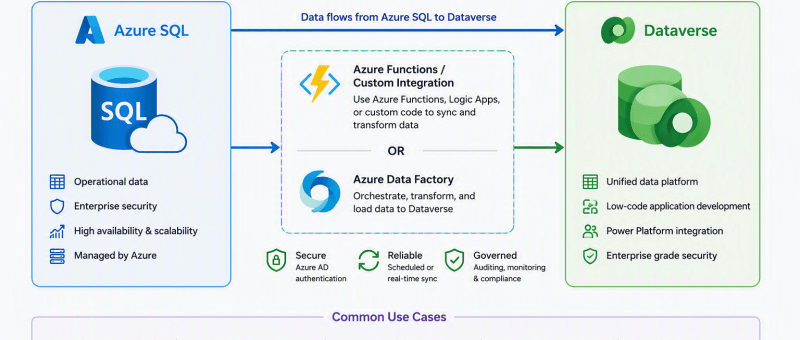
Introduction Many organizations use Microsoft Dataverse to store business data for Power Apps and Dynamics 365. In some cases, this data comes from external systems such as Azure SQL Database. Azure Data Factory (ADF) provides a simple and reliable way to move data between these systems. In this blog, I will explain how I created…
Author: jessica601aff32ca
Optimizing a Sales KPI Report in Power BI for Better Sales Visibility
Optimizing a Sales KPI Report in Power BI for Better Sales Visibility Introduction Sales teams work with a lot of data every day, including leads, opportunities, activities, quotes, and orders. Most of this data is stored in different modules or systems, which makes it difficult for users to get a complete picture of sales performance.…
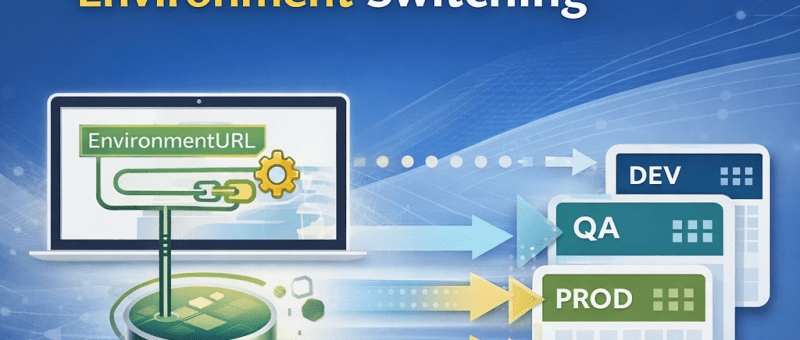
How to Build a Parameterized Environment-Switching Data Source in Power BI for Dataverse (Production-Ready Approach)
In enterprise Power BI reporting, connecting to Dynamics 365 / Dataverse using a fixed environment URL makes deployments fragile. Every time you move from Dev → QA → Production, you must manually update data sources — a process that’s error-prone and not suitable for production. When working with multiple environments (Dev, QA, Production): Challenges with…
Building the HR Assistant Copilot Agent – A Smart HR Solution with Microsoft Power Platform
I had the opportunity to showcase my HR Assistant Copilot — a Proof of Concept (PoC) developed using Microsoft Copilot Studio and seamlessly integrated with Power Apps. This demo illustrates how AI-powered Copilot agents can revolutionize HR operations by automating routine tasks, streamlining workflows, and enhancing the overall employee experience within an organization. Objective The…