Filtering Users Based on Their Team in Dynamics 365 Using JavaScript
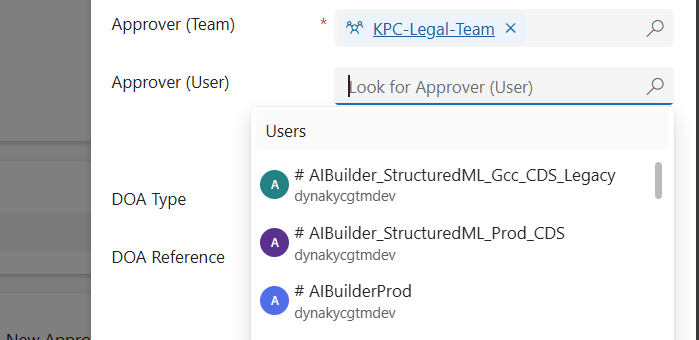
When working in Dynamics 365 or Power Apps model-driven apps, it’s common to have forms where you want to restrict a lookup field so it only shows relevant records. A typical scenario is filtering the “User” lookup field to only display users who belong to a specific Team. In this post, we’ll walk through how…

Migrate Configurations and Data across Power Platform Environments via CMT

Organizations using Microsoft Power Apps often need to not only share their apps and customizations across environments (such as development, test, or production) but also move related data records—like configuration settings, lookup tables, or business-specific metadata. Below, I outline the most effective ways to share such records and provide a step-by-step guide to using the…

🚫 Fixing “Future Date” Validation Errors in Power Apps (Even for Today’s Date!) 

📌 Problem We Faced:  We had a custom JavaScript validation in our Power Apps Model-Driven form. The goal was simple: 👉 Show an error if the user enters a future date.  We used this script:  if(fieldValue && fieldValue > today) { showerror } At first, it worked fine. But then… 💥 in some systems, even when…

Variables vs Compose in Power Automate: What’s the Difference and When to Use?

When building Power Automate flows, two commonly used actions for storing data are: Initialize/Set Variable Compose 🧠 What is a Variable? A variable is a mutable container — which means you can change or update its value after it's created. You must initialize a variable with a specific datatype like String, Boolean, Integer, Array, or…

Leveraging TeamMembership_Association for Dynamic Team Filtering in Power Automate Cloud Flows

In this blog post, we’ll explore how you can dynamically retrieve team members using the teammembership_association/any(t:t/teamid eq teamid) query in Power Automate. This query is particularly important when working with Teams in Dataverse, as it enables you to efficiently filter and target specific team members for scenarios like notifications, approvals, or other automated workflows. We’ll…

Automate Your Alerts: Sending Work Permit Expiration Reminders with Power Automate

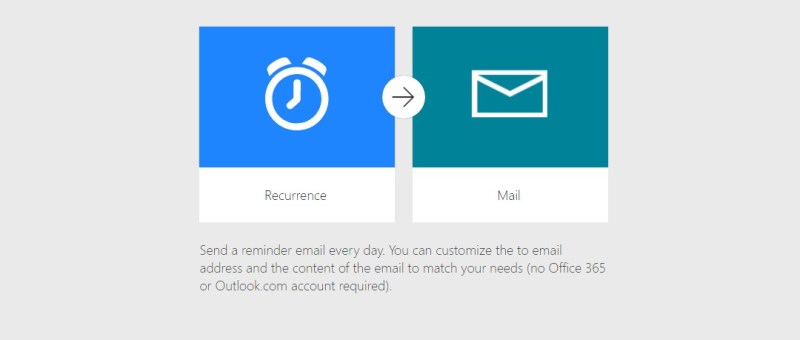
In today’s fast-paced work environment, keeping track of important deadlines like work permit expirations can be challenging. Fortunately, Microsoft Power Automate makes it easy to create flows that automate this process. In this blog post, we'll walk through how to set up a Power Automate flow that sends alerts to employees 30 days before their…

eSign Document using Power Automate with Adobe Acrobat Sign

E-sign is the electronic equivalent of a handwritten signature. It's a digital way of signing documents electronically rather than using pen and paper. This process involves applying an electronic signature to a document. Documents can be signed and processed much faster compared to traditional ways. They can also be signed from anywhere with an internet…

Retrieving data from Microsoft Dataverse in React pages via Node.js backend

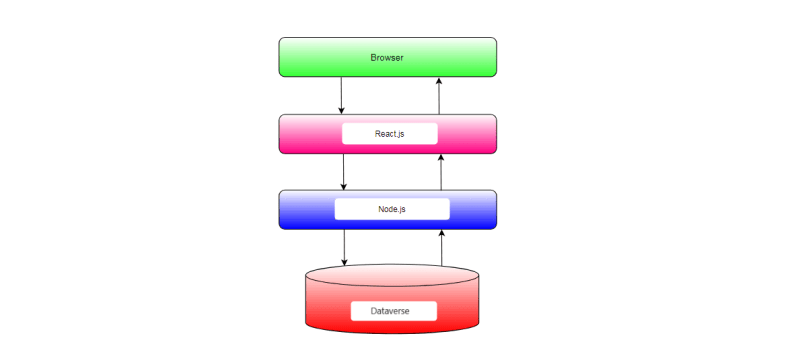
In this blog post, we'll explore how to integrate Microsoft Dataverse, formerly known as the Common Data Service (CDS), with a Node.js backend and a React.js frontend. Microsoft Dataverse is a cloud-based data storage service provided by Microsoft as part of the Power Platform suite. By integrating Dataverse with Node.js and React.js, we can build powerful applications that leverage the capabilities of Dataverse for data storage and management.

Generating Invoice Lines based on the Project Members in Dyna Pro application with JavaScript

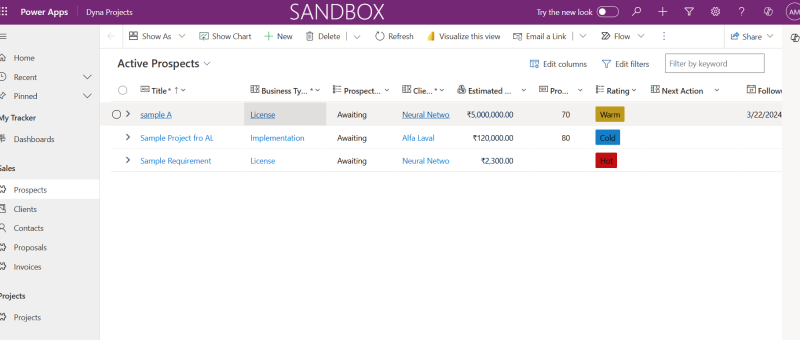
In Dynamics 365 environments where project resources are pivotal to billing processes, automating the generation of invoice lines can enhance efficiency and accuracy. Today, we'll explore how to implement custom JavaScript automation to create invoice lines based on project resources with the click of a button. Understanding the Scenario Imagine you are working within a…

Configure Nested Grid Controls in Power Apps for Entity Views

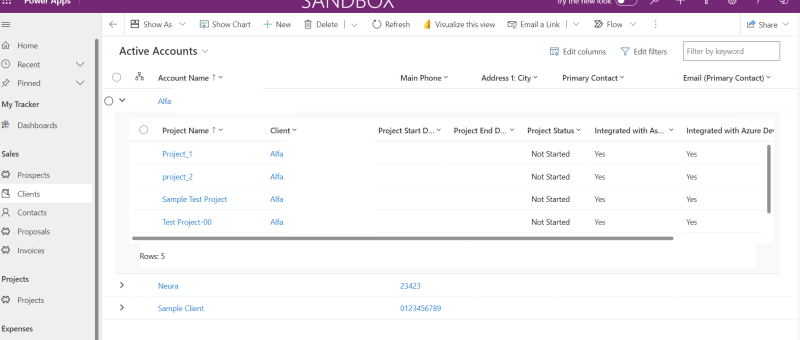
The Power Apps grid control is an advanced version of the read-only grid, offering users the ability to easily view, open, and edit records within views and subgrids. Alongside inline editing, it boasts features like infinite scrolling, nested grids, grouping, and customization options. In this blog post, we'll guide you through the process of adding…

Dynamics 365 – Populate Rich text control within a document template using Power Automate

Power Automate is a powerful tool that allows users to automate tasks and processes within Microsoft applications. One of its many useful features is the ability to populate rich text controls within a document template. Rich text control also known as content control are placeholders within a document that allow users to input and format…

Power Apps Grid Control for Dynamics 365

The Power Apps grid control represents the next evolution of the Power Apps read-only grid control, allowing users to view, open, and edit records from views and subgrids. In addition to inline editing, the control provides a number of other powerful capabilities including infinite scrolling, nested grids, grouping, aggregation, and is customizable. Like the read-only…

Open Power Apps Custom Page from Dataverse Subgrid

In the dynamic world of PowerApps, the ability to easily navigate between components is most important. One powerful feature that elevates user experience is the capability to open custom pages directly from a Dataverse subgrid. This functionality not only streamlines processes but also empowers users with a more personalized interface. REQUIREMENT In this situation, there's…

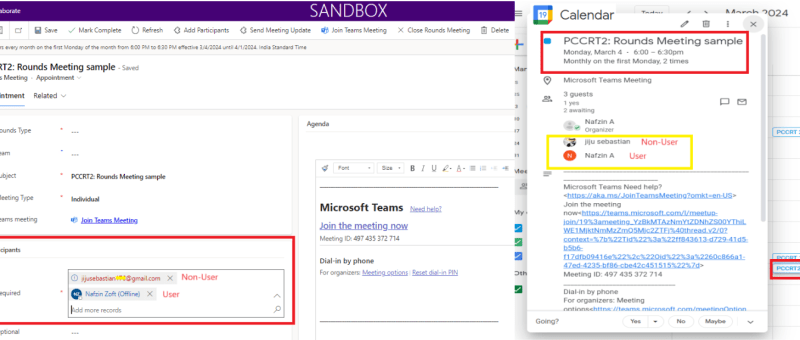
Send Appointment Invites from Power-Apps to Users as well as Non-Users and to reflect in the Calendar

This blog shares an idea about a standard feature in power apps, which can be used for setting up appointment invites from power apps. These appointments created will also be reflected in your event calendars which makes it easier for you to join the meetings directly from there. This interesting feature was recently implemented for…

Zoho Integration with Dynamics 365 – Sync Customers

In the ever-evolving landscape of business automation, integrating different software systems has become crucial for streamlining processes and enhancing productivity. One powerful integration that can significantly benefit businesses is the seamless connection between Dynamics 365 and Zoho Books. In this blog post, we'll delve into the process of adding a custom button in Dynamics 365…

Azure DevOps Integration with Dynamics 365

The integration of Azure DevOps with Dynamics 365 offers numerous benefits for organization. First and foremost, it enables organization to have a unified view of all their work items, including user stories, bugs, and tasks, within one platform. Another advantage of this integration is the ability to link work items to specific Dynamics 365 records…

Populate Lookup fields and Text fields from an Entity to Another Entity using JavaScript – Dynamics 365 CRM

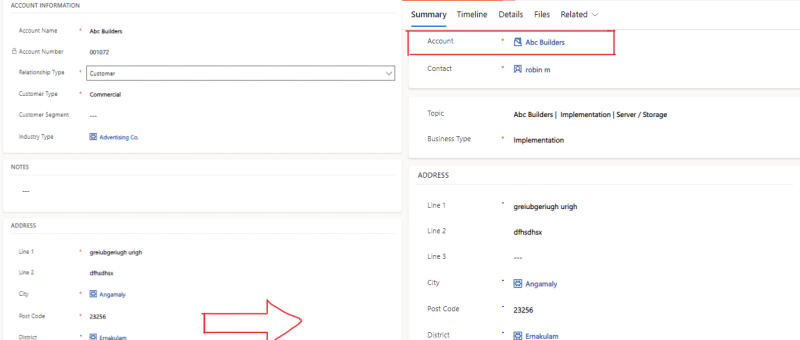
There are cases where we need to set a lookup field on a Dynamics 365 or Power Apps, where we want to retrieve value of lookup fields or Text fields on the form using JavaScript and set to other entities form fields. SCENARIO: In our case we are having entities like 'Account' and 'Lead', where…

Access audit data using Azure Synapse Link for Dataverse and Power BI

Customers who use Azure Synapse Link for Dataverse can export audit logs easily to meet the external and internal auditing, compliance, security, and governance policies that are common to many enterprises. Microsoft Dataverse auditing is supported on all custom and most customizable tables and columns. Audit logs are stored in Dataverse and consume log storage…

Show or Hide Tab Based on Field Value Using JavaScript in Dynamics 365 CRM

JavaScript is an essential part of modern web development. It is used to create interactive and dynamic websites, allowing for better user engagement and interaction. It runs on the user’s browser rather than the server, allowing for faster loading speeds and content manipulation without requiring a page to be reloaded. REQUIREMENT: In this case the…