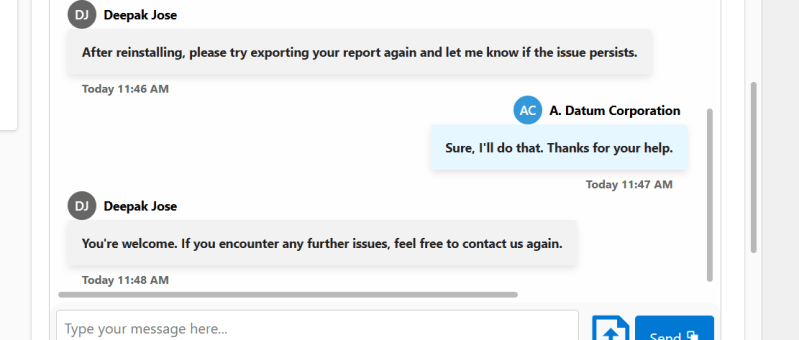
Creating a seamless and interactive chat interface can significantly enhance user engagement in your Power Apps solutions. In this blog post, we will walk you through the steps of building a React-based chat component using Power Apps Component Framework (PCF) with a dataset template. We'll leverage Fluent UI for styling and functionality, ensuring a polished…
Tag: PCF
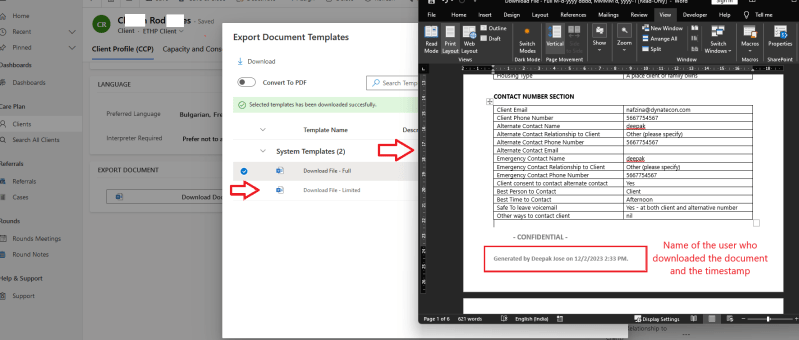
How to include ‘Document Template’ Downloading User’s name and Timestamp in Power Apps using PCF Control.
Dynamics 365 empowers organizations to streamline processes and gain valuable insights. A critical requirement involves updating the columns in the form table to store the values of the 'DownloadBy' and 'DownloadDate' columns. This involves fetching the date and username from the browser when the 'Export to Word' button is clicked. With the Power Apps Component…
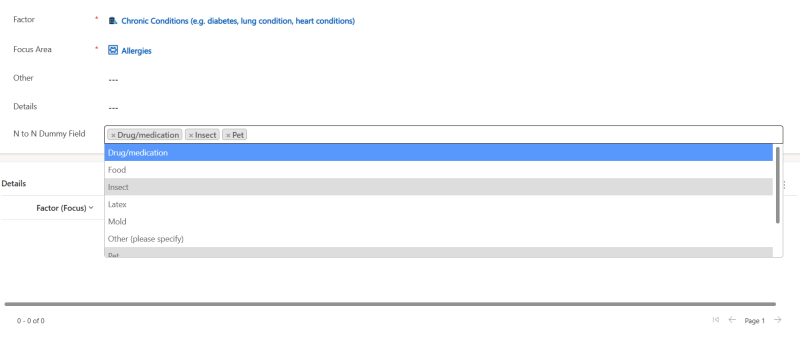
Enhancing N:N Multi-Select PCF-Control for Model-Driven Power Apps with Filtering
If you've ever worked with Model-Driven Power Apps, you're probably familiar with the challenges posed by N:N (Many-to-Many) relationships and the need for multi-select controls to efficiently manage related records. In this blog post, we'll introduce you to an N:N Multi-Select control for Model-Driven Power Apps and explore how we've enhanced it with filtering capabilities,…