MCP-Powered Assistant: An AI Agent Built with Copilot Studio and Dataverse

Imagine a customer telling an AI, “I need a 7‑seater SUV under 30K,” and the agent instantly picks the perfect car from your dealership’s catalog. That is exactly what this Copilot Studio agent does, powered by a PDF in SharePoint, Dataverse, and Model Context Protocol (MCP). Step 1: Feed the agent your car catalog All…

Build an Employee Management Copilot Agent in Microsoft Copilot Studio: Step-by-Step Guide

Automating internal processes and providing quick answers to employees is now easier with Microsoft Copilot Studio. In this guide, we’ll walk through creating a Copilot agent that can create employee records in Dataverse (CRM) and answer FAQs from a SharePoint library containing multiple files. This post focuses on building the agent itself, integrating it with…

Building the HR Assistant Copilot Agent – A Smart HR Solution with Microsoft Power Platform

I had the opportunity to showcase my HR Assistant Copilot — a Proof of Concept (PoC) developed using Microsoft Copilot Studio and seamlessly integrated with Power Apps. This demo illustrates how AI-powered Copilot agents can revolutionize HR operations by automating routine tasks, streamlining workflows, and enhancing the overall employee experience within an organization.  Objective The…

Building a Conversational Car Assistant with Microsoft Copilot Studio

Introduction : Building conversational AI inside Microsoft’s ecosystem opens new ways to automate customer engagement and operational flows. In this project, I created an AI-powered vehicle assistant using Microsoft Copilot Studio that helps users find cars for lease or purchase based on their preferences. The solution integrates SharePoint, Power Automate, Teams, and Outlook to provide…

Filtering Users Based on Their Team in Dynamics 365 Using JavaScript

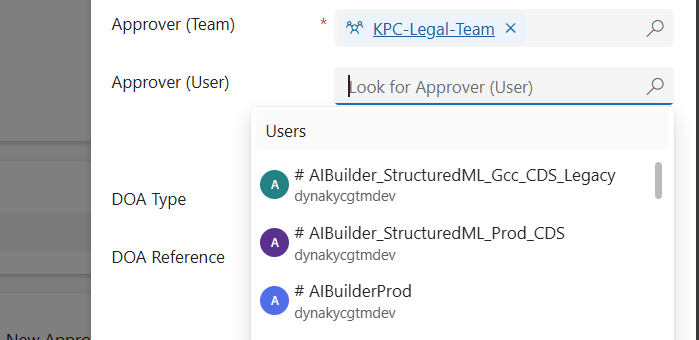
When working in Dynamics 365 or Power Apps model-driven apps, it’s common to have forms where you want to restrict a lookup field so it only shows relevant records. A typical scenario is filtering the “User” lookup field to only display users who belong to a specific Team. In this post, we’ll walk through how…

Building a Dynamic Chat Interface: React-based PCF Control

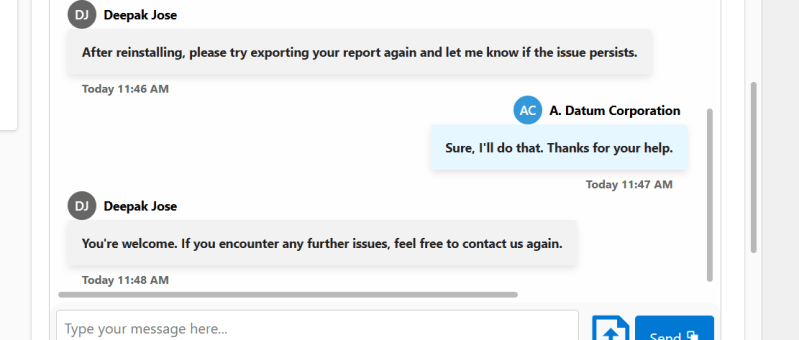
Creating a seamless and interactive chat interface can significantly enhance user engagement in your Power Apps solutions. In this blog post, we will walk you through the steps of building a React-based chat component using Power Apps Component Framework (PCF) with a dataset template. We'll leverage Fluent UI for styling and functionality, ensuring a polished…

Sending Adaptive Cards in Outlook via Power Automate (Test User Setup Guide)

In today’s fast-paced business world, real-time communication is essential. In this guide, I’ll show you how I built a fully automated employee onboarding notification system using Adaptive Cards and Power Automate. When a new employee is added in Dataverse, the system automatically sends an Outlook notification with their details and a direct link to view…

Variables vs Compose in Power Automate: What’s the Difference and When to Use?

When building Power Automate flows, two commonly used actions for storing data are: Initialize/Set Variable Compose 🧠 What is a Variable? A variable is a mutable container — which means you can change or update its value after it's created. You must initialize a variable with a specific datatype like String, Boolean, Integer, Array, or…

How to test Canvas App using Power App Test Studio

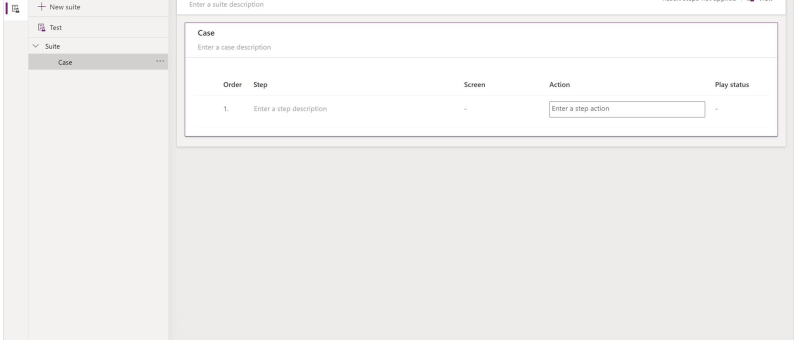
What is Test Studio You can test inside of canvas apps with the built-in tool called Power App Test Studio. This tool can help you write, organize, and automate your tests for canvas apps. How to Work with Test Studio Open Test Studio Sign into Power Apps Create a new app or edit an existing app…

Manage Field visits and Incidents from mobile device using Power App (Canvas App): Incidents Hub

Welcome to this step-by-step guide on building a simple Canvas App called "INCIDENTS HUB" using Microsoft PowerApps. The INCIDENTS HUB app will help users track and manage incidents efficiently, offering an easy-to-use interface for viewing, adding, and updating incident records. Prerequisites An active Microsoft PowerApps account. Basic understanding of PowerApps interface and functions. A data…