
When building Power Automate flows, two commonly used actions for storing data are: Initialize/Set Variable Compose 🧠 What is a Variable? A variable is a mutable container — which means you can change or update its value after it's created. You must initialize a variable with a specific datatype like String, Boolean, Integer, Array, or…
Tag: Microsoft CRM
Leveraging TeamMembership_Association for Dynamic Team Filtering in Power Automate Cloud Flows

In this blog post, we’ll explore how you can dynamically retrieve team members using the teammembership_association/any(t:t/teamid eq teamid) query in Power Automate. This query is particularly important when working with Teams in Dataverse, as it enables you to efficiently filter and target specific team members for scenarios like notifications, approvals, or other automated workflows. We’ll…
Automate Your Alerts: Sending Work Permit Expiration Reminders with Power Automate

In today’s fast-paced work environment, keeping track of important deadlines like work permit expirations can be challenging. Fortunately, Microsoft Power Automate makes it easy to create flows that automate this process. In this blog post, we'll walk through how to set up a Power Automate flow that sends alerts to employees 30 days before their…
Use Environment variables in Power Automate to Create Folder in SharePoint

Environment variables in Power Apps are essentially key-value pairs that store configuration settings, which can be used across different components within your Power Platform solutions. They offer a flexible and efficient way to manage parameters that might change between environments (like development, testing, and production) or need to be updated without modifying the actual app…
Dynamics 365 – Populate Rich text control within a document template using Power Automate

Power Automate is a powerful tool that allows users to automate tasks and processes within Microsoft applications. One of its many useful features is the ability to populate rich text controls within a document template. Rich text control also known as content control are placeholders within a document that allow users to input and format…
Send Appointment Invites from Power-Apps to Users as well as Non-Users and to reflect in the Calendar
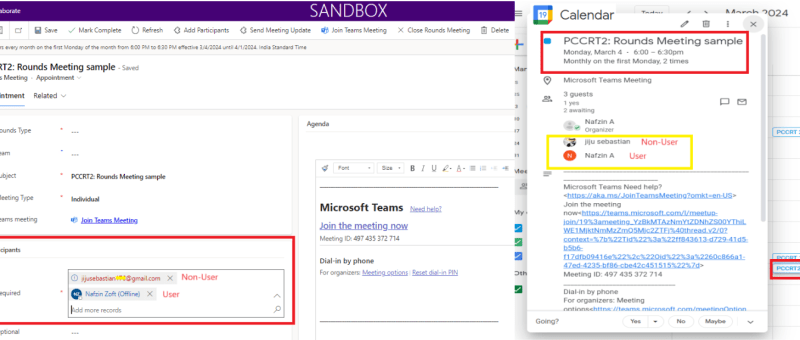
This blog shares an idea about a standard feature in power apps, which can be used for setting up appointment invites from power apps. These appointments created will also be reflected in your event calendars which makes it easier for you to join the meetings directly from there. This interesting feature was recently implemented for…
Azure DevOps Integration with Dynamics 365
The integration of Azure DevOps with Dynamics 365 offers numerous benefits for organization. First and foremost, it enables organization to have a unified view of all their work items, including user stories, bugs, and tasks, within one platform. Another advantage of this integration is the ability to link work items to specific Dynamics 365 records…
Populate Lookup fields and Text fields from an Entity to Another Entity using JavaScript – Dynamics 365 CRM
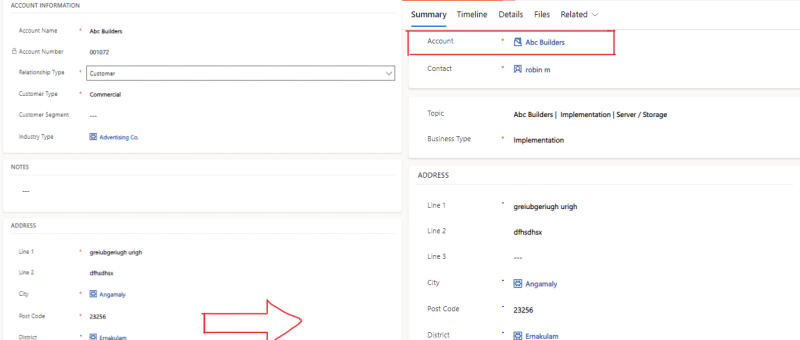
There are cases where we need to set a lookup field on a Dynamics 365 or Power Apps, where we want to retrieve value of lookup fields or Text fields on the form using JavaScript and set to other entities form fields. SCENARIO: In our case we are having entities like 'Account' and 'Lead', where…
How to Manage Consent for Text Messages in Real-Time Marketing
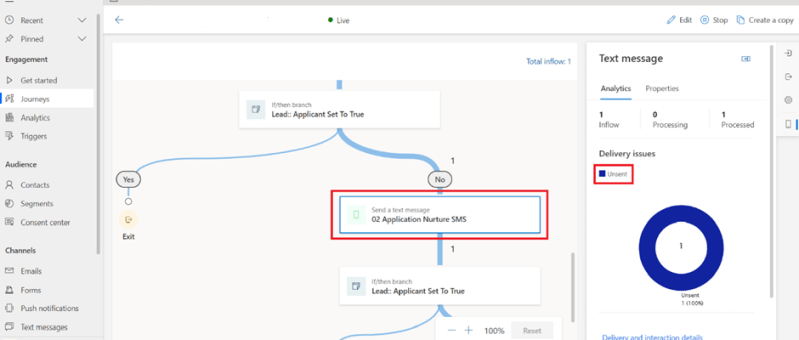
This blog is about the Real-time Marketing Consent Center, which allows you to manage consent information given by your customers for sending text messages through real-time marketing journeys. Real-time marketing consent is contact-point based and works for messages sent to contacts, leads, and Customer Insights profiles. Consent records can be created for managing emails and…
Show or Hide Tab Based on Field Value Using JavaScript in Dynamics 365 CRM
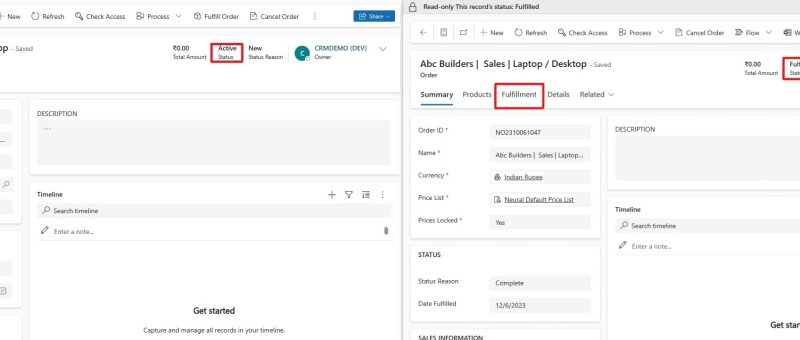
JavaScript is an essential part of modern web development. It is used to create interactive and dynamic websites, allowing for better user engagement and interaction. It runs on the user’s browser rather than the server, allowing for faster loading speeds and content manipulation without requiring a page to be reloaded. REQUIREMENT: In this case the…
Exception handling in Power Automate
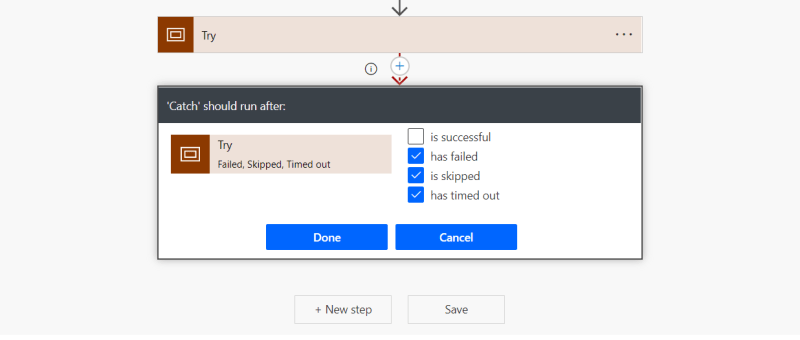
Exception handling is the most common practice used in programming to tackle unwanted or unexpected events. Since exception handling deals with anomalies, it avoids program error, flow error and system crashing. There are many reasons which can cause exceptions, including expression error, invalid user input, loss of network connection, user attempting to open files which…
Update multiple records using custom button
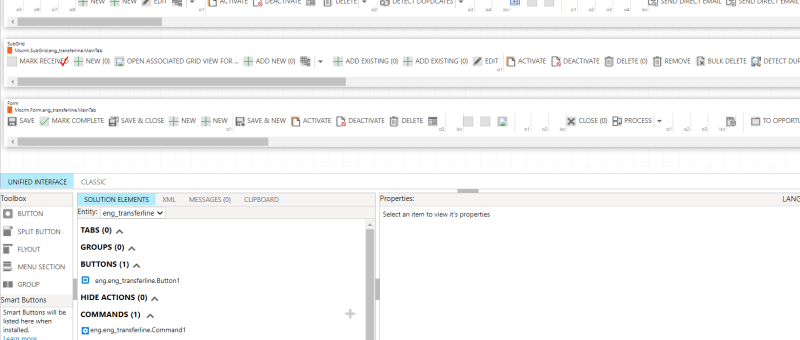
In Dynamics 365, it very common that a larger number of records need to be approved or a similar action need to be done. In these scenarios going to each record and performing the necessary action will not be a better option. To tackle these situations, custom buttons can be used. After selecting the records…
How to setup Routing Rule in CRM 2016/2015/2013 Update
In versions prior to CRM 2013, an entity could only be routed to default queue of the owner of the record when record is created or assigned. For any other conditional routing, custom development was the way to go. Now with CRM 2013 update and above versions, we can configure rules to automate routing of…
Unable to get property ‘firstChild’ of undefined or null reference – Error accessing Microsoft CRM
You might have received this annoying popup error while accessing Microsoft CRM. You might wonder if there is anything wrong with the Jscript customization in your solution! This is actually a browser related problem and you can fix it quickly. Resolution: Add the CRM url to the 'Trusted sites' list and you would not get this…
How to setup Hierarchy Security in CRM 2015?
Hierarchy Security is a new feature introduced in CRM 2015. It makes the security architecture of CRM 2015 more flexible. Common facts about Hierarchy Security Before explaining how to setup hierarchy security in CRM 2015, I would like to mention few facts about Hierarchy Security. You can enable or disable hierarchy feature anytime from Settings>Security>Hierarchy…
Options: Plugin, Workflow or Dialog
This post is inspired by a popular article by my ex coworker Humberto Lezama G. regarding when to use plugins or workflows for implementing custom logic in Microsoft Dynamics CRM 2011. I have expanded the matrix to add additional criteria and more details about how each plugin vs. workflow handle different types of requirements. Additionally,…
Data Design for CRM Projects – Customisation Approaches
What factors affect the design choices Before getting to the different approaches, we need to consider what factors are most important when comparing different design approaches. Whenever we start a design for a customer, we have to be aware that each customer will put different emphasis on these factors. Benefits of using existing entities and…
Transferring Data from One CRM Organization to Other Organization
Here is the way to transfer data from one Microsoft Dynamics CRM organization to another for some record type. This blog covers the steps you can follow to move data from one organization to another using Import Wizard. Let us take example that you want to move data for Account and Contact record types. 1.…
Integrating CRM using SQL Integration Services (SSIS)
Many Microsoft Dynamics CRM (MSCRM) implementations involved integration with other systems. When I think of integrations between systems, the common approaches pop up immediately in my mind are BizTalk, Scribe or to write a custom integration framework using the CRM Software Development Kit (SDK). Here is an approach that may be considered for your integration project…
Useful links for a Dynamics CRM 4.0 learner
I am just posting these lins here just because I felt like these will be relaly helpful for the newbies into dynamics CRM. Developer Ramp up Kit for Microsoft Dynamics CRM 4.0 This kit is for .NET based developers who want to ramp up and build on top of the Microsoft Dynamics CRM platform. The best…
 Dynatecon Solutions