Creating Test Plans and Test Suites using Azure Devops

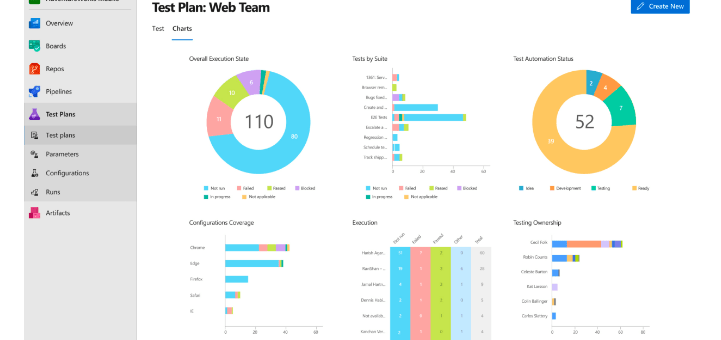
What is Azure Test plan? Azure Test Plans provides tools to accomplish quality and collaboration throughout the development process. This test management solution provides all the capabilities required for planned manual testing, user acceptance testing, exploratory testing and gathering feedback from stakeholders. It is easy-to-use and browser based . How does Azure Test Plans work?…

How to Manage Consent for Text Messages in Real-Time Marketing

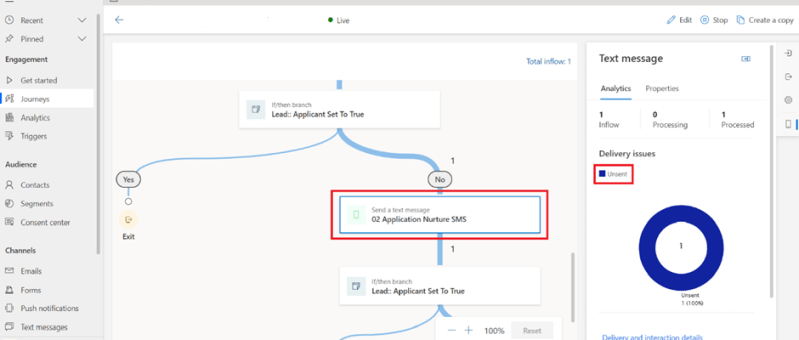
This blog is about the Real-time Marketing Consent Center, which allows you to manage consent information given by your customers for sending text messages through real-time marketing journeys. Real-time marketing consent is contact-point based and works for messages sent to contacts, leads, and Customer Insights profiles. Consent records can be created for managing emails and…

Access audit data using Azure Synapse Link for Dataverse and Power BI

Customers who use Azure Synapse Link for Dataverse can export audit logs easily to meet the external and internal auditing, compliance, security, and governance policies that are common to many enterprises. Microsoft Dataverse auditing is supported on all custom and most customizable tables and columns. Audit logs are stored in Dataverse and consume log storage…

PowerApps for Nonprofits: Why should you choose?

If you work at a nonprofit, you should understand the benefits of Microsoft PowerApps for nonprofits. What is PowerApps? Microsoft PowerApps is a tool that aims to place all the power of software design into the hands of non-coders. You can create custom apps from scratch to solve all your nonprofit’s unique problems. And thanks…

Show or Hide Tab Based on Field Value Using JavaScript in Dynamics 365 CRM

JavaScript is an essential part of modern web development. It is used to create interactive and dynamic websites, allowing for better user engagement and interaction. It runs on the user’s browser rather than the server, allowing for faster loading speeds and content manipulation without requiring a page to be reloaded. REQUIREMENT: In this case the…

Enhancing N:N Multi-Select PCF-Control for Model-Driven Power Apps with Filtering

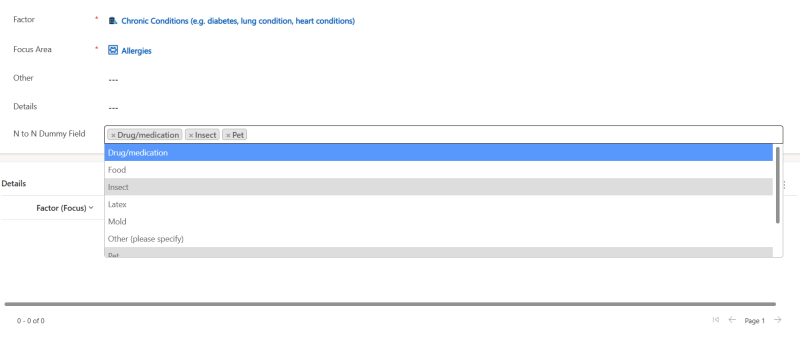
If you've ever worked with Model-Driven Power Apps, you're probably familiar with the challenges posed by N:N (Many-to-Many) relationships and the need for multi-select controls to efficiently manage related records. In this blog post, we'll introduce you to an N:N Multi-Select control for Model-Driven Power Apps and explore how we've enhanced it with filtering capabilities,…

Functional Testing using Azure DevOps: A quick overview

Azure Devops provides more efficient ways for code development, deployment, testing, and release of software applications.The main features it provides for testing are:managing functional test scripts, sharing test steps and parameters between different test cases, defining configurations, defining test plans for different iterations, bulk import & export of test cases, test case execution, and reporting.…

Streamline Workflows in SharePoint: Discover the Combo of Power Apps Custom page and Power Automate using HTTP Request Connector

Efficient workflows are essential for maximizing productivity and ensuring seamless operations in SharePoint. By automating and streamlining processes the organizations can save time, reduce manual efforts, and improve collaboration. In this we will explore the combined power of Power Apps Custom Pages and Power Automate using Response Connector to streamline workflows in SharePoint Power Apps…

Expense Report App – Based on Power Apps (Canvas and Model Driven)

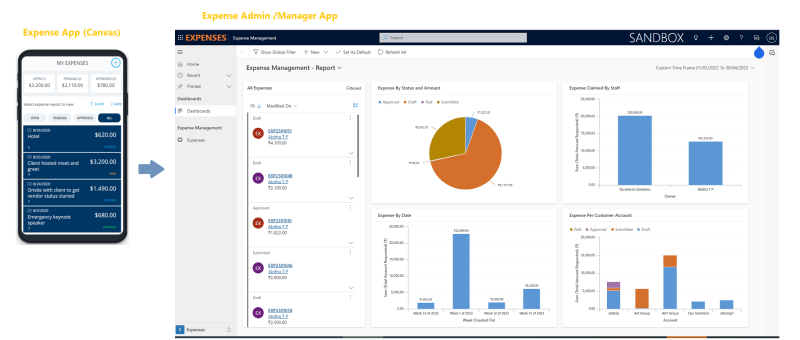
Microsoft has provided a sample Power App which can be used for the purpose of managing expenses. Ref: https://learn.microsoft.com/en-us/power-apps/maker/canvas-apps/expense-report-install We have added more features to the sample Expense App and would like to present and share that with the Power platform community for generic usage. Let's review the Power Apps based Expense Management Solution. This…

Invite External Contacts as Azure AD Guest Users via Power Automate Flow

In this blog we will see how can we add an external contact to Azure AD using power automate flow. This will create an azure AD  guest user account for the user and provide an invitation email with a url to access the APP. Use Case: You are building a Power App, and need to…

Upload Files Directly From Powerapps To Sharepoint(Using Graph API)

In this blog we will see how to upload files directly from powerapps to sharepoint without using any power automate flow. Here we will make use of Graph API. First we will create a sharepoint document library. For that go to the sharepoint site to which you want to create the library. And then click…

How to Display Duplicate/Repetitive Multiple Rows in a Single Cell of a Table/Matrix in POWER BI 

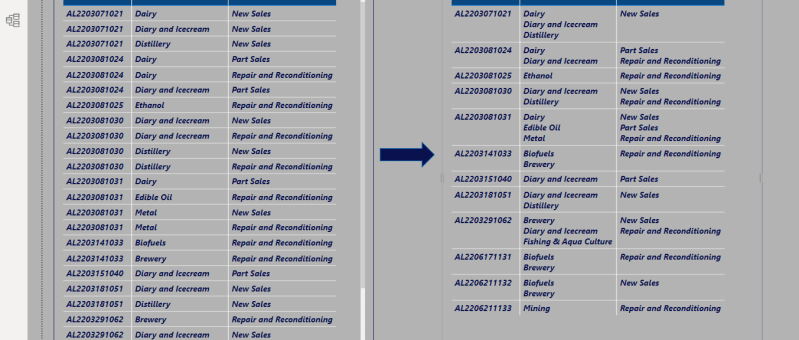
REQUIREMENT: Compress multiple row values in a single cell value of a table or matrix using CONCATENATEX function in Power Bi as shown in the Fig.1     Fig.1  SOLUTION:  Step1: Import table using Getdata in Power BI Desktop as shown in Fig.2   Fig.2  Step2: Add relationships between the tables as shown in Fig.3. There are two…

How to upload an image/file from canvas app to a SharePoint document library and display it in the Document section of model driven app (via Server side Synchronization)

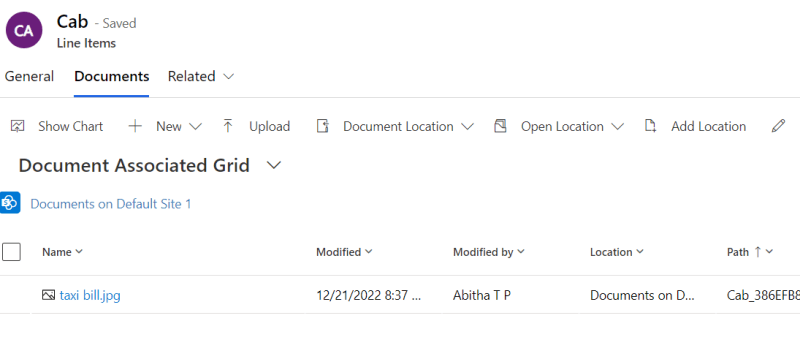
Storing attachment from PowerApps to SharePoint is a common requirement for many apps. To accomplish this we will use a power automate flow with power apps as the trigger. This blog walks you through , how to upload an attachment from canvas app to the corresponding folder in SharePoint document library and thereby display it…

How to show internal error message details in the Power Apps Portal

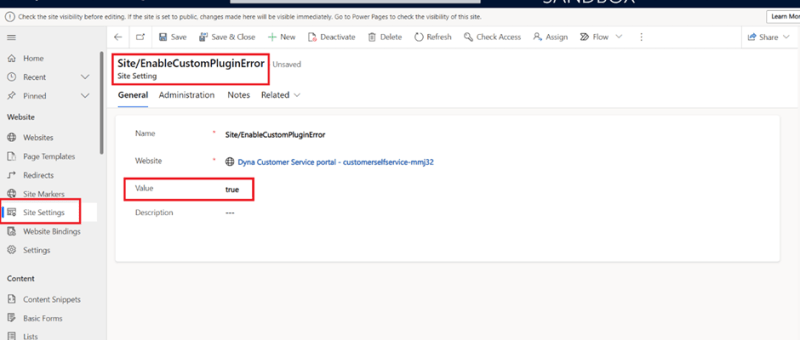
This blog takes you through the ways to clear the cache and also how to show internal error message details within Power Apps Portal. Often seeing the exact error message will be helpful in trouble shooting the issue and get it fixed. Clear Cache in Portal to reflect latest changes While building a power apps…

Format Date Using Date Filter for Tables in Power Apps Portal

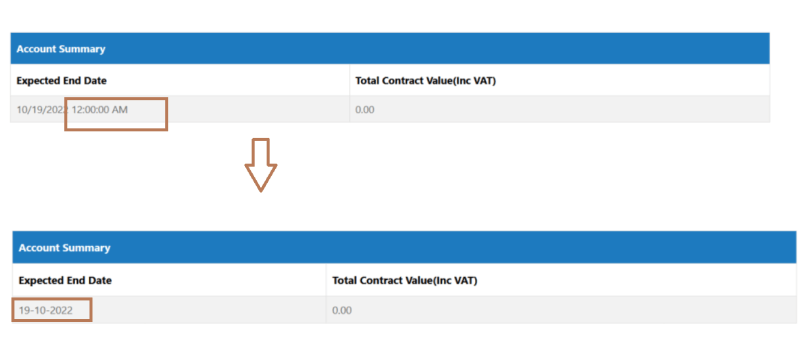
When showing the datetime field values on Portal, it's a common requirement to show only the Date part on the portal and not to show the Time part. This post explains how to achieve that when fetching data from Dataverse 'Datetime' field and show only the Date part. Requirement: Its always an issue with the…

Exception handling in Power Automate

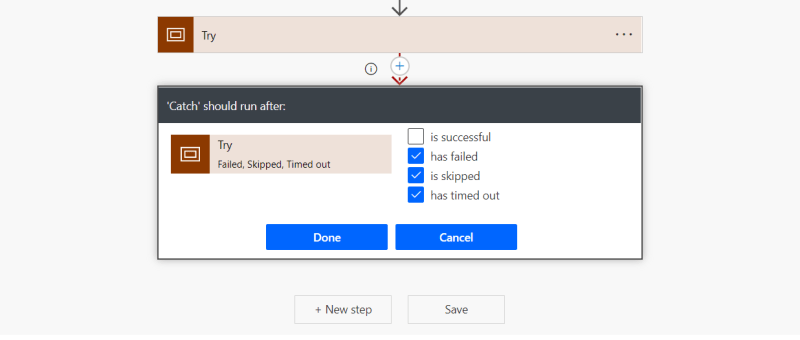
Exception handling is the most common practice used in programming to tackle unwanted or unexpected events. Since exception handling deals with anomalies, it avoids program error, flow error and system crashing. There are many reasons which can cause exceptions, including expression error, invalid user input, loss of network connection, user attempting to open files which…

Power Pages vs PowerApps Portals

The announcement of Power Pages at Microsoft Build was met with some real excitement from our consulting team. It is the fifth addition to the Power Platform – a suite of products designed to streamline your business processes and empower your people to create solutions to their own challenges. It was billed as a way…

How to direct un-authenticated Users to the Sign in Page by default in Power Apps Portal Website

Power Apps Portal Power Apps portals to create external-facing websites that allow users outside their organizations to sign in with a wide variety of identities, create and view data in Dataverse. Requirement: Power apps portal website default Landing Page is the home page which is accessible to everyone. Only signed in users should see the…

Call Custom Page with parameters from Model Driven App – Using New Command Editor

This blog guides you through, how to pass parameters from model-driven app to custom pages while opening custom page as a central dialog inside form using button, in order to upload documents to the respective record's folders in SharePoint. This Functionality was achieved by adding buttons to forms in model-driven apps using the new command…