Leveraging TeamMembership_Association for Dynamic Team Filtering in Power Automate Cloud Flows

In this blog post, we’ll explore how you can dynamically retrieve team members using the teammembership_association/any(t:t/teamid eq teamid) query in Power Automate. This query is particularly important when working with Teams in Dataverse, as it enables you to efficiently filter and target specific team members for scenarios like notifications, approvals, or other automated workflows. We’ll…

Automate Your Alerts: Sending Work Permit Expiration Reminders with Power Automate

In today’s fast-paced work environment, keeping track of important deadlines like work permit expirations can be challenging. Fortunately, Microsoft Power Automate makes it easy to create flows that automate this process. In this blog post, we'll walk through how to set up a Power Automate flow that sends alerts to employees 30 days before their…

Use Environment variables in Power Automate to Create Folder in SharePoint

Environment variables in Power Apps are essentially key-value pairs that store configuration settings, which can be used across different components within your Power Platform solutions. They offer a flexible and efficient way to manage parameters that might change between environments (like development, testing, and production) or need to be updated without modifying the actual app…

eSign Document using Power Automate with Adobe Acrobat Sign

E-sign is the electronic equivalent of a handwritten signature. It's a digital way of signing documents electronically rather than using pen and paper. This process involves applying an electronic signature to a document. Documents can be signed and processed much faster compared to traditional ways. They can also be signed from anywhere with an internet…

Dynamics 365 – Populate Rich text control within a document template using Power Automate

Power Automate is a powerful tool that allows users to automate tasks and processes within Microsoft applications. One of its many useful features is the ability to populate rich text controls within a document template. Rich text control also known as content control are placeholders within a document that allow users to input and format…

Zoho Integration with Dynamics 365 – Sync Customers

In the ever-evolving landscape of business automation, integrating different software systems has become crucial for streamlining processes and enhancing productivity. One powerful integration that can significantly benefit businesses is the seamless connection between Dynamics 365 and Zoho Books. In this blog post, we'll delve into the process of adding a custom button in Dynamics 365…

Streamline Workflows in SharePoint: Discover the Combo of Power Apps Custom page and Power Automate using HTTP Request Connector

Efficient workflows are essential for maximizing productivity and ensuring seamless operations in SharePoint. By automating and streamlining processes the organizations can save time, reduce manual efforts, and improve collaboration. In this we will explore the combined power of Power Apps Custom Pages and Power Automate using Response Connector to streamline workflows in SharePoint Power Apps…

Expense Report App – Based on Power Apps (Canvas and Model Driven)

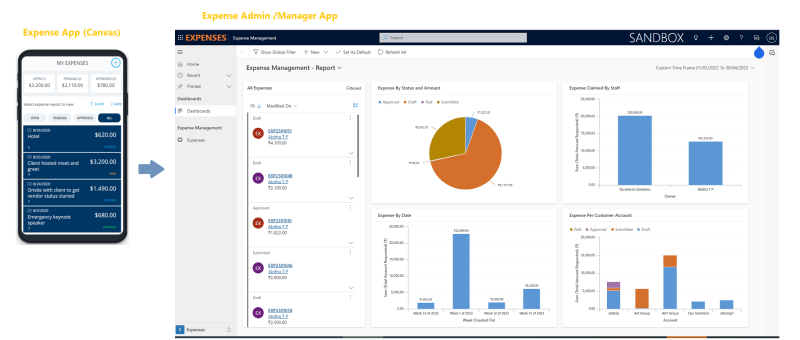
Microsoft has provided a sample Power App which can be used for the purpose of managing expenses. Ref: https://learn.microsoft.com/en-us/power-apps/maker/canvas-apps/expense-report-install We have added more features to the sample Expense App and would like to present and share that with the Power platform community for generic usage. Let's review the Power Apps based Expense Management Solution. This…

Invite External Contacts as Azure AD Guest Users via Power Automate Flow

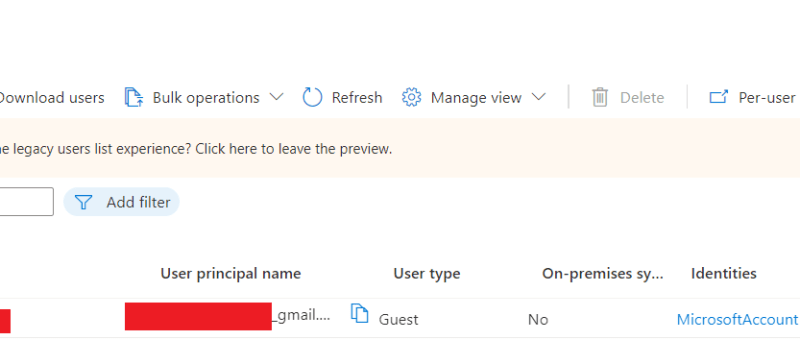
In this blog we will see how can we add an external contact to Azure AD using power automate flow. This will create an azure AD  guest user account for the user and provide an invitation email with a url to access the APP. Use Case: You are building a Power App, and need to…

How to upload an image/file from canvas app to a SharePoint document library and display it in the Document section of model driven app (via Server side Synchronization)

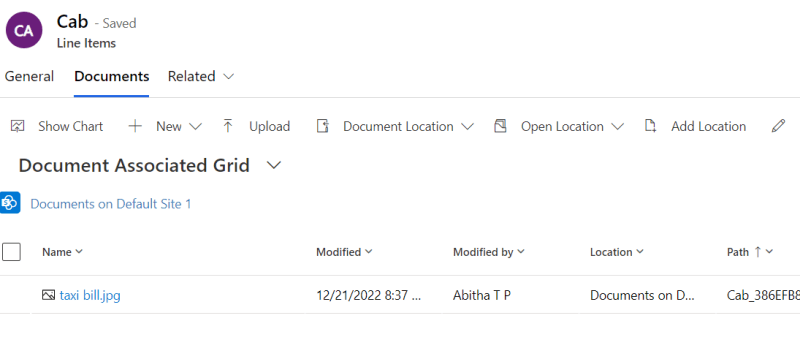
Storing attachment from PowerApps to SharePoint is a common requirement for many apps. To accomplish this we will use a power automate flow with power apps as the trigger. This blog walks you through , how to upload an attachment from canvas app to the corresponding folder in SharePoint document library and thereby display it…

Exception handling in Power Automate

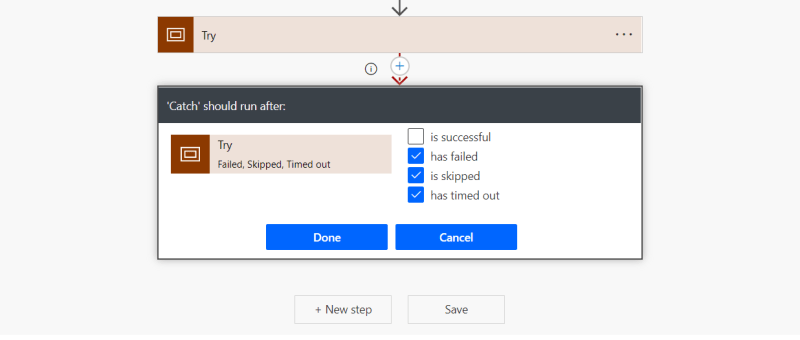
Exception handling is the most common practice used in programming to tackle unwanted or unexpected events. Since exception handling deals with anomalies, it avoids program error, flow error and system crashing. There are many reasons which can cause exceptions, including expression error, invalid user input, loss of network connection, user attempting to open files which…

Call Custom Page with parameters from Model Driven App – Using New Command Editor

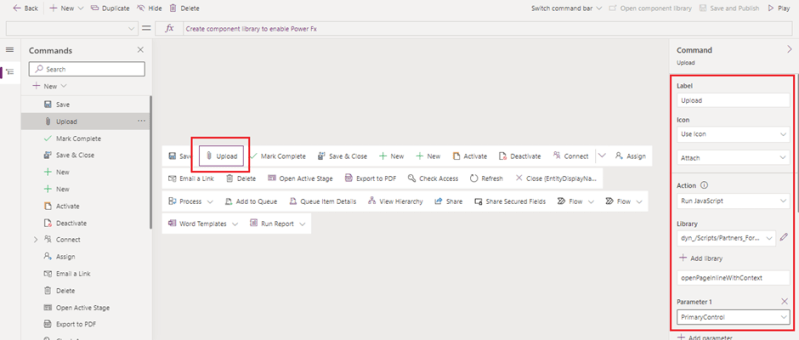
This blog guides you through, how to pass parameters from model-driven app to custom pages while opening custom page as a central dialog inside form using button, in order to upload documents to the respective record's folders in SharePoint. This Functionality was achieved by adding buttons to forms in model-driven apps using the new command…

How to Upload Documents from Custom Page to their Respective Record’s Folders in SharePoint

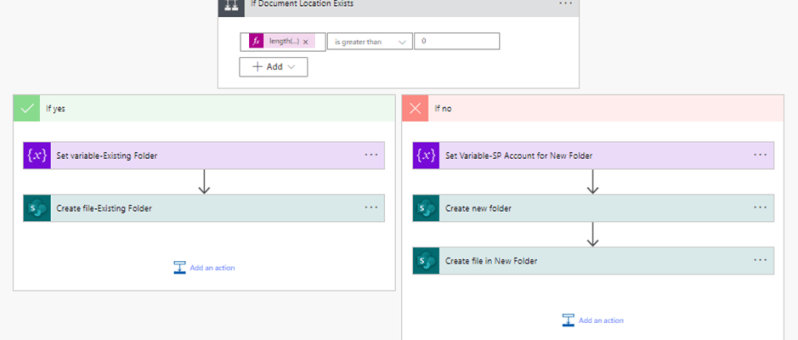
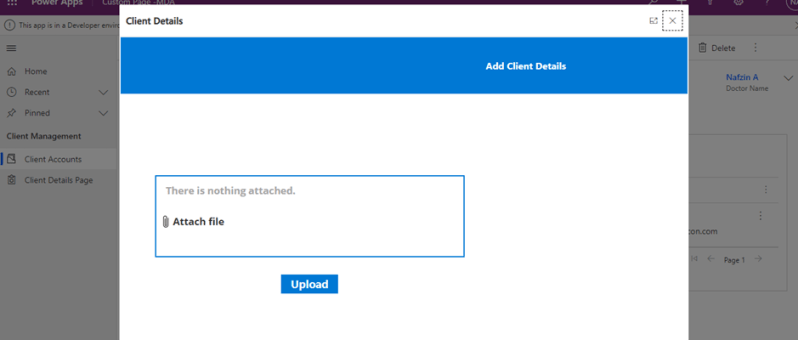
This blog takes you through, how to upload document files from custom page opened in a model-driven form to that respective record’s newly created or already existing folders in SharePoint. This scenario is achieved with the help of a power automate flow. The steps involved in the power automate flow are explained below: Step 1:…

How to Call a Custom Page from Button Click in Model-Driven App

The usage of buttons in model-driven apps helps in easy navigation from one table to other tables or custom pages without even leaving the respective forms. Ribbon workbench is an efficient tool used for the same. This blog guides you through, how to call a custom page as a central dialog box inside the account…

Call HTTP Request from Canvas Power App using Power Automate Flow and get back Multiple Rows as Response

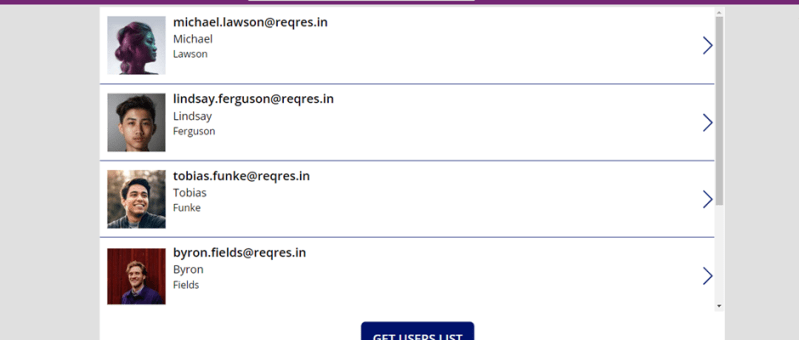
Well, in order to call HTTP request from canvas app to external resources, you will need to go through a power automate flow and then get response back in the canvas power apps as referred in the figure below. SCENARIO: Call a flow from within a canvas power app on clicking a button and capture…

Create Lead with chatbot using Power Automate

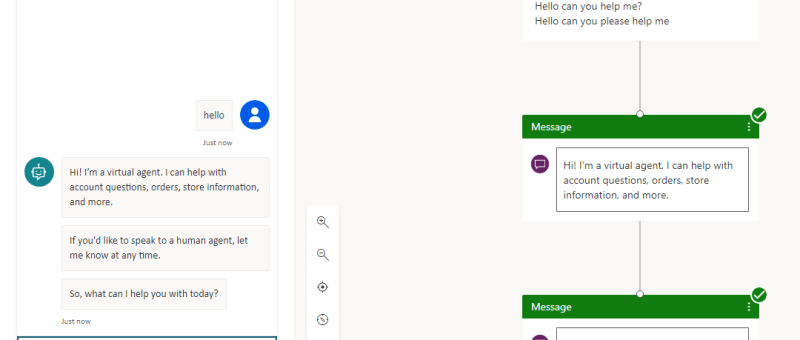
Power Virtual Agents empowers anybody to easily create powerful chatbots for a variety of purposes. The major attraction of Power Virtual Agent from a development perspective is its code-free graphical interface. With Power Virtual Agents, customer support chatbots, sales chatbots, and much more can be created. Chatbots can also be created for customers and also…

Migrate Auto Record Creation Rules & SLAs to UCI before Oct 21!

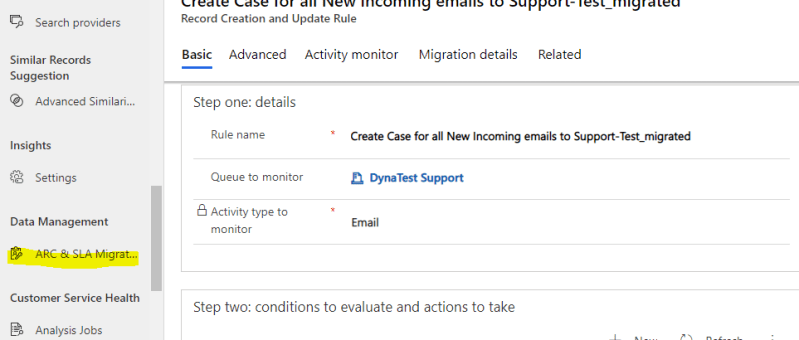
Automatic Record Creation rules and SLAs are required to be migrated from Webclient to UCI client by Oct 2021. There is a ARC & SLA migration tool in the Customer Service Hub and the same can be used for the migration. Internally these processes were running on traditional workflows and this is the strategic move…

Dataverse and Dataverse (Legacy) connectors in Power Automate. Not just a name change!

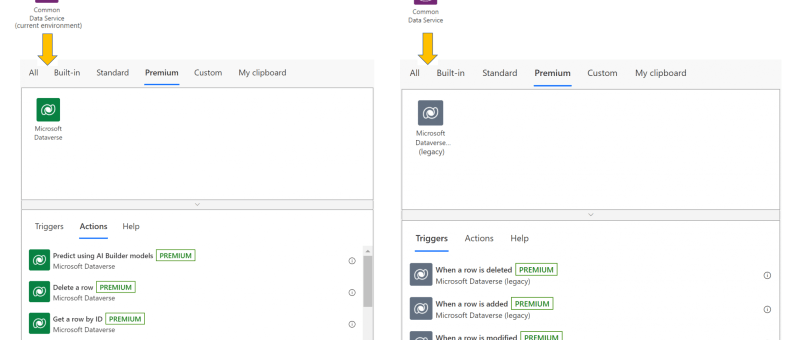
The Common Data Service (current environment) connector, featuring a native integration between Power Automate and Dataverse, will now be known as Microsoft Dataverse, and appear with the new icon and color shade as shown below.  The previous Common Data Service connector will be known as Microsoft Dataverse (legacy). It will be shown with the new icon, albeit in a…