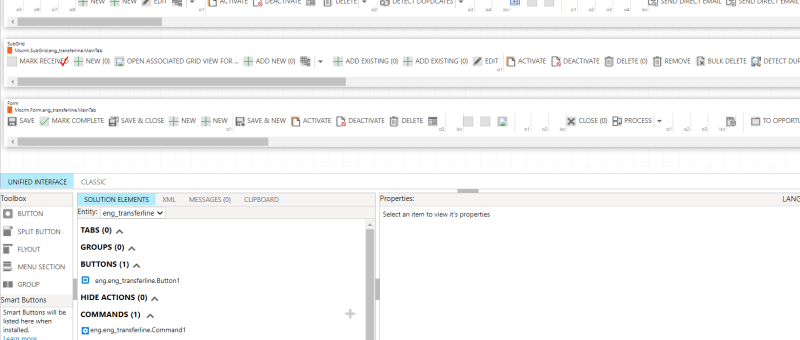
In Dynamics 365, it very common that a larger number of records need to be approved or a similar action need to be done. In these scenarios going to each record and performing the necessary action will not be a better option. To tackle these situations, custom buttons can be used. After selecting the records…
BLOG
How to Upload Documents from Custom Page to their Respective Record’s Folders in SharePoint
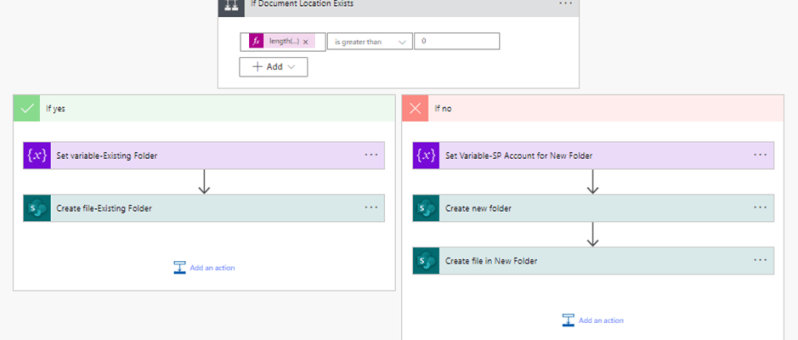
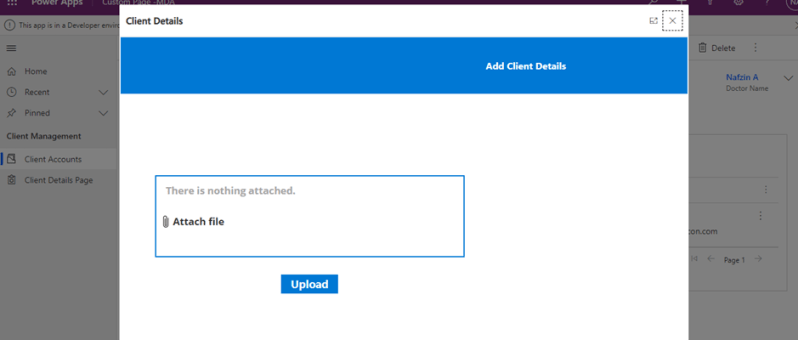
This blog takes you through, how to upload document files from custom page opened in a model-driven form to that respective record’s newly created or already existing folders in SharePoint. This scenario is achieved with the help of a power automate flow. The steps involved in the power automate flow are explained below: Step 1:…
How to Call a Custom Page from Button Click in Model-Driven App
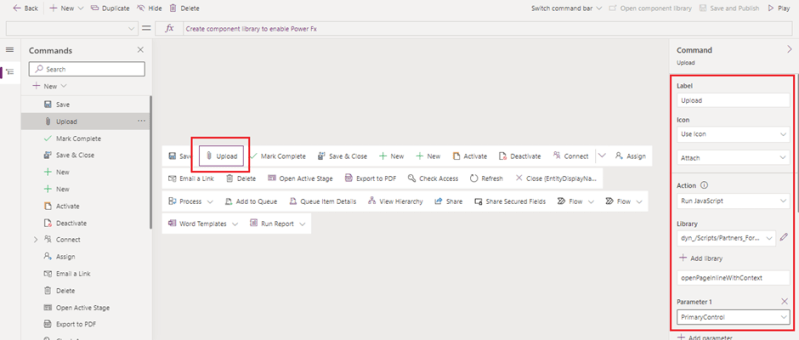
The usage of buttons in model-driven apps helps in easy navigation from one table to other tables or custom pages without even leaving the respective forms. Ribbon workbench is an efficient tool used for the same. This blog guides you through, how to call a custom page as a central dialog box inside the account…
How to add a Custom Page to an Existing Model-Driven App
The custom page is a new page type within a model-driven app, which brings the power of canvas apps into model-driven apps. Custom pages increase the convergence of model-driven and canvas apps and can be used to add full pages or dialogs with the flexibility of the canvas designer. This blog tells you how to…
Call HTTP Request from Canvas Power App using Power Automate Flow and get back Multiple Rows as Response
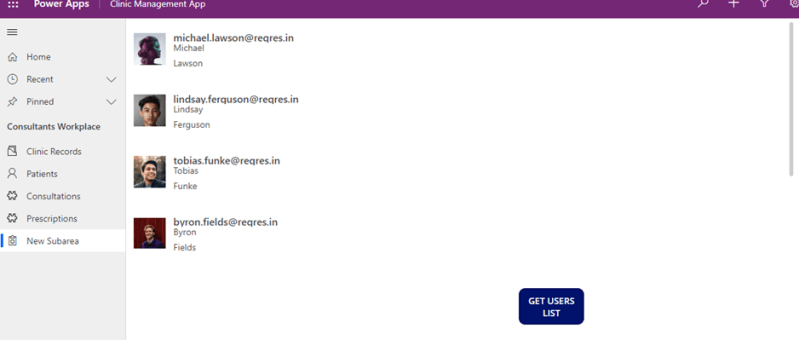
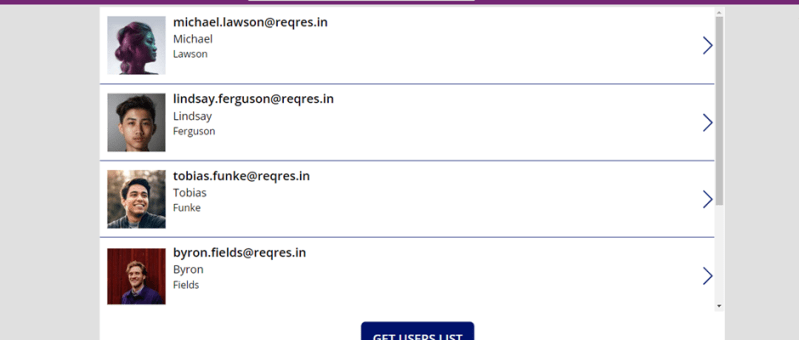
Well, in order to call HTTP request from canvas app to external resources, you will need to go through a power automate flow and then get response back in the canvas power apps as referred in the figure below. SCENARIO: Call a flow from within a canvas power app on clicking a button and capture…
Enable Interactive Map in Power App (Canvas / Model Driven)
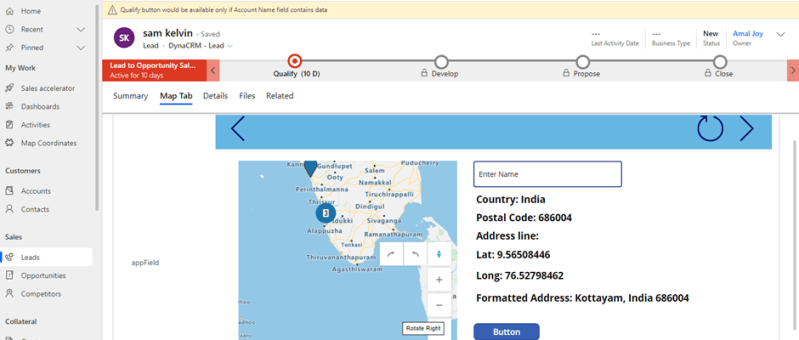
Canvas App Canvas apps are true low-coding apps, they do not require coding know-how. The users have full control over every single aspect of the resulting app, including size and formatting of its components. Since Canvas app allow for a high degree of creativity and flexibility. The Canvas apps are mainly used for mobile devices.…
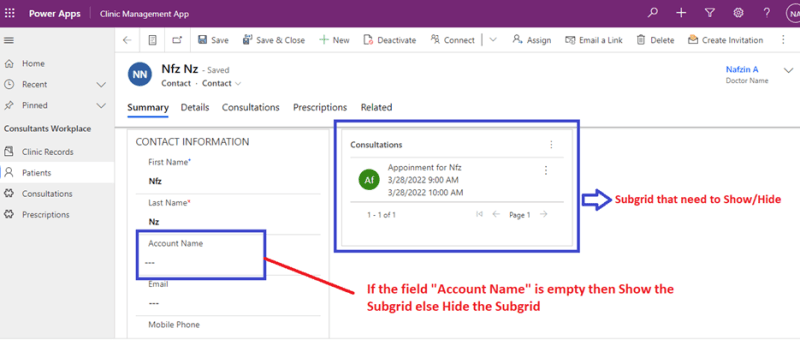
Show and Hide Subgrid Based on Field Value Using JavaScript in MS Dynamics 365 CRM
JavaScript is an important tool used in Microsoft Platforms to interact with entity forms and is executed for events that occur on the form. JavaScript form customizations is one of the best options needed to control business processes. One of the benefits of JavaScript Form programming is that they are immediate and doesn’t need data…
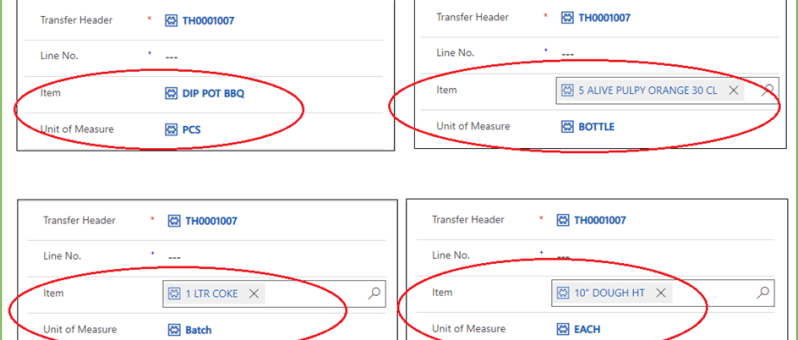
Dynamics 365-Get and Set Lookup Field values using Java Script
The JavaScript is a better tool while developing User Interface in Dynamics CRM. The out of the box facilities may not be sufficient at certain cases. In such sophisticated scenarios JavaScript is a better candidate to figure it out. Setting field values based on condition is a very common practice in Dynamics CRM. For all…
Create Lead with chatbot using Power Automate
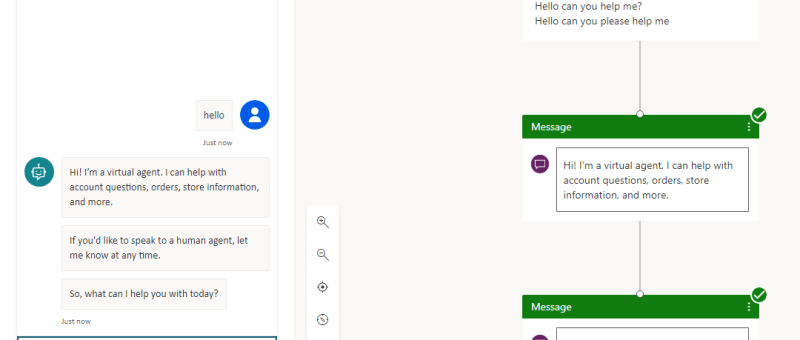
Power Virtual Agents empowers anybody to easily create powerful chatbots for a variety of purposes. The major attraction of Power Virtual Agent from a development perspective is its code-free graphical interface. With Power Virtual Agents, customer support chatbots, sales chatbots, and much more can be created. Chatbots can also be created for customers and also…
Transfer the chat to live agent only if the agent is available
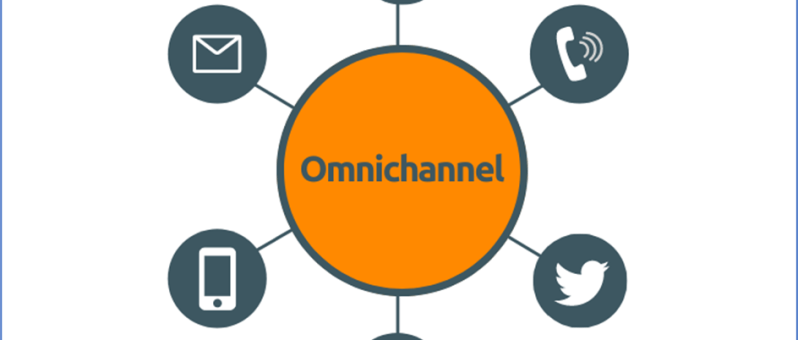
Omnichannel for Customer Service is a robust application that extends the power of Dynamics 365 Customer Service to enable organizations to instantly connect and engage with their customers via channels like Live Chat and SMS. Fig. 1 When a customer initiates a chat with any of the mode, the chat directly lands in Omnichannel dashboard.…
Dynamics 365 form level notification using JavaScript
The model-driven app and Microsoft Dynamics 365 do have inbuilt customizations up to a great extent. But for more specific customizations JavaScript is a much better tool. Here is an example of form level notifications applied to a form. The notification options available at form-level are: Error, Warning and Information. These notification options have different…
Visualize your data quickly from Power Apps and Dynamics 365 apps (preview)
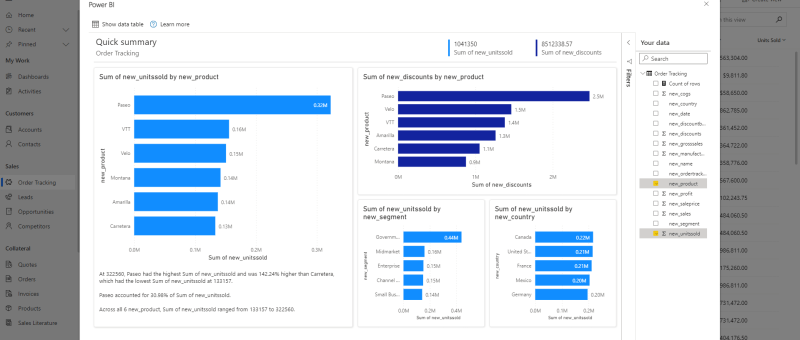
There's a new way to visualize your model-driven Power Apps and Dynamics 365 data stored within Dataverse. With a single click, Power BI will automatically generate a set of visuals for you to explore and find insights within your data. Read more about this here Known issues and limitations Currently, the visuals generated from this…
Delete confirmation Dialog in PowerApps Canvas App
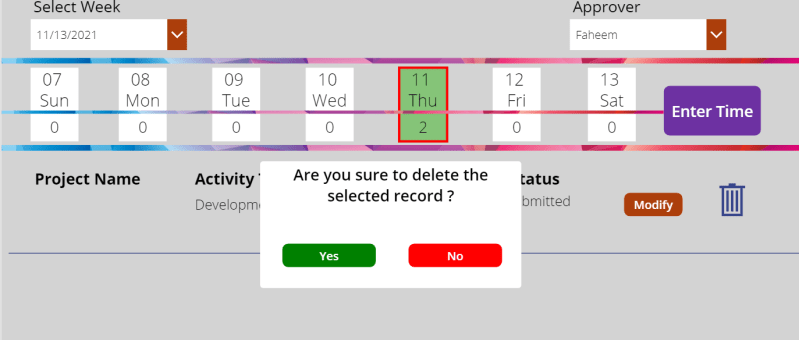
In canvas app we usually come across the need of different types of dialog boxes. Confirmation dialog box is one among those. Mostly confirmation dialog boxes are provided in the app where critical actions like delete, approve, reject etc. are performed. In our case we are trying to delete the gallery item with a confirmation…
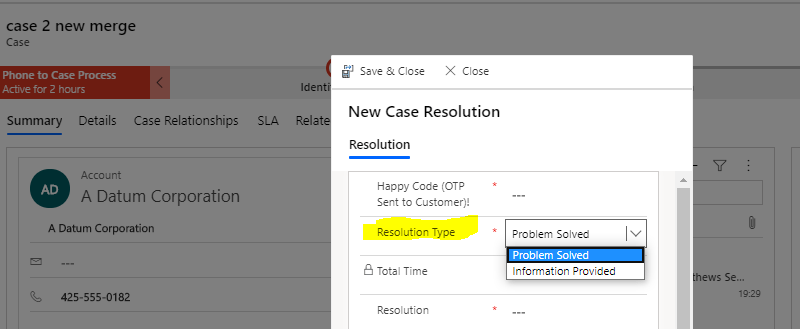
How to control the list of ‘Resolution Type’ options in the ‘Case Resolution’ window? OOB Way
Its a common scenario in the Service Case Management where we will have many Case Resolution statuses which include the 'Auto Closure' status reasons. And, its a usual requirement not to show such 'Auto Close' case statuses to user when user tries to close a case manually. Case Resolution page picks the resolution options from…
How to configure Omnichannel Live chat in Dynamics 365
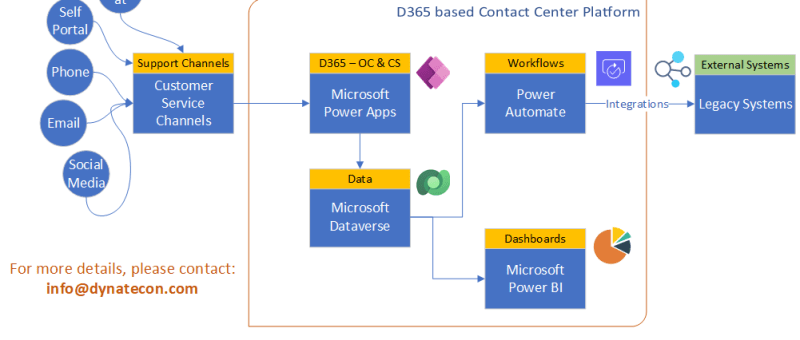
In the modern era, any contact center implementation should enable multiple support channels for their customers or prospects. This will ensure that proper support is given to their customers as well as it can increase the number of enquiries from potential customers to drive sales growth. Customer Service Channels expected in a Modern Contact Center…
Migrate Auto Record Creation Rules & SLAs to UCI before Oct 21!
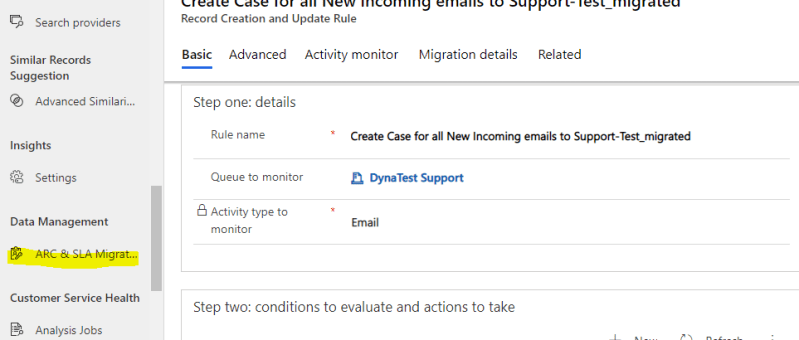
Automatic Record Creation rules and SLAs are required to be migrated from Webclient to UCI client by Oct 2021. There is a ARC & SLA migration tool in the Customer Service Hub and the same can be used for the migration. Internally these processes were running on traditional workflows and this is the strategic move…
Dataverse and Dataverse (Legacy) connectors in Power Automate. Not just a name change!
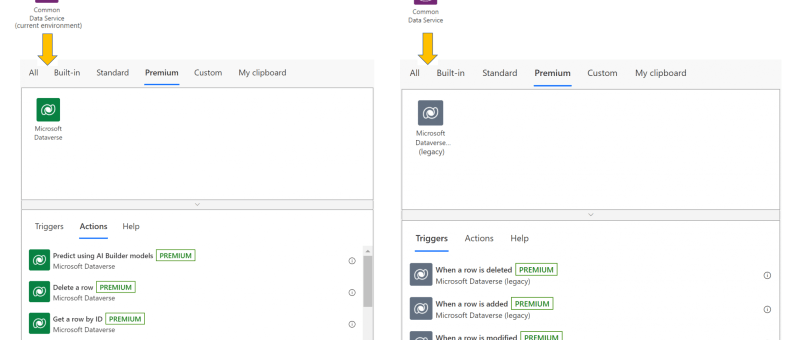
The Common Data Service (current environment) connector, featuring a native integration between Power Automate and Dataverse, will now be known as Microsoft Dataverse, and appear with the new icon and color shade as shown below. The previous Common Data Service connector will be known as Microsoft Dataverse (legacy). It will be shown with the new icon, albeit in a…
New and planned features for Dynamics 365 Sales in 2021 Release Wave 1
Mcrosoft has announced the new and planned features in Dynamics 365 2021 release wave 1. There are lot of new features announced across all Dynamics 365 streams. let;s have a look at the new features in Dynamics 365 Sales: Collaboration with Microsoft Teams - Enhance the sales collaboration experience within Dynamics 365 Sales through integration…
Design flows in Microsoft Visio
The Power Automate designer is a rich tool in which you can configure every detail of your logic. However, sometimes you may want to just sketch your flow logic before you start building your flow. To do this, use Microsoft Visio directly from within Power Automate.
Improve the way you manage projects with ‘Microsoft Project for Web’
If you are a project manager or running a product or service oriented company, its worth to explore the Microsoft Project for Web application to improve the way you manage your projects. This can surely add lot of value to your day-to-day life. It's not just about the online application but also the analytical reports…